

 Reply With Quote
Have a look at the documentation here


Hey guys a while ago I switched my server over to linux and I wasn't really sure if I would like it or not, anyway I only did an 9 gb partition on it and I let my cs server run, it has been like a few months now and the thing ran out of space, I spent hours but was unable to start up x-windows, it always went to failsafe and I don't know how to get those files into my dell-computer. So last night I downloaded knoppix, put it in the cd drive and boom I was in, but I am always logged under knoppix. I know my root account password, infact there is no password for root, and I need to login as root so I can get my psychostats, logfiles, and a bunch of other things from my server like the script someone gave me so it restarts every 12 hours and all that crap, I would greatly appreciate if someone can tell me how I can get access to these files, I tried to logout in KDE and that stopped the entire knoppix session and I tried the command login but it says it must be done at sh or whatever so I type in sh then login and I get the same message, thanks for your helpOh yeah and I forgot to mention like every 5 minutes or 10 minutes the screen goes blank when running knoppix and I have to restart the computer.
Have a look at the documentation here
I would much rather have seen
"Could someone please help, I am new to linux"
than
I'm getting sick of this "noob" stuff, and bad spelling."Help me plz, I am an uber noob"
Maybe I'm just getting old, but it's starting to tick me off.
sorry but I still don't understand I read all these faqs and stuff. I do not want to back up the entire disk on the other computer because I don't have 9 gb free. What I need to do is get access to the root folder and the /halflife/ folder for which I need to be logged in as root. I already had a previous installation of mandrake, can someone point me or tell me step by step instructions on how to do it, thanks a lot. So far the stuff I read isn't making much sense.
Does this not apply to your situation? OK so you don't have Debian- it's MDK, still it's the same.Q: I need to get into my Debian system to update some packages as my system is unable to boot! How do I do that?
A: Boot with the Knoppix CD and mount that partition using the Knoppix root shell. For example:
mount /dev/hda1 /mnt/hda1
chroot /mnt/hda1
Boot to the desktop, then I think you have to click on the partitions on the desktop first so they will become mounted. Once you can see the contents of the partition, you can get to a root shell by hitting (ctrl+alt+F2) this will drop you to a shell as root where you should be able to get to the data under /mnt/hda<1,2,3,etc>
Hope this helps.
when I did the ctrl alt f2 the whole window becomes a root shell, and the problem is I don't know what to do with it. I only know how to use linux in the gui form. What I want to do is copy /halflife/cstrike/logs to my machine named DELL-COMPUTER at 192.168.1.100 in its c:/backuphlserver and then I want to copy /root/psychostats1.9.1 to c:/backupPS is there anyway I can get access to these root directories through the gui, please understand I am new to this and I am really sorry I'm so stupid but linux is new for me, thanks for your time.
 Posting Permissions


Vintage Apple II Avant-Garde Creations Super Shape Draw And Animate 1981
$295.00
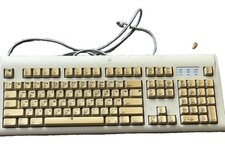
Vintage Apple Design Keyboard Model M2980 Macintosh 1994 Untested
$28.49
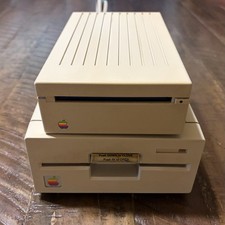
Vintage Apple IIgs 3.5” & 5.25” Floppy Disk Drives A9M0106 A9M0107 Untested
$115.00

Vintage Apple Macintosh LC M0350 Desktop No Harddrive No Power Supply - Parts
$71.95

Vintage Apple Macintosh Plus 1MB - M0001A W/ Keyboard, 2 Mice, 800K HD, + More
$300.00
Lot of 64 Apple II IIe IIc 5.25” Floppy Disk Games Software Utilities Vintage
$39.00

Retro Vintage Apple M0110A Compact Wired Mechanical keyboard for Macintosh Plus
$64.95

Rare Vintage Macintosh Apple Wooden Disk Storage Box Dovetailed
$69.95

Vintage Apple Multiple Scan 15av Display Monitor M4681
$299.99

Vintage Apple Monitor IIc 9" Green Monochrome 06/1985 A2M4090 October 1984 Stand
$275.00