-
Boot to the desktop, then I think you have to click on the partitions on the desktop first so they will become mounted. Once you can see the contents of the partition, you can get to a root shell by hitting (ctrl+alt+F2) this will drop you to a shell as root where you should be able to get to the data under /mnt/hda<1,2,3,etc>
Hope this helps.
Similar Threads
-
By cannonfodder in forum General Support
Replies: 14
Last Post: 02-11-2005, 04:49 AM
-
By shiv_379 in forum MS Windows & New to Linux
Replies: 1
Last Post: 01-15-2005, 09:48 PM
-
By sas13 in forum MS Windows & New to Linux
Replies: 9
Last Post: 07-26-2004, 11:04 PM
-
By waynejkruse10 in forum Hdd Install / Debian / Apt
Replies: 1
Last Post: 10-23-2003, 01:53 PM
-
By Marduk in forum General Support
Replies: 2
Last Post: 08-13-2003, 08:21 AM
 Posting Permissions
- You may not post new threads
- You may not post replies
- You may not post attachments
- You may not edit your posts
-
Forum Rules


Samsung 2.5" 870 EVO SSD SATA III 250GB 500GB 1TB Internet Solid State Drive Lot
$100.00
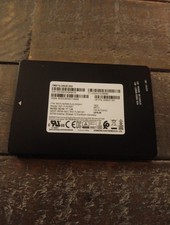
HP Samsung PM871b 2.5 SATA SSD 256GB Solid state drive
$29.99

Samsung 860 EVO 250GB, SATA III, 2.5" Internal Solid State Drive - Black...
$30.00

Western Digital Blue 3D NAND 500GB Internal 2.5" SSD - WDS500G2B0A
$49.99

Netac 2TB 1TB 512GB 256GB Internal SSD 2.5inch SATAIII Solid State Drive lot
$549.00

Fanxiang 1/2/5/10Pcs 2.5'' SATA SSD Lot 1TB 2TB 4TB 512GB 256GB TLC Internal SSD
$129.99

Crucial MX500 1TB 2.5" SATA III Internal SSD CT1000MX500SSD1
$99.99

Crucial MX500 250GB 2.5" SATA III SSD - Preowned
$29.00

Intel Solid-State Drive DC S3500 Series 240GB Internal 2.5" (SSDSC2BB240G4P) SSD
$29.99

Samsung 860 EVO 250GB SSD MZ-76E250 2.5" SATA III Solid State Drive -
$39.99



 Reply With Quote