

 Reply With Quote
You must use Nero to burn de ISO image, no a folder with all the files.Originally Posted by Colonel Sanders
The ISO has all the files and the bootable part of the CD. The folder no.


My *other* OS is Windows 2000. I used WinRAR to extract all the files in the knoppix ISO into a folder on my hard-drive, as far as I can tell by viewing the folder with the files and comparing it to a burnt Knoppix CD there is no difference in the files.
So, I used Nero to burn the folder with all the files onto a CD, and once again with a comparison I see no major differences. The only difference I have seen so far is that the proper CD has a volume label of "Knoppix", and the improperly burn CD has a volume label of simply "new"(wich I think is actually empty).
The proper CD works without any trouble. However, for the improper CD, I made a boot floppy(using mkfloppy.bat, which was in the folder on my hard-drive that came from the ISO) and I currently believe I'm running off the "improper" CD(need to get a sharpie to label my CDs....).
What should I try to be able to boot off the "Improper" CD without using a boot disk(assuming there is any *easy* way)?
TIA, L J
You must use Nero to burn de ISO image, no a folder with all the files.
The ISO has all the files and the bootable part of the CD. The folder no.
Is there is a file on the CD that makes it bootable? If there should be, I have compared the disk sizes, the "improper" disk is actually about 5KB larger but otherwise, every folder, every file is *identical*(by identical I mean same name, same same syze in bytes).
So *what* is the bootable part of the CD?
During the Nero burn, the only thing that stuck out was that it originally said in order to fit everything on the CD, the CD would have to be finallized, could this have anything to do with the CD not working.
L J
...there is not a file, believe me...
I have read your post and your are not the first person asking this question.
The bootable part of a CD is not a file, it is record in the cd but not a file.
You must use Nero to burn an ISO image.
Nero has facilities to add a boot record if you dont have an ISO image but this is another story.
So, it is possible to make the CD without using the ISO, which means that it would be a lot easier to edit the CD.
Can you give me any info about makeing the boot record?
Thanks, L J
I have success!!
To be honest, I'm not 100% certain what exactly I did, but I'll try to summarize.
1) I used WinRAR to "extract" the files from the Knoppixs ISO and put these in a folder labeled "knoppix-exp"(exp for expanded).
2)I ran mkfloppy.bat from "c:\knoppix-exp\knoppix"(or the knoppix sub-folder on the CD)
3)I opened Nero and chose to make a new CD. I ignored the wizard, and chose to make a bootable CD-ROM and it asked for an example(well, I don't remember exactly what it asked for, will have to edit this later if anyone is really interested) and used the floppy for the example.
I have an "improper" CD made proper.
L J
ok.
Also you may try winiso, and not winrar.
Winiso will let you add or deleting files witout the need of extracting then before. To make bootable Cd is easier with winiso. Win ISO replaces winrar, nor Nero
 Posting Permissions


Kingston 32GB 64GB 128GB 256GB USB 3.0 Flash Drive Thumb Memory Stick Pen lot
$285.90

Microsoft Office 2021 Pro Plus USB for 1PC Windows 10 & 11
$62.55
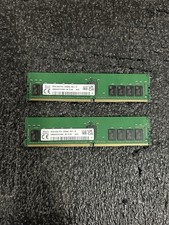
Set of 2 HMAA4GR7CJR8N-XN HYNIX 32GB (1X32GB) 2Rx8 PC4-3200AA MEMORY
$600.00

TF/SD Card Adapter Camera Reader Android Type-c For iPhone17 Pro Max Plusm lot
$573.98
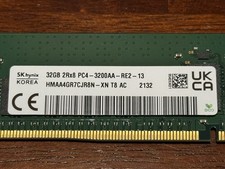
SK Hynix HMAA4GR7CJR8N-XN 32GB 2Rx8 PC4-3200AA DDR4 ECC Server Memory RDIMM
$329.99

USB 3.0 Flash Drive 32GB 64GB 128GB Memory Stick Thumb Stick Lot Pack
$826.09
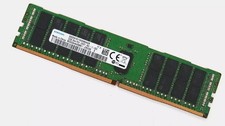
SAMSUNG 128GB (4x32GB) M393A4K40BB1-CRC4Q RAM DDR4-2400T RDIMM ECC Memory
$666.00
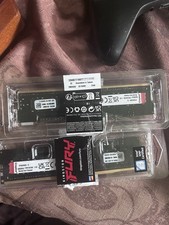
Kingston Renegade Pro 32gb 2x16gb 5600
$850.00

MICRON MTA36ASF4G72PZ-2G6D1 32GB PC4-21300R DDR4-2666V RDIMM 2RX4 MEMORY DIMM
$139.99

1/ 10/ 100pcs USB 2.0 2GB, 4GB ,8GB ,16GB ,32GB ,64GB 128GB USB Flash Drives Lot
$202.50
