-
knoppix 3.1>3.2 transition frustration
Hi,
I was using Knoppix 3.1 until today when I finally got my Knoppix 3.2 CD and I have a couple of things which frustrate me.
1) what happened to the previous KDE style/theme? The new one looks like an ungly Window$-XP wanna be with those flashy bright colours. Is this some kind of "original-Knoppix" look or is this a KDE-thing? Can I somehow get the old Knoppix/KDE look back?!
2) Furthermore, when I click on the Konsole the fontsize is set to 'huge'. Why is this?
3) how do I change the screen's refresh rate and resolution? when I try to change in throught the control center's display menu I must re-start the session which I cannot since this is a live-CD and not a HD-installed distro.
4) during boot-up I get a message "Using Modes "1024x768" "800x600" "640x480". What does this mean? Which one is really used? Is there a shortcut to flip between them?
Thanks!
-
Senior Member
registered user
Re: knoppix 3.1>3.2 transition frustration

Originally Posted by
andrei
Hi,
I was using Knoppix 3.1 until today when I finally got my Knoppix 3.2 CD and I have a couple of things which frustrate me.
1) what happened to the previous KDE style/theme? The new one looks like an ungly Window$-XP wanna be with those flashy bright colours. Is this some kind of "original-Knoppix" look or is this a KDE-thing? Can I somehow get the old Knoppix/KDE look back?!
In the Control Center you can change the theme/look/colors etc. This is no different than the previous version of KDE.
2) Furthermore, when I click on the Konsole the fontsize is set to 'huge'. Why is this?
Why? I dunno- maybe you set it that way. Just change it back and be sure to 'save settings'
3) how do I change the screen's refresh rate and resolution? when I try to change in throught the control center's display menu I must re-start the session which I cannot since this is a live-CD and not a HD-installed distro.
4) during boot-up I get a message "Using Modes "1024x768" "800x600" "640x480". What does this mean? Which one is really used? Is there a shortcut to flip between them?
CTRL+ALT+ + or -
-
ok. I suppose I will have to get used to the new style. thanks for the resolution shortcut!
-
Senior Member
registered user
Originally Posted by
andrei
ok. I suppose I will have to get used to the new style. thanks for the resolution shortcut!
Says who?->KDElook and you're welcome 
Similar Threads
-
By Arkaein in forum Hardware & Booting
Replies: 3
Last Post: 01-28-2004, 05:10 AM
-
By photolnx in forum General Support
Replies: 2
Last Post: 07-03-2003, 07:19 PM
 Posting Permissions
- You may not post new threads
- You may not post replies
- You may not post attachments
- You may not edit your posts
-
Forum Rules


OEM Genuine 42Wh WDX0R For DELL Inspiron WDXOR Battery 15 5567 5568 13 5368 7368
$22.99
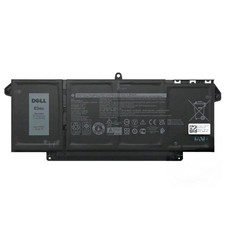
Genuine OEM 63Wh 7FMXV Battery For Dell Latitude 5320 7320 7420 7520 4M1JN TN2GY
$32.99
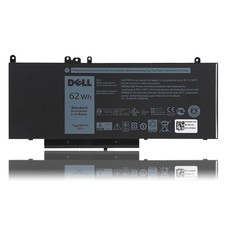
OEM Genuine 62WH 6MT4T Battery For Dell Latitude E5470 E5570 6MT4T 07V69Y 7V69Y
$36.66

OEM 68Wh 3HWPP Battery For Dell Latitude 5401 5501 5410 5510 E5411 E5511
$28.99

OEM Genuine 86WH 69KF2 Battery For Dell XPS 15 9500 Precision 5550 M59JH M15 M17
$45.49

OEM 68Wh 3HWPP Battery For Dell Latitude 5401 5411 15 5501 5511 Precision 3541
$35.78
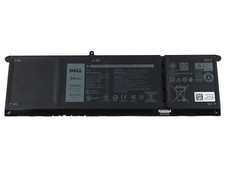
NEW OEM V6W33 Battery For Dell Inspiron 3510 5510 Latitude 3330 3320 Vostro 3515
$22.00
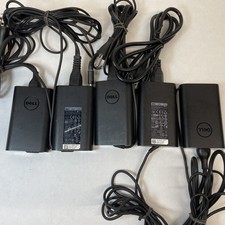
Lot of 5 Dell OEM 65W 7.4mm 19.5V 3.34A AC Adapters Mixed Models B Grade
$39.99
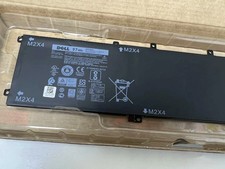
Genuine OEM 6GTPY 97Wh Battery for Dell XPS 15 7590, 9550 Series 5XJ28 GPM03 New
$33.50
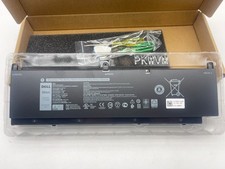
OEM Genuine 95WH PKWVM C903V Battery 7550 For Dell Precision CR72X 17C06 447VR
$37.40



 Reply With Quote