-
Senior Member
registered user

Originally Posted by
Stig
I only see a list of modes, but no indication of what mode I'm actually running?
At the bottom of the ModeLine's you will see a section similar to these for my monitor these are the ones being used.
Code:
vendorname "Acer Peripherals"
modelname "54e"
ModeLine "1024x768/65Hz" 65 1024 1032 1176 1344 768 771 777 806  -HSync -VSync
ModeLine "800x600/72Hz" 50 800 856 976 1040 600 637 643 666  +HSync +VSync
EndSection
BTW, my monitor might not be correctly detected either. I have a Samsung SyncMaster 900SL Plus, but Knoppix thinks its a "SAM4279"?
My monitor is also never detected correctly on when I boot from the CD.
When I go into Control Center -> Peripherals -> Display I have the choice to select different videocards, monitors and modes, but I have to restart "my session" to make the changes take effect. The only way I know of doing that, is to reboot Knoppix, and then I loose the changes I've just made... Is there some way I can restart X without rebooting Knoppix completely? (I asume "restart session" means restart X?) It would make it much easier to experiment.
But well... My primary reason to want to boot Knoppix at the moment is to check some webpages in Konqueror. I can do that now, so its no big deal actually. If theres no more bright ideas to what I can try, I can live with it as it is now, and just hope it gets better in a later release.
Thanks for trying

Stig.
You can go through the Xdisplay and configure for your monitor and video card after you are done open a console window and sudo init 3 to take you to the console itself without X running in effect the same as re-starting the Xserver but not shutting down then while at the console /etc/init.d/xsession start will start the knoppix Xsession again with the new settings that you had saved in the config process with Xdisplay. Also some other cheat codes you may want to try knoppix vga=normal with maybe your xmodule and xvrefresh cheat code and have you tried any of the fb images like fb1024x768 note: you do not need to put the knoppix in front of this.
Similar Threads
-
By jefwic in forum Hardware & Booting
Replies: 3
Last Post: 06-07-2005, 01:45 AM
-
By MSantangelo in forum Hardware & Booting
Replies: 15
Last Post: 07-20-2004, 07:45 PM
-
By Fidelio in forum Hardware & Booting
Replies: 2
Last Post: 07-15-2003, 05:35 PM
-
By iss in forum General Support
Replies: 7
Last Post: 06-16-2003, 02:18 AM
-
By Rudeboy in forum Hardware & Booting
Replies: 4
Last Post: 03-31-2003, 07:05 AM
 Posting Permissions
- You may not post new threads
- You may not post replies
- You may not post attachments
- You may not edit your posts
-
Forum Rules


Netac DDR4 32GB 16GB DDR4 3200MHz UDIMM C16 Desktop Internal Memory RAM Kit
$99.99
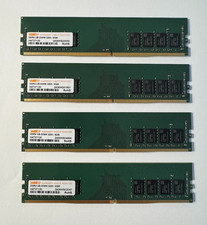
WARIS 32GB (4x8GB) DDR4-3200 PC4-25600 288-Pin UDIMM Desktop RAM H4737130
$119.99
Lot of Ram
$8000.00

RAMAXEL Lenovo 32GB LPDDR5X CAMM2 7500MHz Laptop RAM | UNTESTED
$445.00

Major Brand 16GB (2x8GB) PC3-12800U DDR3-1600MHz DDR3-12800 DESKTOP RAM NON-ECC
$29.99

A-Tech 8GB DDR3 1600 PC3-12800 Laptop SODIMM 204-Pin Memory RAM PC3L DDR3L 1x 8G
$21.68

Samsung 8GB DDR4 SO-DIMM PC4-3200AA 260-Pin RAM M471A1G44BB0-CWE Module
$29.25

DDR4 Laptop RAM 4GB 8GB 16GB 32GB 2400 2666 3200 Samsung Hynix
$30.00
LOT OF 5 RAM STICKS-SAMSUNG/SK Hynix 16GB 2Rx8 PC4-2133 (16GBX5=75GB TOTAL)
$345.00

Corsair Vengeance DDR3 8GB 16GB 32GB 1866MHz PC3-14900 Desktop RAM Memory DIMM
$85.00



 Reply With Quote