

 Reply With Quote
I don't really get what your asking for, but to start apache (the http-server) just type:
What do you mean by a "shared-folder" and what's this script for?Code:sudo /etc/init.d/apache start


does anyone know how i can go about this on knoppix.... jsut the commands and scripts i shud use so that i can write a script to start it after shutdowns......
I don't really get what your asking for, but to start apache (the http-server) just type:
What do you mean by a "shared-folder" and what's this script for?Code:sudo /etc/init.d/apache start
i need to know what folder is the public shared one..... where i can put the index.html:P i just wanna know all these commands so that i can put them to a text file...... then ill be able to run them faster than having to type em in
To have apache start on boot edit the file /etc/init.d/bootmic.sh as root in a console and add the lines:Originally Posted by punk000
Or you can use the command in the post above for the start either will work. the "shared" folder is set to /var/www in the file /etc/apache/httpd.conf with the DocumentRoot /var/www on line 1004 I believe you can change this to whatever you want check the apache docs that are included I just leave it as is and put my web pages in the /var/www.Code:#Start the apache web server on boot for my web pages /usr/sbin/apachectl start
When you boot you will see an error telling you that it could not determine the fully qualified domain name and it is setting it to http://127.0.0.1 (localhost) and that is how you can access your web pages while you are running. eg. http://127.0.0.1. http://localhost or http://hostname the hostname being the name of your machine in the file /etc/hostname. You will just see the place holder web page welcoming you to your new home page until you replace the index.html. Also you may have to give yourself permission to access the /var/www directory (can't remember at the moment it's been a while since I last did it).
You may also want to look into installing htdig if you want to be able to search the pages that you have it comes in handy when you are trying to find something but can't remember which page you have it on.
[edit]
A good place for web design tips and apache in general is bignosebird.
[/edit]
 Posting Permissions

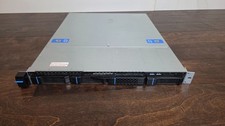
Datto S3P6000 4x 3.5" 1U Blade Rack Server Intel Xeon D-1541 @2.10GHz 48GB DDR4
$128.96

Dell PowerEdge M630 Blade Server 2x Xeon E5-2680 v4, 2F3MP , 4GDP5 ,R10KJ ,JVFVR
$95.20

Dell PowerEdge M640 Blade Barebone Server Dell P/N: HHB006 Tested Working
$149.99

Dell PowerEdge M620 Blade Server 2x Xeon E5-2680v2 2.8ghz 20-Cores | 128GB
$149.99

Datto S4P10 1U Blade Rack Server Intel Xeon D-2143IT 2.20GHz 48GB DDR4 4-Bay PSU
$197.76

HPE PROLIANT BL460C GEN 9 813198-B21 2.5"x2 Server Blade SEE NOTES
$21.08

Cisco B200 M3 2x E5-2670V2 10 Core 8x 16GB-128GB Ram Blade Server VIC1240 14900R
$399.00

Dell Poweredge C6400 24x 2.5’’ 2x 2400W 4x C6420 Nodes H330 | 2x SFP | 8x Trays
$799.99

NETAPP HCI NAF-1701 SuperMicro Server 4X BLADE H410C 8X GOLD 5120 4 NODE SERVER
$1499.97

Dell Poweredge VRTX 25Bay 2.5" 2x PERC 8, 2xCMC, I/O 1GB Pass Through, 4x PS
$578.08