-
User privaleges to shutdown, control net devices
I'm loving Knoppix a lot, but being new to Debian there are two things I can't figure out how to do. I asked on a #debian but the answer seemed rather complex and I couldn't find anything on google.
I want to allow a regular user account (mine in this case) to be able to shutdown and do ifup and ifdown commands to bring up interfaces. How would I go about doing this the Debian way? I know I can use sudo or just su to root, but it's bothersome to type my password all the time for that (I'm using a notebook). I tried to change the owner / group of /etc/network/interfaces, but then pump complained. Any ideas?
-
Senior Member
registered user
As root:
Code:
chmod 777 /etc/network/ifstate
Also- you might want to edit your /etc/sudoers file so that it looks like so:
Code:
<your username> ALL=NOPASSWD: ALL
That way when you use the sudo command you won't have to enter a password everytime. After that, you can do sudo ifdown -a and it will just do it- no password required.
-
Thanks
Changing the octal mode of /etc/network/ifstate didn't help at all  - pump still complained that it must be run as root. Changing the /etc/sudoers worked great though! Thanks
Similar Threads
-
By JockVSJock in forum General Support
Replies: 5
Last Post: 07-03-2004, 08:09 PM
-
By jbrush in forum General Support
Replies: 0
Last Post: 04-15-2004, 12:29 AM
-
By rafial in forum Hardware & Booting
Replies: 1
Last Post: 11-13-2003, 03:28 AM
-
By iamanewbie in forum General Support
Replies: 3
Last Post: 10-27-2003, 10:13 AM
-
By _CaLeB_ in forum Hardware & Booting
Replies: 5
Last Post: 03-31-2003, 06:20 PM
 Posting Permissions
- You may not post new threads
- You may not post replies
- You may not post attachments
- You may not edit your posts
-
Forum Rules


Lenovo ThinkPad L13 Yoga Touch Laptop 13.3” Core i5 8GB RAM 256GB SSD Win 11 Pro
$239.99

Lenovo ThinkPad L15 Gen 3 15.6" 16GB, Thunder Black
$241.50

Lenovo ThinkPad E14 Gen 3 Laptop 14” FHD AMD Ryzen 5 16GB RAM 512GB SSD Win 11
$374.99

Lenovo ThinkPad E14 Gen 2 Laptop 14” HD Ryzen 5 16GB RAM 512GB SSD Win 11 Pro
$319.99

Lenovo ThinkPad L14 Gen 3 14" FHD Laptop i5 12th Gen 16GB RAM 256GB SSD Win 11
$329.99

Lenovo Thinkpad T14 Gen 2i 14" 16GB 512GB, Black
$313.00
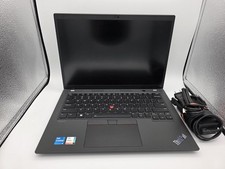
Lenovo ThinkPad T14 Gen 3 | Intel I5-1245U | 16GB RAM | 256GB NVMe | W11P | W/AC
$299.99

Lenovo ThinkPad L14 Gen 2 14" Laptop Core i5-1135G7 2.40GHz 8GB RAM 256GB SSD
$124.99

Lenovo ThinkPad L15 Gen 3 15.6" 16GB, Thunder Black
$241.50

Lenovo ThinkPad T495 14” Laptop AMD Ryzen 5 PRO 16GB RAM 256GB SSD Windows 11
$229.99



 Reply With Quote