-
Senior Member
registered user
Re: monitor refresh in knx-install

Originally Posted by
Leox
thak you stephen for you help, however it still dont work. the exactly message on my monitor is "sync. fuera limite" in english "out of limit"
when i boot from the knoppix cd I write knoppix xvrefresh=60 and it works perfectly, but when i boot from my hard disk I dont have the chance to use the cheat codes at the startup.
You can pass additional parameters at the lilo prompt when you boot but I don't know for sure if the xvrefresh is one of them or if it knoppix specific it can't hurt to try the most it will do is give an error.
Try this when you see the lilo screen when you boot you will see under the red lilo screen a boot: if the option selected to boot in the red lilo screen is linux then just type in linux xvrefresh=60 or if the name is different just use that instead of linux if it gives you an error then you can't pass it if not it should work.
It does seem strange that it won't use the working config from the CD did you change any monitor settings on the HD install?
Similar Threads
-
By rehorne in forum Hardware & Booting
Replies: 1
Last Post: 03-13-2004, 09:41 AM
-
By jeanthibca in forum Laptops
Replies: 0
Last Post: 02-23-2004, 02:33 PM
-
By pnti in forum General Support
Replies: 0
Last Post: 10-18-2003, 07:36 PM
-
By Zibar in forum General Support
Replies: 4
Last Post: 06-20-2003, 08:04 PM
-
By bateto_007 in forum General Support
Replies: 8
Last Post: 04-23-2003, 06:02 PM
 Posting Permissions
- You may not post new threads
- You may not post replies
- You may not post attachments
- You may not edit your posts
-
Forum Rules


Lenovo ThinkPad L13 Yoga Touch Laptop 13.3” Core i5 8GB RAM 256GB SSD Win 11 Pro
$239.99

Lenovo ThinkPad L15 Gen 3 15.6" 16GB, Thunder Black
$241.50

Lenovo ThinkPad E14 Gen 3 Laptop 14” FHD AMD Ryzen 5 16GB RAM 512GB SSD Win 11
$374.99

Lenovo ThinkPad E14 Gen 2 Laptop 14” HD Ryzen 5 16GB RAM 512GB SSD Win 11 Pro
$319.99

Lenovo ThinkPad L14 Gen 3 14" FHD Laptop i5 12th Gen 16GB RAM 256GB SSD Win 11
$329.99

Lenovo Thinkpad T14 Gen 2i 14" 16GB 512GB, Black
$313.00
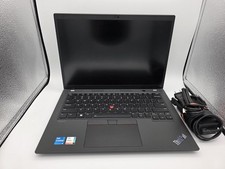
Lenovo ThinkPad T14 Gen 3 | Intel I5-1245U | 16GB RAM | 256GB NVMe | W11P | W/AC
$299.99

Lenovo ThinkPad L14 Gen 2 14" Laptop Core i5-1135G7 2.40GHz 8GB RAM 256GB SSD
$124.99

Lenovo ThinkPad L15 Gen 3 15.6" 16GB, Thunder Black
$241.50

Lenovo ThinkPad T495 14” Laptop AMD Ryzen 5 PRO 16GB RAM 256GB SSD Windows 11
$229.99



 Reply With Quote