-
use cp -R not cp -r the capital R ignores device nodes. That should fix your problem. I am curious how you will go about building an iso from an installed redhat system. Do you have detailed instructions on how to do this? If so could you please reply to this post and let me know how you did it, if not could you please point me in the right direction, IE docs that could help me unserstand how this is done. Thanks
my email is [email protected]
Similar Threads
-
By Loserkid in forum General Support
Replies: 1
Last Post: 12-25-2004, 07:23 AM
-
By inurenegade in forum General Support
Replies: 6
Last Post: 09-18-2004, 11:58 AM
-
By stewball in forum General Support
Replies: 3
Last Post: 05-11-2004, 07:49 PM
-
By xyzbob in forum Hdd Install / Debian / Apt
Replies: 1
Last Post: 03-21-2004, 11:48 PM
-
By jims in forum General Support
Replies: 1
Last Post: 12-07-2003, 03:46 PM
 Posting Permissions
- You may not post new threads
- You may not post replies
- You may not post attachments
- You may not edit your posts
-
Forum Rules


Samsung DVI to DVI Cable 6 ft Digital Video Interface Audio Video NEW
$30.89
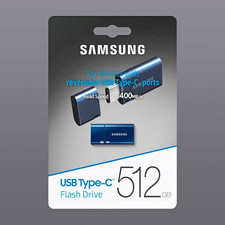
NEW - Samsung 512GB USB-C Flash Drive Blue Up to 400MB/s Read Speed
$120.00
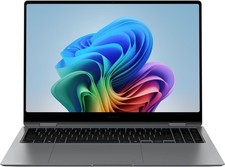
Samsung Galaxy Book 5 Pro 360 16" Laptop Intel Core Ultra 7 256V/16GB/512GB Gray
$1499.00
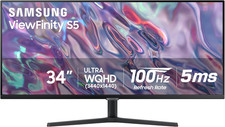
SAMSUNG 34" Viewfinity S50GC Series Ultra-WQHD Monitor, 100Hz, 5Ms, HDR10, AMD
$309.99

Kids Case for Samsung Galaxy Tab A9+/A9 plus 11 Inch 2023 Case, with Strap, Shoc
$27.99

Samsung JC95-01514A Cover-Side Roller T2 Compatible
$39.00

Samsung JC93-01078A Transfer Roller T2
$89.00

Samsung PC4-2666V 16GB 2Rx8 RAM DDR4 2666MHz M471A2K43CB1-CTD
$59.99
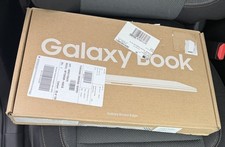
Samsung Galaxy Book4 Edge 15.6” FHD Snapdragon X 16GB 512GB Copilot+
$499.99

Samsung Galaxy View Tablet 18.4 SM-T670/677A Digitizer 100% Original Oem
$152.99



 Reply With Quote