-
knoppix cdrom boot fails on some cdrom players
Hi,
my Knoppix cd booted just fine, untill I replaced my cdrom reader with a new Samsung 48x cdwriter (SW- 248B ). My computer just hangs after reporting
"1. FD 1.44 MB System Type - (00)"
No Knoppix screen appears.
However, it can boot from a Windows 98, Mandrake & Debian Netinstall cd. I wrote to Samsung, but their support staff doesn't know the difference between booting and writing...
What could cause these problems ? What's so special about the Knoppix boot procedure that the other cd's apparantly don't have ?
greetz,
Dominique De Munck
PS : I'm quite sure it's not a bad cd to be blamed, because I tested it with 2 different Knoppix cd's who work on other computers.
(same post as on linuxtag, got no reaction there however)
-
Senior Member
registered user
I have a samsug 32-10-40 CD-R/W that reads/writes OK or Knoppix wouldn't work at all. However I don't boot from it as my BIOS is too old to enable CD-ROM booting. Try using the floppy boot option and see if it works then. That 1.44MB sure looks like a floppy size. I assume you have CD boot set as first in your BIOS.
-
Senior Member
registered user
RE: knoppix cdrom boot fails on some cdrom players
<snip>
...I replaced my cdrom reader with a new Samsung 48x cdwriter ...
</snip>
Check in your BIOS to make sure that DMA is turned on and that the boot order is correct. Windows can override BIOS DMA settings, but I'm not sure about Knoppix.
Another thing to check: make sure that the CD burner's firmware (internal BIOS) is up-to-date. It's not unusual for there to be a revision available, even in a new drive. You can check this from Windows using Device Manager; bringing up the Settings tab from the Properties selection of the menu for the CD-ROM drive will show the firmware version. Check this against the Samsung website.
-
Junior Member
registered user
Just an intuition (probably wrong) but I'd try this:
Find the boot options in the bios and turn CD rom booting OFF.
Then boot up as normal, into an OS of some sort, then shut down and complete power down.
Then go back into the BIOS and set CD rom booting back up again as you desire it.
Then after another power cycle, see what happens.
- Probably won't make a difference, but it's what I'd try.
Similar Threads
-
By jackiechen858 in forum Hdd Install / Debian / Apt
Replies: 5
Last Post: 12-09-2004, 02:29 AM
-
By lilsirecho in forum The Lounge
Replies: 5
Last Post: 10-22-2004, 04:42 AM
-
By menisk in forum General Support
Replies: 12
Last Post: 02-06-2004, 09:57 PM
-
By jerome in forum The Lounge
Replies: 3
Last Post: 01-01-2004, 08:38 AM
-
By rickenbacherus in forum General Support
Replies: 0
Last Post: 12-09-2003, 12:12 AM
 Posting Permissions
- You may not post new threads
- You may not post replies
- You may not post attachments
- You may not edit your posts
-
Forum Rules


WAVLINK RAID 2 Bay Hard Drive Docking Station SATA 2.5/3.5'' SSD HDD Enclosure
$107.99

Broadcom 9600-24i Tri-Mode RAID Controller 4.0 NVMe SAS SATA NEW 05-50111-01003
$639.69

Intel VROC Premium RAID Controller Card PCIe Add-On Module VROCPREMMOD
$265.00
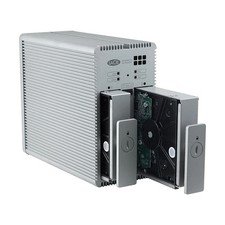
Lacie 2big Quadra RAID 2 x 2 TB 4 TB Only 158 hours
$199.00
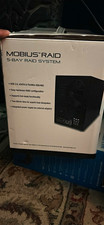
Oyen Digital MOBIUS 5-Bay RAID Enclosure USB 3.0/eSATA/FireWire
$140.00
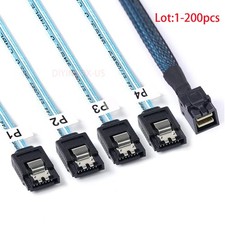
Lot Mini SAS SFF-8643 To 4 SATA 7pin Hard Disk 6Gbps Data Server Raid Cable 1M
$870.00

2-Bay/4-Bay Hard Drive Enclosure for 3.5"/2.5'' SATA HDD/SSD 10Gbps USB-C 3.2
$75.99

Broadcom LSI 9305-16i 12Gbps SAS-3 PCIe x8 HBA 16-Ports Raid Controller
$64.99
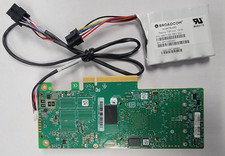
LSI 9461-16i MEGARAID RAID 12GBPS 16 PCIE3.0 PORT KIT W/BATTERY 03-50011-69004
$145.99

Dell PowerVault DL2200 2x Xeon E5620 24GB RAM H700 2x500GB SAS RAID1
$230.00



 Reply With Quote