

 Reply With Quote
Try adding xserver=XF86_SVGA and xmodule=mga also you will not need the wheelmouse cheat code it is the default now.


Hi!
I'm trying to boot Knoppix 3.2 2003-06-06-BETA from floppy/CD, but get the following error:
and a lot of blinking (problably trying to change displaymode?).Starting X11... root@tty1 [/]#..
Retrying with Server XFree86(vesa)
Error: No suitable X-Server found for your card..
Retrying with Server XFree86(fbdev).
My card is a Matrox Millenium G400 AGP 32Mb. I can boot and run Knoppix 3.1 2003-01-20-BETA and Knoppix 3.2 2003-03-28-BETA without problems, but havent tried the intervening relases, so I don't know exactly when the problem has started.
My motherboard is an ASUS P5A with AMD K6-2 400 proc.
I can press Enter after the error and give the command "lspci -v", but I don't know how to redirect its output to a file on the floppy or my HD. So I can't give complete output of lspci, but the Graphics controller part says:
This is my setup on the boot floppy, and it should be default values except for lang=en keyboard=da wheelmouse xkeyboard=dk:01:00.0
VGA compatible controller: Matrox Graphics, Inc. MGA G400 AGP (rev 03) (prog-if 00 [VGA])
Subsystem: Matrox Graphics, Inc. Millenium G400 32Mb SGRAM
Flags: bus master, medium devsel, latency 64, IRQ 11
Memory at e6000000 (32bit, prefetchable) [size=32M]
Memory at df800000 (32bit, non-prefetchable) [size=16K]
Memory at df000000 (32bit, non-prefetchable) [size=8M]
Expansion ROM at e5ff0000 [disabled][size=64K]
Capabilities: [dc] Power Management version 2
Capabilities: [f0] AGP version 2.0
DEFAULT vmlinuz
APPEND ramdisk_size=100000 init=/etc/init lang=en keyboard=da wheelmouse xkeyboard=dk apm=power-off hda=scsi hdb=scsi hdc=scsi hdd=scsi hde=scsi hdf=scsi hdg=scsi hdh=scsi vga=791 initrd=miniroot.gz nomce quiet BOOT_IMAGE=knoppix
Can anyone help?
Stig.
Try adding xserver=XF86_SVGA and xmodule=mga also you will not need the wheelmouse cheat code it is the default now.
Hi Stephen
Thanks Stephen, that got me at least up and running. But not in a very impressive video mode. I'm not sure which mode it is... In Control Center -> Peripherals -> Display it says 640x480/75Hz, 8 bit. I'm not sure that is correct (I'm actually pretty damn sure the refresh rate is much lower), maybe its 800x600, 4bit. But for sure its not very impressive and its not like it used to be in previous Knoppix releases I have tried. How do I get it to start in 1024x768, 24 bit? I've already tried setting screen=1024x768 and vsync=85, but that doesn't seem to help?Originally Posted by Stephen
Stig.
I never trust what that is telling you the only way to really see what mode you are running is to check in the file /etc/X11/XF86Config-4 and look at the bottom of the monitor section for the ModeLine and the top of the screen section for your depth, knoppix defaults to a depth of 16 bit I don't think there is a cheat code to change that on CD boot.
Try knoppix xserver=XF86_SVGA xmodule=mga xvrefresh=85 screen=1024x768 noddc you may also want to try the expert cheat code to set your video you know what your card and monitor are capable of so just put in your settings where needed.
Hi again
I'm still in trouble
I only see a list of modes, but no indication of what mode I'm actually running?to really see what mode you are running is to check in the file /etc/X11/XF86Config-4 and look at the bottom of the monitor section for the ModeLine and the top of the screen section for your depth,
Allright. It's not important either. But right now I'm running with so few colors that the colorfade effect on the title-bars are dithered, and the screenflicker is annoying too.knoppix defaults to a depth of 16 bit I don't think there is a cheat code to change that on CD boot.
Didn't helpTry knoppix xserver=XF86_SVGA xmodule=mga xvrefresh=85 screen=1024x768 noddc
I tried that, but don't think I'm expert enough. I know what my videocard and monitor are capable off, but couldn't find out how to specify it. I choose to set my own videosettings - I thought - but it didn't give me the change anyway :-/you may also want to try the expert cheat code to set your video you know what your card and monitor are capable of so just put in your settings where needed.
BTW, my monitor might not be correctly detected either. I have a Samsung SyncMaster 900SL Plus, but Knoppix thinks its a "SAM4279"? Well, maybe its the same thing? Anyway, even if the detected monitor shouldn't be able to display high resolutions, it sounds weird it also choose a mode with only 256 colors (I've would had guess it was something in between 16 and 256 colors, but I don't think such modes exists?).
When I go into Control Center -> Peripherals -> Display I have the choice to select different videocards, monitors and modes, but I have to restart "my session" to make the changes take effect. The only way I know of doing that, is to reboot Knoppix, and then I loose the changes I've just made... Is there some way I can restart X without rebooting Knoppix completely? (I asume "restart session" means restart X?) It would make it much easier to experiment.
But well... My primary reason to want to boot Knoppix at the moment is to check some webpages in Konqueror. I can do that now, so its no big deal actually. If theres no more bright ideas to what I can try, I can live with it as it is now, and just hope it gets better in a later release.
Thanks for trying
Stig.
At the bottom of the ModeLine's you will see a section similar to these for my monitor these are the ones being used.
Code:vendorname "Acer Peripherals" modelname "54e" ModeLine "1024x768/65Hz" 65 1024 1032 1176 1344 768 771 777 806 -HSync -VSync ModeLine "800x600/72Hz" 50 800 856 976 1040 600 637 643 666 +HSync +VSync EndSectionMy monitor is also never detected correctly on when I boot from the CD.
BTW, my monitor might not be correctly detected either. I have a Samsung SyncMaster 900SL Plus, but Knoppix thinks its a "SAM4279"?
You can go through the Xdisplay and configure for your monitor and video card after you are done open a console window and sudo init 3 to take you to the console itself without X running in effect the same as re-starting the Xserver but not shutting down then while at the console /etc/init.d/xsession start will start the knoppix Xsession again with the new settings that you had saved in the config process with Xdisplay. Also some other cheat codes you may want to try knoppix vga=normal with maybe your xmodule and xvrefresh cheat code and have you tried any of the fb images like fb1024x768 note: you do not need to put the knoppix in front of this.When I go into Control Center -> Peripherals -> Display I have the choice to select different videocards, monitors and modes, but I have to restart "my session" to make the changes take effect. The only way I know of doing that, is to reboot Knoppix, and then I loose the changes I've just made... Is there some way I can restart X without rebooting Knoppix completely? (I asume "restart session" means restart X?) It would make it much easier to experiment.
But well... My primary reason to want to boot Knoppix at the moment is to check some webpages in Konqueror. I can do that now, so its no big deal actually. If theres no more bright ideas to what I can try, I can live with it as it is now, and just hope it gets better in a later release.
Thanks for trying
Stig.
 Posting Permissions


GIGABYTE B365 HD3 LGA1151 Intel 9th Gen motherboard
$59.99

Corsair RMe RM850e 850W 80 Plus Gold Fully Modular Low Noise Certified Refurb
$58.99

Gigabyte GA-B85M-D3H Motherboard
$54.99

ASUS PRIME Z890-P WIFI Z890 LGA 1851 ATX motherboard, Intel® Core™ Ultra Series
$235.99

GIGABYTE A520M DS3H AC AMD AM4 Motherboard mATX
$59.99

Asus Prime B660M-A AC D4 Motherboard Intel LGA 1700 14th 13th 12th Gen DDR4
$79.99

Intel H81 Motherboard M.2 NVMe LGA 1150 mATX w/ IO Shield (Random Slot Color)
$29.90

MSI B550M PRO-VDH Micro-ATX Motherboard - AMD AM4, Ryzen 5000/4000/3000 Ready, P
$71.49
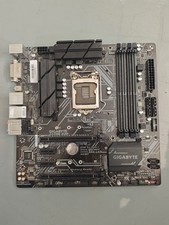
Gigabyte Z370M D3H LGA1151 DDR4 Micro ATX Motherboard PCIe 3.0 Desktop Mainboard
$77.99

ASUS PRIME Z490-V Motherboard Intel Z490 10th gen DDR4 LGA 1200 ATX w/ IO Shield
$84.99

