-

Originally Posted by
rickenbacherus
Nothing could be easier. Run the knx-hdinstall script, toward the end of the install you will have the opportunity to install LILO to the MBR. Choose NO and LILO will instead be installed to the /root partition of your Knoppix install. Then just add your Knoppix partition into /grub/grub.conf file. That's it.
That's precisely what I did (without the aid of having read your advice) and it works fine. I just want to add one comment:
If you plan your partitioning a little you can possibly save yourself some grief later by setting up a couple of separate partitions.
Grub can have difficulty loading load images if they are located too deep in the disk, a problem that can easily occur if you install multiple OSs. Setting up a separate /boot partition can reduce your problems later or eliminate them entirely - particularly if /boot is the first partition on the drive. You can then arrange for grub to find all of the boot images in one place (preferably in separate directories, such as /suse, /rh90 and /knoppix).
Taking things one step further, setting up a separate /home partition allows you to use the same user data regardless of which Linux you boot - you just setup fstab to automount it over the regular /home (you *do* have to be a bit careful setting up the same user/group IDs though). I find this to be particularly handy when I'm online as all my e-mailboxes and browser bookmarks are readily available...
My Red Hat munged "/" when my machine suffered a memory glitch and it was apparently irreparable. However, all my user data was on a separate partition and was unaffected. All I had to do was to reinstall Red Hat - and replace a DDR module - and all my data was perfectly fine...
Just a thought.
GKP
Similar Threads
-
By marhleet in forum MS Windows & New to Linux
Replies: 4
Last Post: 03-22-2005, 09:47 AM
-
By Jaguar600 in forum General Support
Replies: 5
Last Post: 09-27-2004, 10:34 PM
-
By sunnyjpop in forum General Support
Replies: 1
Last Post: 09-25-2004, 01:20 AM
-
By sunnyjpop in forum Customising & Remastering
Replies: 1
Last Post: 09-24-2004, 07:55 PM
-
By tommydl in forum Ideas
Replies: 0
Last Post: 09-15-2004, 04:25 PM
 Posting Permissions
- You may not post new threads
- You may not post replies
- You may not post attachments
- You may not edit your posts
-
Forum Rules


Amiga Model 1080 RGB color CRT monitor - Parts Or Repair - Doesn’t Power On
$100.00
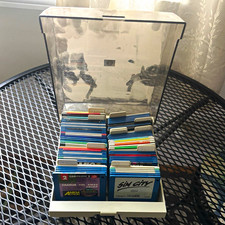
ALS Storage Box with Assorted Amiga Format 3.5" Floppy Disks
$199.00

Microbotics Starboard 2MB + SCSI Sidecar for Amiga 1000 Vintage Computer READ
$329.00
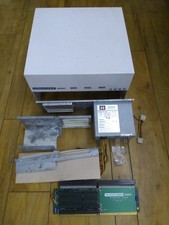
HighFlyer Amiga 4000 Tower & Bus Extender, Expansion Systems A4000T Kit
$888.50

Amiga 1000 Computer w/ Monitor Keyboard Mouse Disc Drive Sidecar Expansion Discs
$895.00

Commodore Amiga 4000 Motherboard Rev B - untested
$225.00

Amiga Emplant Emulator Card For Commodore Amiga 2000 4000 3000
$249.00
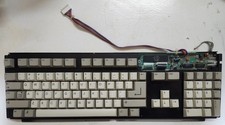
Amiga 500 / A500 Samsung Keyboard (NOS)
$52.70
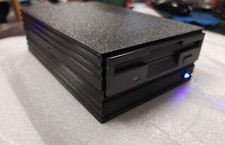
External fully assembled GreaseWeazle 3.5 inch Floppy Drive
$135.00

RGB2HDMI Amiga 500 UltraLong (Accelerator Friendly) HDMI Games, non-RTG A500
$50.00



 Reply With Quote