-
Senior Member
registered user

Originally Posted by
qman_txun
Stephen
My suggestion to you would be:
1. Boot from the CD and get a working configuration for the X server.
2. Copy the configuration to your HD install by mounting the HD and copying the file /etc/X11/XF86Config-4 to the HD. These steps in a console window (the clam shell icon on the taskbar)
Could I do the samething with the netwok card, since I get to configure network with the cd but I can get it working with the HD. I have finished copied on a HD, when I run netcardconfig it says "no supported network cards found"...
I still very new to linux
It is best to start a new thread maybe refering to the post that you think is relevant in another thread with a url to the thread also I have split your post to a new topic that being said on to your problem.
Some things you can try boot from the cd check the module loaded for your card by using the command lsmod then boot from the HD and repeat the process to comfirm the module has been loaded for your card (BTW details on the type of card would make it easier to help). Also try ifconfig -a in both a HD and CD boot note any changes.
Some things you can do to help us help you:
Post the output of lsmod ,ifconfig -a both from CD and HD boot and lspci -v all these commands in a console window. Also you do not say whether you connect via DHCP or static settings.
Similar Threads
-
By supermal in forum Networking
Replies: 0
Last Post: 04-28-2005, 02:23 PM
-
By hazenmeek in forum Networking
Replies: 1
Last Post: 04-23-2003, 05:50 PM
 Posting Permissions
- You may not post new threads
- You may not post replies
- You may not post attachments
- You may not edit your posts
-
Forum Rules


IBM System X3850-X5 Server w/4x Intel Xeon E7-4870 CPU , 512 GB DDR3 RAM,NO HDD
$1299.99

IBM QRadar xx29 2x Xeon E5-2650v4 2x 900W PSU M5120 12x 3.5" Bay Server No RAM
$179.99

Unused IBM 09P0037 MAINBOARD For RS/6000 7044-170 P-Series
$375.00

IBM ADP Server Type 7870 AC1 NO HDD | 128GB RAM PC3L | 2 x Xeon E5620
$199.99

IBM SYSTEM X3500 M3 SERVER 7380AC1 TOWER Server XEON E5620 8GB RAID SEE NOTES
$108.92

IBM Power S824 12Bay 4U Server - 2x Power8 CPU, 512GB DDR4, MT: 8286-42A
$1731.00

IBM 02YC027 Seagate ST2400MM0129 2.4TB 10K SAS 12Gb/s 2.5" Server Hard Drive
$200.00

IBM Power 8 S822L Server 8247-22L POWER8 Enterprise 256GB RAM 2x 00KV626 CPU
$999.99
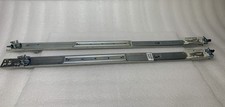
IBM Server Rackmount Sliding Rail Kit ( Part Numbers: 00D9375 / 00D9374 )
$24.99

Rare Vintage IBM 93ZZ PowerPC Server Board - MCM Ceramic CPU - 40N1844 - 1.1 lbs
$49.99



 Reply With Quote