

 Reply With Quote
Try searching the debian user list I have seen a few post in there about problems with fonts in mozilla after an upgrade.


I used Synaptic to upgrade Mozilla to 1.4, everything works, my prefs are kept, except that the fonts are strange, instead of the fonts that I have installed (and are still there, other apps can use them) I get a choice of things like:
bitstream-courier-iso8859-1
adobe-courier-iso8859-1
etc, all end in an iso number, and my usual fonts are not there.
Any hints?
Thanks,
Try searching the debian user list I have seen a few post in there about problems with fonts in mozilla after an upgrade.
Thanks, I tried there, but couldn't find this problem. I wonder if there is somewhere in Mozilla where I have to point it to the font directory to use? It seems like it has the wrong one?
You may have to uninstall mozilla and reinstall it. But I would try do the following first:
apt-get update
apt-get -s dist-upgrade ; this will show you what is upgraded
apt-get dist-upgrade
or if you don't want to upgrade everything try
apt-get install mozilla
 Posting Permissions


Seagate ST6000NM0115 6TB 256MB 7200RPM 3.5" SATA 6.0Gb/s Enterprise Hard Drive
$159.99
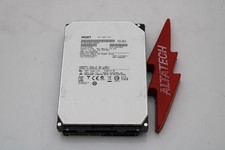
Hitachi HUS726060ALA640 6TB 7.2K SATA 3.5 6G HDD Hard Disc Drive
$109.99
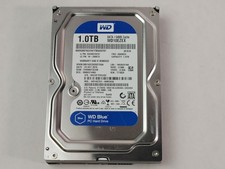
Western Digital WD Blue WD10EZEX 1 TB 3.5" SATA III Desktop Hard Drive
$23.99

HGST Ultrastar HUS726040AL5210 4TB 7200RPM SAS 12Gb/s Enterprise HDD
$41.00

Hitachi / HGST Travelstar HTS541010B7E610 1TB 2.5" SATA III HDD
$29.99

HITACHI ULTRASTAR 2TB 7.2K 6G 3.5INCH SATA HDD HUS724020ALA640 | TESTED WIPED
$34.95

HGST HUS724040ALA640 4TB 7200 RPM SATA 3.5" Internal Desktop Drive 100% Health
$78.00
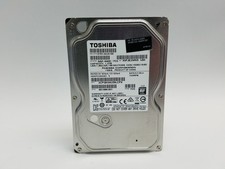
Toshiba DT01ACA100 1 TB 3.5" SATA III 3.5 in Desktop Hard Drive
$24.99

HUS726060ALA640 HGST Ultrastar 6TB SATA 6Gbps 7.2K 3.5" Hard Drive OF21860
$129.99

New Western Digital WD40EFPX 68C6CN0 4TB 3.5" SATA III Internal NAS Red Plus HDD
$137.59