-
Root login problems (HD Install)
Hello
I am new to Linux and must confess I don't know an awful lot about it-but I am trying to learn.
I installed Knoppix on my HD (dual boot - XP). I managed to install it without to much difficulty but when it comes to the login page I am prompted for a login name and password for Knoppix user and Root user. When I type in the names I set up for Root, it keeps on telling me the name and/or password is wrong. I can only log in as a knoppix user which doesn't allow me to do very much.
I am not very familiar with linux tools so need a step by step guide on how to alter this (if I can).
Help please
Thank you in advance.
-
Junior Member
registered user
Hmm...
The name of the root-user is "root" so you can't give it any other name. Try typing "root" (in lower case) as the username and then use the password you specified during install. Or click root in the list on the left and type only the password if you'are using the kdm login manager. Also remember that linux is case-sensitive so you need to type the password and usernames exactly the same way as during the install.
If you for some reason can't remember the root password you probably will need to do a reinstall.
-
Junior Member
registered user
I had the same trouble with the hard drive install. Here are the steps that I did:
1. I booted the Knoppix CD
2. I mounted the partition where Linux was installed during the knx-hdinstall as read-write (right click on the disk icon, select Properties, then Device, and de-select "Read only")
3. I located the /etc/shadow file on the partition (be sure that it is the one on the hard drive, not the CD)
4. I opened up a root terminal (under the K menu>KNOPPIX)
5. I typed "kedit /mnt/hdax/etc/shadow" (where x is the hard drive partition)
6. The first line was root. I deleted everything between the first two colons (":"). That is the encrypted password.
The line will now be "root::0:99999:7:::"
Logout from the CD and remove it. You can now log into root leaving the password blank. When you are in root, open a terminal and type passwd to change your password.
-
Senior Member
registered user
If you are using LILO to boot Linux then at the LILO prompt do this:
linux single
Then after it boots (into text mode)
passwd
Then just give root a new password.
-
Senior Member
registered user
In addition to the other helpful suggestions already made if you used a password for root longer than 8 characters the password got shortened to only the first 8 characters try just using the first 8 characters when you login if this was the case.
Similar Threads
-
By bsjawle in forum Hdd Install / Debian / Apt
Replies: 15
Last Post: 04-09-2005, 05:02 AM
-
By siri in forum Hdd Install / Debian / Apt
Replies: 7
Last Post: 02-27-2005, 04:59 PM
-
By Jameson in forum General Support
Replies: 2
Last Post: 01-19-2005, 05:27 AM
-
By mienque in forum General Support
Replies: 1
Last Post: 05-29-2004, 06:15 AM
-
By darkstar2002 in forum Hdd Install / Debian / Apt
Replies: 7
Last Post: 05-14-2004, 03:51 AM
 Posting Permissions
- You may not post new threads
- You may not post replies
- You may not post attachments
- You may not edit your posts
-
Forum Rules


AMD Ryzen 5 5500 Processor ( read Description)
$59.00
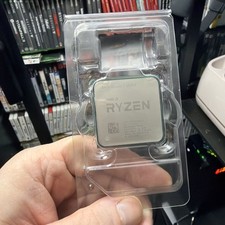
AMD Ryzen 7 5800X Desktop Processor (4.7GHz, 8 Cores, Socket AM4)
$150.00

(LOT OF 20) Intel Core i5-8400 CPU 2.80GHz Desktop Processor (SR3QT)
$700.00

INTEL CORE I9-10940X X-SERIES PROCESSOR | 3.30GHZ | SRGSH
$179.99

Intel Core i7-3770K 3.5 GHz Processor
$39.00

Intel Core i7-9700 Octa-Core 3 GHz Desktop Processor LGA 1151
$79.99

Intel Core i5-12500T SRL5W 2GHz 18MB 6 Core Socket LGA1700 Desktop CPU Processor
$114.99

Intel i7-8700 Coffee Lake 3.2GHz 6-Core Max Turbo 4.6GHz Processor
$67.99

Intel Core i7-4770 3.40GHz Quad Core SR149 LGA 1150 CPU Processor tested
$35.00

Intel Core i7-10700 8-Core 16-Thread 2.9GHz Desktop CPU LGA1200 SRH6Y Z490 Z590
$129.00



 Reply With Quote