-
Junior Member
registered user
Undetected LinkSys Ether16 Net Card
Im having trouble figuring out how to get my LinkSys Ether16 ISA Lan Card to detect. I've tried the relevant cheat codes, tried everything I can find in searches but most of them appear to be based on the assumption that the card is detected, just not set up correctly. When I run the commands to either load a module (8390 & ne) I just get an error about no such device (forget the exact wording). I've done web searches, but it appears to me that knoppix uses a different config setup, so once I boot into knoppix, I usually find that the files which were mentioned dont exist, or the commands arent recognized. I've run 'procinfo -f' and it doesnt list the IRQ which the net card is set for. (The card is set via a dos util to IRQ 5 / IO 0x300.) Unfortunately my BIOS doesnt allow me to directly assign an IRQ that I can find. I can set a slot to ISA mode, which I've tried with the slot the card is on, same results from knoppix. Any help you can offer would be appreciated. I'm V E R Y new to Linux. Really, I've only tried 3 cd only formats, none of which I can get to detect my card.
Thanks
Brad
I'll post back 'lspci -v' and other outputs, as soon as I can reboot back to the knoppix cd.
-
Junior Member
registered user
Ok, nevermind... Im actually in Knoppix right now!  There is another thread titled
'How to load module for undetected NIC
" http://www.knoppix.net/forum/viewtopic.php?t=3289
which had just the info I needed. took me a while to figure out how to get into root though, because when I ran it from the default cmdline it gave errors about not having the correct permissions or something similar. Anyway... YEAH! In the end what worked . . .
Open a command window
"su" - to switch to root
"modprobe ne io=0x300 irq=5" - to force card detection
"procinfo -f" - to check if the IRQ is now showing up as active
"netcardconfig" - to set the card up to use DHCP.
"ifconfig -a" - to view the cards new settings.
Now, I've 2 new questions.
1) Is there somewhere I can save this, so that I happens automatically when I boot from the CD?
2) I've found some commands which are prefixed with sudo. Is this essentially sending a command to the root level? I mean, instead of doing 'su' first to switch to root, can I just alter the lines to read something like :
"sudo modprobe ne io=0x300 irq=5"
"sudo netcardconfig"
Thanks
Brad
-
Senior Member
registered user

Originally Posted by
scissors
1) Is there somewhere I can save this, so that I happens automatically when I boot from the CD?
You could use either the save config to floppy or persistant home options that are in the Knoppix menu off the main Kmenu. Then when you boot from the CD you would use IIRC knoppix floppyconfig or knoppix home=scan at the boot: prompt a search of the forum would provide more information on these options.
2) I've found some commands which are prefixed with sudo. Is this essentially sending a command to the root level? I mean, instead of doing 'su' first to switch to root, can I just alter the lines to read something like :
"sudo modprobe ne io=0x300 irq=5"
"sudo netcardconfig"
Thanks
Brad
I believe when you save the config to the floppy or the persistant home the settings will be used properly on boot I run from the HD so I am not 100% certain as I have not tested these options.
-
Junior Member
registered user
Originally Posted by
Stephen
Originally Posted by
scissors
1) Is there somewhere I can save this, so that I happens automatically when I boot from the CD?
You could use either the save config to floppy or persistant home options that are in the Knoppix menu off the main Kmenu. Then when you boot from the CD you would use IIRC
knoppix floppyconfig or
knoppix home=scan at the boot: prompt a search of the forum would provide more information on these options.
2) I've found some commands which are prefixed with sudo. Is this essentially sending a command to the root level? I mean, instead of doing 'su' first to switch to root, can I just alter the lines to read something like :
"sudo modprobe ne io=0x300 irq=5"
"sudo netcardconfig"
Thanks
Brad
I believe when you save the config to the floppy or the persistant home the settings will be used properly on boot I run from the HD so I am not 100% certain as I have not tested these options.
Thanks! I tried it, and it didnt reload much of my settings, but atleast I know what to search for now.
Brad
Similar Threads
-
By Guitar_Geek in forum Networking
Replies: 11
Last Post: 05-26-2007, 11:11 PM
-
By danoreilly in forum Laptops
Replies: 2
Last Post: 06-06-2005, 10:20 PM
-
By bob58 in forum Hardware & Booting
Replies: 3
Last Post: 10-16-2004, 06:40 AM
-
By TomJoad in forum Hardware & Booting
Replies: 1
Last Post: 09-12-2004, 11:14 PM
-
By ys0304 in forum Hardware & Booting
Replies: 1
Last Post: 01-29-2004, 12:00 AM
 Posting Permissions
- You may not post new threads
- You may not post replies
- You may not post attachments
- You may not edit your posts
-
Forum Rules


Dell Poweredge R720 8SFF 2.5" x Xeon E5-2680 v2 2.8GHz 20-Cores 128gb 4x Trays
$349.99

Dell EMC PowerEdge R440 Xeon silver 4215 2.5GHz 16 GB ram 2x 550W PSU No HDD
$275.00
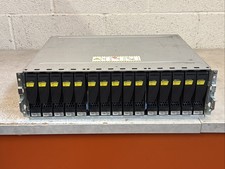
Dell EMC 15-Bay 3.5" SAS Disk Array Enclosure 12Gbps Dual LCC - 2x Power Supply
$249.00

Dell Poweredge R720 8SFF 2.5" 2x Xeon E5-2680 v2 2.8GHz 20-Cores 64gb 4x Trays
$259.99

Dell PowerEdge R620 2x Xeon E5-2630 v2 3.1GHz 2.5" 4-BAY 32GB RAM No OS 2x 495w
$174.95

Dell Poweredge R630 2x Xeon E5-2680 v4 2.4ghz 28-Core | 32GB | HBA330 | 2x 1100w
$359.99

Dell PowerEdge R640 8xSFF Server Barebone 2 x Heat Sink w / 2x 1100W PSU
$315.00

Dell Poweredge T420 SFF 2x E5-2430 v2 2.5Ghz / 64gb / H710 / 8x Trays / 2x 495w
$394.99

DELL R640 10SFF Server 2x Gold 6152 2.1GHz =44 Cores 64GB H730p 4xRJ45
$939.00

Dell Poweredge R630 2x Xeon E5-2680 v3 2.5ghz 24-Cores / 64gb / Raid / 2x 1Tb
$374.99



 Reply With Quote