-
Junior Member
registered user
Using two different mice (one USB and one PS/2)...
Simply put, my main mouse is a Logitech dual-optical USB mouse that works just fine in my HD install of Knoppix. However, what inspired me to install Knoppix/Debian in the first place what the ability to get gcompris and other educational games for my 2 1/2 year old son.
I just picked up a PS/2 mouse today that is designed for smaller hands. An ideal solution would be to pop that on the PS/2 port and have it be the default mouse that is active when I log into his account.
Failing that, having both mice available works too.
Any suggestions?
Thanks,
Joe
-
Senior Member
registered user
Never tried to make a certain mouse set as default before but you can definitely have both mice connected and they will both work. You don't need to deactivate or unplug one or the other just use whichever one you like. I have a Logitech cordless USB abd a ps2 connected to this machine right now in fact. On and BTW- this wouldn't be possible on any other distro AFAIK unless you modified /etc/XF86Config-4 to look like the one that Knoppix creates with entries for both USB and ps2 mice. In fact, I use Knoppix to generate all of my XF86Config files for all distros becasue it does the most awesome job of it.
HTH
-
Senior Member
registered user
--I love Knoppix's ability to do most things well, but SuSE's Livecd 8.2 generated the best XFree config file. (I couldn't do vmware fullscreen with best res until migrating suse's sax2-generated config file.)

Originally Posted by
rickenbacherus
Never tried to make a certain mouse set as default before but you can definitely have both mice connected and they will both work. You don't need to deactivate or unplug one or the other just use whichever one you like. I have a Logitech cordless USB abd a ps2 connected to this machine right now in fact. On and BTW- this wouldn't be possible on any other distro AFAIK unless you modified /etc/XF86Config-4 to look like the one that Knoppix creates with entries for both USB and ps2 mice. In fact, I use Knoppix to generate all of my XF86Config files for all distros becasue it does the most awesome job of it.
HTH
-
Senior Member
registered user
Originally Posted by
Dave_Bechtel
--I love Knoppix's ability to do most things well, but SuSE's Livecd 8.2 generated the best XFree config file. (I couldn't do vmware fullscreen with best res until migrating suse's sax2-generated config file.)
I couldn't get the SuSE disc to finish booting on either of my machines. That was a real disappointment too- I've heard lots of good things about it.
-
Junior Member
registered user
Originally Posted by
rickenbacherus
Never tried to make a certain mouse set as default before but you can definitely have both mice connected and they will both work. You don't need to deactivate or unplug one or the other just use whichever one you like. I have a Logitech cordless USB abd a ps2 connected to this machine right now in fact. On and BTW- this wouldn't be possible on any other distro AFAIK unless you modified /etc/XF86Config-4 to look like the one that Knoppix creates with entries for both USB and ps2 mice. In fact, I use Knoppix to generate all of my XF86Config files for all distros becasue it does the most awesome job of it.
HTH
No luck so far, even using tried the Knoppix boot CD and seeing if I could make it work on my WindowsME installation. Might either be a bad mouse or bad PS/2 port, still troubleshooting....
-
Junior Member
registered user
Originally Posted by
joekm
No luck so far, even using tried the Knoppix boot CD and seeing if I could make it work on my WindowsME installation. Might either be a bad mouse or bad PS/2 port, still troubleshooting....
Well, turns out it was the PS/2 port. However, it wasn't bad, I was just shut-off in the BIOS. Everything works OK now.
Similar Threads
-
By rickenbacherus in forum Tips and Tricks
Replies: 0
Last Post: 10-30-2003, 10:18 PM
 Posting Permissions
- You may not post new threads
- You may not post replies
- You may not post attachments
- You may not edit your posts
-
Forum Rules


GIGABYTE A520M DS3H AC AMD AM4 Motherboard mATX
$59.99

GIGABYTE Z790 AORUS ELITE AX LGA 1700 Intel Z790 ATX Motherboard with DDR5
$189.99
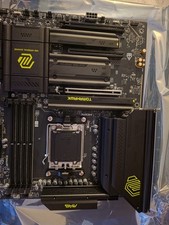
MAG X870 TOMAHAWK WIFI Motherboard, ATX - Supports AMD Ryzen 9000 / 8000 / MSI
$143.50

Intel H310 LGA1151 8-9th Gen DDR4 M.2 NVMe mATX Motherboard IO Shield Battery
$54.99

GIGABYTE B365 HD3 LGA1151 Intel 9th Gen motherboard
$59.99

Intel H81 Motherboard M.2 NVMe LGA 1150 mATX w/ IO Shield (Random Slot Color)
$29.90

ASUS PRIME B360M-C MicroATX Intel LGA1151 DDR4 HDMI VGA USB RJ-45 Audio
$34.99

ASUS TUF GAMING B550-PLUS WIFI II AM4 AMD B550 ATX AMD Motherboard
$95.99

ASUS PRIME Z490-V Motherboard Intel Z490 10th gen DDR4 LGA 1200 ATX w/ IO Shield
$84.99

ASUS B85M-G / B85M-G PLUS LGA1150 DDR3 Micro ATX Motherboard HDMI Support 4thCPU
$45.00



 Reply With Quote