

 Reply With Quote
kdm
You can do a "locate kdm" in a terminal to find this.
fyi, Linux has 3 display managers available, xdm, kdm and gdm. All can be made to work but some seem better than the other for some folks.


Hi,
After my latest remastering, the default knoppix kde setup disappeared. I get the knoppix wallpaper and the knoppix splash window, but once initialization is finished, the root window goes picture-less, and the icons and toolbar seem to be the default KDE ones instead of the knoppix ones.
I re-copied /etc/skel/*, /usr/share/knoppix/profile/*, and /var/* (just in case). Still, when I boot it, the above happens.
Which files am I missing ? The remastering wasn't meant to modify the desktop in any way but apparently I screwed something up while in the chroot environment during the process.
Thanks.
kdm
You can do a "locate kdm" in a terminal to find this.
fyi, Linux has 3 display managers available, xdm, kdm and gdm. All can be made to work but some seem better than the other for some folks.
Thanks, but thats not what I meant. kdm-related files were not modified. kde behavior did.Originally Posted by IllegalOperation
In fact, hashed all the files in the system, once during a session with the version working properly and once with the version which has broken kde environment. I diff the two lists to see which files changed. Strangely, no kdm or kde files changed in /KNOPPIX. In fact, nothing but the files I added seem to be different, and these files have nothing to do with KDE.
/KNOPPIX/etc/skel remains identical, and yet, once KDE is initialized, /ramdisk/home/knoppix/.kde suddenly contains a lot of new files, apparently created by KDE during initialization. The whole environment seems to reset to default during the part where KDE says "loading panel".
I don't understand where it gets this different panel since the files are the same. Anyone knows where the "loading panel" phase takes files from ? Isn't it the ~knoppix/.kde which came from /KNOPPIX/etc/skel/.kde ?!
Not all .files get copied from /etc/skel
I just noticed that some of my configs aren't getting copied to /home/knoppix For instance I made a directory called .icons that has my custom cursors in it, but had to manually edit the /etc/X11/Xsession.d/45xsession script to get that directory to copy over. I noticed that my .opera does not copy into /home/knoppix either, so there are several .files I need to add in to that script or else only some of the changes I made to kde's config work.
You also have to chown -R root:root all the files in /etc/skel
They will get chowned back to knoppix when the script copies them to knoppix's home.
Thanks. I know all that, and added my files to 45xsession, but it wasn't the problem. I've already discovered the real problem and I was right - it wasn't in any new files I've added. Its a race bug which exists in 45xsession and which my remastering only triggered. I'll post about it separately.
Read the end of this thread, it might clue you in on what your after
http://www.knoppix.net/forum/viewtop...317&highlight=
Thanks. I suspect luro95 hit the same bug and solved it with a work-around (having the configuration in a separate tgz loaded during init). However, the bug is still there. I've found the bug and have a simple work-around for now.
See full details in my recent post: http://www.knoppix.net/forum/viewtopic.php?p=17623
 Posting Permissions


Crucial MX500 1TB 2.5" SATA III Internal SSD CT1000MX500SSD1
$99.99

Samsung 2.5" 870 EVO SSD SATA III 250GB 500GB 1TB Internet Solid State Drive Lot
$90.00

Samsung 860 EVO 250GB SSD MZ-76E250 2.5" SATA III Solid State Drive -
$39.99
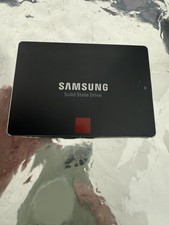
Samsung 850 PRO 512GB 2.5" SATA SSD MZ-7KE512 MZ7KE512
$65.00

Netac 2TB 1TB 512GB 256GB Internal SSD 2.5inch SATAIII Solid State Drive lot
$549.00

Fanxiang 1/2/5/10Pcs 2.5'' SATA SSD Lot 1TB 2TB 4TB 512GB 256GB TLC Internal SSD
$129.99

Samsung 256 GB Internal SATA SSD Fully Tested 50%-79% Health
$24.00

2 PACK 128 GB SSD M.2 2280 SATA Solid State Drive Major Brands, Samsung, LiteON
$28.00

Samsung New SSD 970 EVO Plus 2TB 1TB 500GB 250GB NVMe M2 Internal Hard Drive Lot
$79.99

SSD 2.5" SATA Hard Drive for Laptop Desktop Windows 10 pro 64 Pro Pre-installed
$42.00