-
Junior Member
registered user
Knoppix does not find it's KNOPPIX image
I installed Knoppix on my harddisk this way:
/dev/hda3 (ext2) holds the contents of the CD (incl. KNOPPIX/KNOPPIX image)
/dev/hda4 (ext2) is my new home directory (home=/dev/hda4 Parameter given, works fine!)
I am booting through my vfat partition /dev/hda1 with a simple windows 98 using LoadLin.
I copied all contents of boot.img to c:\linux, included the loadlin EXE and tried to start it:
C:\LINUX\LOADLIN.EXE vmlinuz initrd=miniroot.gz lang=de keyboard=de xkeyboard=de noeject home=/dev/hda4
All I get is a mini-shell, because it cannot find the KNOPPIX image.
When the Knoppix CD is in the drive, Knoppix boots up fine. No problems!
Any ideas, what I can do? Or what I have done the wrong way?
It would be nice, if you could give some hints to me.
Thank you very much!
With kind regards,
Konrad
-
Senior Member
registered user
Everyone seems to be doing it the hard way today! You really should use the knx-hdinstall script. 
one HOWTO here
http://www.freenet.org.nz/misc/knoppix-install.html
another here
http://articles.linmagau.org/modules...tid=181&page=1
If you get stuck, come back.
-
Junior Member
registered user
Hi fingers99,
thank you for your quick answer.
I know, that Knoppix could be installed fully onto a system. I have done that multiple times in the past. But as you know, this needs much Diskspace (about 3 GB).
If I had 3 GB spare Harddisk, everything would be fine that way. But I do not have that much space left.
So it would be nice to simply use the compressed image. That should be possible. In the docs part of knoppix.net is a HdBasedHowTo, that tells me, that it should be possible:
http://www.knoppix.net/docs/index.php/HdBasedHowTo
In this document, different ways are mentioned to do it this way. But all I can found with my problem is:
"As it boots the KNOPPIX directory should be discovered and booted into a full fledged Knoppix system as though running from CD" - Fine. It doesn't work for me.
Now I will try the point 1.4: Putting Knoppix inside the VFAT partition of windows. Maybe knoppix discovers it and boots from it.
With kind regards,
Konrad
-
Junior Member
registered user

Originally Posted by
neitzel
Now I will try the point 1.4: Putting Knoppix inside the VFAT partition of windows. Maybe knoppix discovers it and boots from it.
That way works fine. It would be nice to know, why the usage of a ext2 filesystem with all contents of the CD didn't work 
But this solves my problem. I will delete the ext2 partition and resize the Windows Partition again.
Thank you for all help!
Konrad
-
Senior Member
registered user
It would be nice to know, why the usage of a ext2 filesystem with all contents of the CD didn't work
Can't say for sure, but my guess would be that an ext2 or ext3 partition is interpreted as having permissions. Anyone know?
-
Junior Member
registered user
Originally Posted by
neitzel
I followed the steps in 1.4 of the above howto but had the same problem as Neitzel. The main differences are (1) I am not an experienced user and want to try this out before I take the plunge and (2) I copied the KNOPPIX file to an NTFS partition.
Here is a wag at what may be wrong - could the bootfloppy not contain the correct lilo.conf or fstab?
Any help is appreciated. I hate it when I can't get something to work
Thanks,
Gail
-
Junior Member
registered user
Hi everybody!
fingers99: Hmm ... I cannot check it again, because I no longer have an ext2 partition to test it. (Now everything I have is a large vfat and a small ext2 for home ...
socalgail: It works fine for vfat filesystems. (That is the way it works for me in the moment)
I cannot tell you, why it didn't work for ntfs, too. Until now I didn't look into the code, but I expect a mount for each available partition. Maybe the autodetect of the filesystem type isn't working correctly? (I got some problems with this in the past e.g. mount with -t works fine, but without giving the type (and with a "auto" in fstab), linux is unable to mount the filesystem ...
I am sorry, that I cannot give you any hint how to solve your problem.
With kind regards,
Konrad
-
Junior Member
registered user
Hi Konrad,
Thanks for the information. What I plan to do is to format some unformatted space on a hard drive as FAT32 and go from there. The impression I have from reading what google found for [knoppix ntfs] is that Knoppix wants to write something in /home and if this is on an NTFS partition, instead of the ramdisk?, it fails. Knoppix doesn't have NTFS write support. This must clearly be a size issue. This is a project for next week-end though! I will post results here.
Gail
Similar Threads
-
By arkaine23 in forum Customising & Remastering
Replies: 2
Last Post: 04-05-2005, 12:01 AM
-
By ozone in forum General Support
Replies: 2
Last Post: 11-11-2004, 03:15 PM
-
By aykuty in forum Customising & Remastering
Replies: 3
Last Post: 06-01-2004, 07:16 AM
-
By vitoprimo in forum Hdd Install / Debian / Apt
Replies: 1
Last Post: 03-15-2004, 10:04 PM
-
By mswarbrick in forum Customising & Remastering
Replies: 6
Last Post: 04-18-2003, 12:30 AM
 Posting Permissions
- You may not post new threads
- You may not post replies
- You may not post attachments
- You may not edit your posts
-
Forum Rules


Intel Core i7-3770K 3.5 GHz Processor
$39.00

INTEL CORE I7-870 SLBJG 2.93GHZ LGA1156 4 CORE CPU PROCESSOR
$23.00

INTEL CORE I9-10940X X-SERIES PROCESSOR | 3.30GHZ | SRGSH
$179.99

Intel Core i9-9900K SRG19 3.60GHz 16MB 8-Core LGA1151 B Grade CPU Processor
$175.00

AMD Ryzen 5 5500 Processor ( read Description)
$59.00

Intel Core i5-12500T SRL5W 2GHz 18MB 6 Core Socket LGA1700 Desktop CPU Processor
$114.99

Intel Core i7-9700 Octa-Core 3 GHz Desktop Processor LGA 1151
$79.99

Intel i7-8700 Coffee Lake 3.2GHz 6-Core Max Turbo 4.6GHz Processor
$67.99

INTEL CORE I9-10980XE PROCESSOR | 3.00GHZ | SRGSG
$299.99
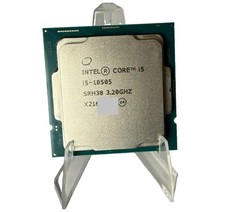
Intel Core i5-10505 CPU Processor 3.20GHz FCLGA1200 SRH38 Tested Working
$89.99



 Reply With Quote