-
accessing floppy drive
When using a floppy to load configuration files at the start up of Knoppix (which works very well), I noticed that the floppy drive icon is no longer present on the desktop. How would I access the floppy for saving files when using the floppyconfig option??
Thanks
-
accessing floppy, part 2
Or, to put it another way: How can I put the floppy icon back on the KDE desktop after using it for a 'floppyconfig' startup. I want to remove the config floppy after starting up and put the drive icon back on the screen with a new floppy inserted for saving files, etc.
Thanks again, all. Knoppix is great, and runs perfectly on my 1.2 Ghz Dell!
-
Senior Member
registered user
I do this all the time as we can't save our source code on the CD....
Anyway, I don't use the floppy icon, I just open the home folder and search for /mnt/floppy using Konqueror or open a shell and
ls /mnt/floppy
or
ls -l /mnt/auto/floppy
or
cp /mnt/floppy/fyfile.cc .
or
cp myfile.cc /mnt/floppy
etc.
Regards,
Similar Threads
-
By matthew629 in forum MS Windows & New to Linux
Replies: 1
Last Post: 12-16-2004, 04:50 AM
-
By KillYourRadio in forum General Support
Replies: 3
Last Post: 10-11-2004, 03:48 AM
-
By stickycricket88 in forum General Support
Replies: 2
Last Post: 03-26-2004, 08:01 PM
-
By talz13 in forum Hdd Install / Debian / Apt
Replies: 7
Last Post: 02-17-2004, 01:18 AM
-
By icu in forum Hardware & Booting
Replies: 1
Last Post: 07-17-2003, 02:03 AM
 Posting Permissions
- You may not post new threads
- You may not post replies
- You may not post attachments
- You may not edit your posts
-
Forum Rules


Commodore 128 C128 Computer FOR PARTS / REPAIR Untested Missing Key No Cords
$149.99

Pi1541 Zero with Epyx Fastload Hat, Case & 16gb SD for Commodore 64 and 128
$79.99

TeensyROM+ TR+ v0.4 Cartridge for C64/128 - w/ Case & 32GB SD Preloaded
$89.50

Commodore 64 Dead Test & Diagnostic Cartridge & Test Harness Set - USA seller
$39.99
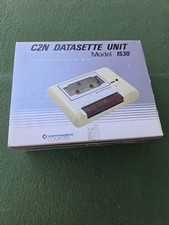
Commodore Computer C2N Datasette Unit 1530 Vintage with Original Box Untested
$30.00

Commodore 64 PC with Model 1541 Diskette Drive and Flight Simulator II *READ*
$199.99
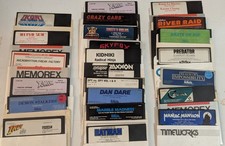
Commodore 64/C64 23 Original Games (Untested /As Is ,no returns )Maniac Mansion
$115.00

Commodore 64 Serial Cable 6PIN DIN 1541 1571 C64 128 C128 Disk Drive Printer USA
$10.49
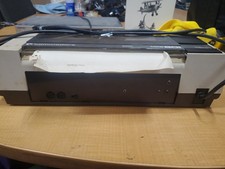
RARE Commodore MPS801 Printer - 1st printer for the 64 - powers on
$70.00

Commodore OS USB | Bootable LIVE + Install | The Ultimate Gaming Linux OS | NEW
$11.99



 Reply With Quote