

 Reply With Quote
Read syslinux docs - the format is described there.. I'm not sure you can use vi . I've done it with hex editor since there are some strangi ascii chars in there..


Hi
How's does one go upon changing the colors in the message the syslinux bootloader gives out? I figured out how to remove the image, but now I wanna change the colors.
I read some guids online, but it didn't seem to help me. Can someone explain how to do this indetail? Preferably using vim as the editor.
Colors I want to use ito try is black background with green text and i also wanna try white bg with black text.
Thanks for help or examples!
Read syslinux docs - the format is described there.. I'm not sure you can use vi . I've done it with hex editor since there are some strangi ascii chars in there..
Yep, your right, vi is the reason for the troubles I was having. Changed to a hex editor, put everything in and now works perfectly.
vi editing is possible too. use Ctrl+V Ctrl+char for those ^Char thingies
Like - Ctrl+V Ctrl+O for color (^O)
 Posting Permissions


USB 3.0 Flash Drive 32GB 64GB 128GB Memory Stick Thumb Stick Lot Pack
$826.09

TF/SD Card Adapter Camera Reader Android Type-c For iPhone17 Pro Max Plusm lot
$573.98

5 in 1 Memory Card Reader USB 3.0 OTG Adapter SD Card Reader For iPhone/iPad LOT
$9.99
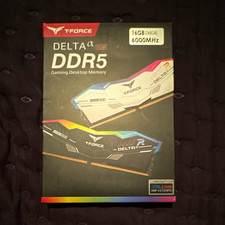
T-FORCE DELTA α RGB DDR5 16GB (2x8GB) 6000MHz DIMM Desktop Memory Kit
$225.00

Kingston 32GB 64GB 128GB 256GB USB 3.0 Flash Drive Thumb Memory Stick Pen lot
$285.90
Samsung M323R4GA3BB0-CQK 32GB PC5-38400 DDR5 Memory
$430.00
Samsung M323R4GA3BB0-CQK 32GB PC5-38400 DDR5 Memory
$430.00

USB 3.0 Micro SD SDHC TF Card Reader Memory Adapter for PC Laptop Camera lot
$3.75

Windows 11 Pro Install/Recovery/Repair USB Flash Drive
$35.00
Micron MTA18ASF2G72XF1Z-2G9WP1ABVGD 16GB 1Rx4 NN4-2933Y DDR4 ECC NVDIMM
$74.50