

 Reply With Quote
Read syslinux docs - the format is described there.. I'm not sure you can use vi . I've done it with hex editor since there are some strangi ascii chars in there..


Hi
How's does one go upon changing the colors in the message the syslinux bootloader gives out? I figured out how to remove the image, but now I wanna change the colors.
I read some guids online, but it didn't seem to help me. Can someone explain how to do this indetail? Preferably using vim as the editor.
Colors I want to use ito try is black background with green text and i also wanna try white bg with black text.
Thanks for help or examples!
Read syslinux docs - the format is described there.. I'm not sure you can use vi . I've done it with hex editor since there are some strangi ascii chars in there..
Yep, your right, vi is the reason for the troubles I was having. Changed to a hex editor, put everything in and now works perfectly.
vi editing is possible too. use Ctrl+V Ctrl+char for those ^Char thingies
Like - Ctrl+V Ctrl+O for color (^O)
 Posting Permissions


GIGABYTE A520M DS3H AC AMD AM4 Motherboard mATX
$59.99

GIGABYTE Z790 AORUS ELITE AX LGA 1700 Intel Z790 ATX Motherboard with DDR5
$189.99

Intel H310 LGA1151 8-9th Gen DDR4 M.2 NVMe mATX Motherboard IO Shield Battery
$54.99
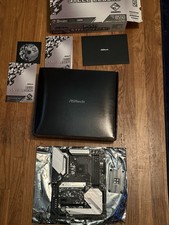
ASRock B550M Steel Legend AMD Socket AM4
$125.00

GIGABYTE B365 HD3 LGA1151 Intel 9th Gen motherboard
$59.99

Intel H81 Motherboard M.2 NVMe LGA 1150 mATX w/ IO Shield (Random Slot Color)
$29.90

ASUS PRIME B360M-C MicroATX Intel LGA1151 DDR4 HDMI VGA USB RJ-45 Audio
$34.99

ASUS PRIME Z370-A II LGA 1151 Intel Z370 DDR4 DIMM USB3.1 DVI ATX RGB
$69.99

ASUS PRIME Z490-V Motherboard Intel Z490 10th gen DDR4 LGA 1200 ATX w/ IO Shield
$84.99

ASUS PRIME Z890-P WIFI Z890 LGA 1851 ATX motherboard, Intel® Core™ Ultra Series
$235.99