

 Reply With Quote
Read syslinux docs - the format is described there.. I'm not sure you can use vi . I've done it with hex editor since there are some strangi ascii chars in there..


Hi
How's does one go upon changing the colors in the message the syslinux bootloader gives out? I figured out how to remove the image, but now I wanna change the colors.
I read some guids online, but it didn't seem to help me. Can someone explain how to do this indetail? Preferably using vim as the editor.
Colors I want to use ito try is black background with green text and i also wanna try white bg with black text.
Thanks for help or examples!
Read syslinux docs - the format is described there.. I'm not sure you can use vi . I've done it with hex editor since there are some strangi ascii chars in there..
Yep, your right, vi is the reason for the troubles I was having. Changed to a hex editor, put everything in and now works perfectly.
vi editing is possible too. use Ctrl+V Ctrl+char for those ^Char thingies
Like - Ctrl+V Ctrl+O for color (^O)
 Posting Permissions


Vintage IBM ThinkPad 760C Type 9546 Laptop 1995 Retro Computing TESTED Working
$125.00

Vintage 1983 Commodore 1702 Color Video CRT Monitor. Tested.
$350.00

Vintage HP 21MX 1000 M-Series Minicomputer Chassis Backplane Parts AS-IS
$228.19
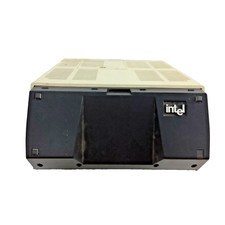
Vintage Intel iPDS-100 Personal Development System
$1499.99

Original Vintage Old Style STANDARD Black CD Jewel Case (Heavy Duty) 90g Lot
$316.95
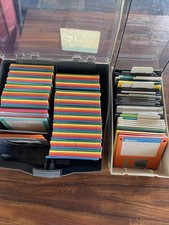
Vintage 3.5” Floppy Disk Storage Cases With Key 127 Rainbow Colored Disks
$59.99
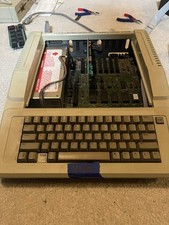
Apple IIe Vintage Home Computer Model Apple IIe |Turns On
$160.00

Vintage Gray AC Power Cable Cord 3-Prong Plug to 3-Prong 3-Slot Connector
$50.00

Ast Advantage Adventure 4050D Vintage Retro Computer Great Condition
$199.99
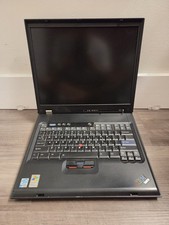
Vintage Rare IBM ThinkPad G40 Laptop Untested Parts Only
$59.95