-
Junior Member
registered user
Mounting home with optin "dev" instead of "no
Hi!
I am just wondering what the best way could be to get the home directory mounted with "dev" Option.
I am using Knoppix with home=/dev/hda4 where hda4 holds an ext3 filesystem. The device is mounted with option "nodev" by default and I don't know, where I can change it.
(I want to do some remastering with Knoppix, so it would be nice to have "dev" option set!)
I looked inside the knoppix-autoconfig, but I couldn't see, what would be the best way for it. One thing I am thinking about is adding a small part there:
When a Home is set, then the type is also checked. If the type is ntfs or fat, then something is done. I could build up a check there (eg. "*[Ee][Xx][Tt][3]*)") and do a umount and a new mount with my parameters.
It would be nice, if you could tell me, what your ideas are. Maybe there is a much better, easier way to do this?
Thank you in advance for your ideas.
With kind regards,
Konrad
-
Junior Member
registered user
I found the simplest solution now:
All I had to do is a simple mount -o remount,dev /dev/hda4 /mnt/hda4 !!!
And then I had to use chroot /mnt/hda4/knoppix/.... instead of chroot /home/knoppix/knoppix/....
Maybe this is something for the remastering faq?
With kind regards,
Konrad
Similar Threads
-
By radnor in forum Hdd Install / Debian / Apt
Replies: 8
Last Post: 03-17-2005, 02:58 PM
-
By Pokec in forum General Support
Replies: 2
Last Post: 12-07-2003, 07:39 PM
-
By oreo in forum General Support
Replies: 11
Last Post: 07-23-2003, 06:33 PM
-
By geebee2000 in forum Hardware & Booting
Replies: 9
Last Post: 05-21-2003, 07:29 PM
-
By Juny in forum General Support
Replies: 4
Last Post: 03-14-2003, 09:02 AM
 Posting Permissions
- You may not post new threads
- You may not post replies
- You may not post attachments
- You may not edit your posts
-
Forum Rules


9300-8i LSI SAS3008 8-Port 12Gb PCIe IT mode ZFS FreeNAS unRAID 2*SFF-8643 US
$49.50

Broadcom 9600-24i Tri-Mode RAID Controller 4.0 NVMe SAS SATA NEW 05-50111-01003
$639.69
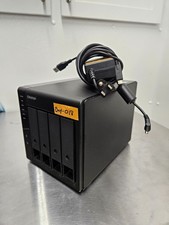
QNAP TR-004 4 Bay USB-C Hardware RAID Enclosure DAS 3.5 2.5 SATA Tested Working
$149.99

Broadcom LSI Avago RAID card MegaRAID SAS 9480-8i8e 05-50031-00
$500.00
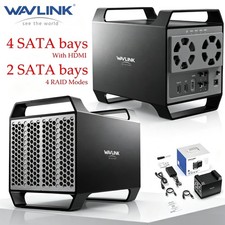
WAVLINK RAID 2 Bay Hard Drive Docking Station SATA 2.5''3.5'' SSD HDD USB C 4Bay
$107.99

Dell 3KDWX PERC H755 12G 8GB Cache Front RAID Controller
$999.99

2-Bay/4-Bay Hard Drive Enclosure for 3.5"/2.5'' SATA HDD/SSD 10Gbps USB-C 3.2
$75.99

Broadcom LSI 9305-16i 12Gbps SAS-3 PCIe x8 HBA 16-Ports Raid Controller
$64.99

Intel VROC Premium RAID Controller Card PCIe Add-On Module VROCPREMMOD
$265.00
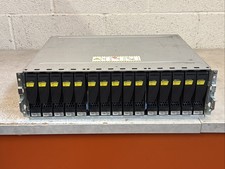
Dell EMC 15-Bay 3.5" SAS Disk Array Enclosure 12Gbps Dual LCC - 2x Power Supply
$249.00



 Reply With Quote