View Poll Results: My main use of my KNOPPIX CD is:
- Voters
- 19. You may not vote on this poll
-
Programming
-
Surfing
-
Gaming
-
Multimedia
-
Desktop Publishing
-
Other
-

Originally Posted by
j.drake
I went back and didn't see that option. Where do I select this? In the drop box in the lower right of the wizard window, I saw CUPS and Generic Linux and a couple of others, but I didn't see a choice for CUPS + GIMP. Am I looking in the right place?
I don't think so. What you are referring to is the Print Manager screen in the Control Center. At the top is a list of already installed printers. Below that is a drop-box with a couple of options. This sets your *printserver*. Yes, this is Linux and it _is_ confusing, but even on a stand-alone machine you need a printserver. To make it less confusing think of this as a *printservice*. Just leave this box set to cups. Now start the wizard to set up your printer. Do this by clicking 'Add' in the toolbar and selecting 'printer/class'. If you don't have a toolbar right-click somewhere between the printers in the list and select 'Add Printer/Class' from the popup-menu.
Follow the wizard. At a certain point you have to select make and model of your printer. After that the wizard searches it's database for the driver. If it has more than one it will ask you to select one (here is where you select the 'cups+gimp') . If it has only one it will use that (without asking). If it has none it will inform you so.
Of course the things I said in my earlier post about starting cups first and the error_log still apply.
Good Luck,
- - Edwin
(by now wondering what was wrong with mechanical typewriters in the first place ;-)
 Posting Permissions
- You may not post new threads
- You may not post replies
- You may not post attachments
- You may not edit your posts
-
Forum Rules


Dell PowerEdge M630 Blade Server 2x Xeon E5-2680 v4, 2F3MP , 4GDP5 ,R10KJ ,JVFVR
$95.20

Dell PowerEdge M640 Blade Barebone Server Dell P/N: HHB006 Tested Working
$149.99

Cisco UCS 5108 Blade Server Chassis Enclosure N20-C6508 4x PSU 8x Fans 2x Fabric
$174.99

AS IS READ DESCRIP. Supermicro SuperServer 6026TT-HIBQRF 12-Bay 4x X8DTT-HIBQF
$215.00

Datto S4P10 1U Blade Rack Server Intel Xeon D-2143IT 2.20GHz 48GB DDR4 4-Bay PSU
$197.76

Dell PowerEdge M620 Blade Server 2x Xeon E5-2680v2 2.8ghz 20-Cores | 128GB
$149.99

HPE PROLIANT BL460C GEN 9 813198-B21 2.5"x2 Server Blade SEE NOTES
$21.08

Dell Poweredge C6400 24x 2.5’’ 2x 2400W 4x C6420 Nodes H330 | 2x SFP | 8x Trays
$799.99

Dell Poweredge VRTX 25Bay 2.5" 2x PERC 8, 2xCMC, I/O 1GB Pass Through, 4x PS
$578.08
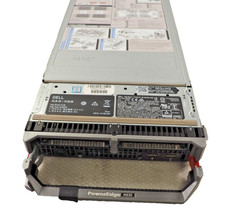
Dell PowerEdge M630 Blade Server w/ 2* Intel Xeon E5-2667v3 CPU, NO RAM,NO HDDs
$74.80



 Reply With Quote