
I get a message after the hdinstall when I try to use my cups printer that the cups server is not running.
What should I do?


I get a message after the hdinstall when I try to use my cups printer that the cups server is not running.
What should I do?
Hey, I am a little newbie-ish...but:
1. On install, did you tell Knoppix to start cups on boot?
2. Have you tried typing "http://localhost:631" in your browser(mozilla or konqueror)? That should let you configure cups.
Either way, good luck!
xeta prime
If you want to start the Cups-server automaticly you must do (as root):
cd /etc/rc5.d
ln -s ../init.d/cupsys S80cupsys
Hamatoma
I reinstalled with the most up to date iso and cups works no problem now. Still have the mii-tool problem though!
I had this same problem and tried this, but it did not work. I still get the error message:Originally Posted by hamatoma
Unable to retrieve the printer list. Error message received from manager:
Connection to CUPS server failed. Check that the CUPS server is correctly installed and running. Error: connection refused.
Any other ideas?
OK, I tried http://localhost:631 after a knoppix-installer and can't get it to work right on local printers and not at all on remote printers over a LAN.
First, I created a local printer as root and it only works for root. I thought that it could work for any user logged on that PC?? Also, I created a local printer for users added to this server (adduser, /home dirs, etc). The only user that this worked for was for the user defined during the installation process. This user could print locally and root could use this printer definition too. However, if I do this with other users I add, they can't print, but root can use their printers to print. This is weird, right? What's wrong with this?
Secondly, how do you define a remote printer over a LAN using http://localhost:631 - what is ipp, etc?
TIA,
 Posting Permissions


HP PROLIANT MICROSERVER GEN8 E3-1220LV2 @ 2.30GHz, 8GB RAM, NO HDD/OS
$164.97

Dual Xeon E5-2698 Server-Supermicro X10DRL-i - Noctua SilverStone RM41-506
$399.99

Super Micro 113M-3 Server Intel Xeon 5Tb HDD used great condition
$70.00

BOXX B157552 SuperMicro X10DRT-L 2x Intel 2630V4 NO RAM & SSD Server
$160.99

HPE ProLiant MicroServer Gen 10 - Opteron x3421 - 16GB DDR4 - 120GB SATA SSD
$350.00

Supermicro 5019D-4C-FN8TP Xeon D-2123IT (4C/8T) 64GB DDR4 10GbE 480GB 1U Server
$699.00

HPE ProLiant MicroServer Gen10 Plus Xeon E-2224 3.4GHz 16GB RAM 2TB HDD NO OS
$949.99
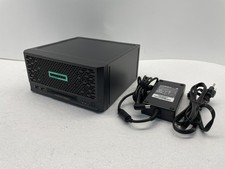
HPE ProLiant MicroServer Gen10 Plus V2 Server G6405 16GB No HDD P54644-001
$899.99

Supermicro 1U Server 514-4 (X11SSZ-QF) | i7-7700 - 16GB DDR4 Ram - Rackmountable
$249.00

Supermicro 721-2 Mini Tower Black Computer Server NO Hdd
$375.00

 Reply With Quote