

 Reply With Quote
When do you get this error? When you are booting the Knoppix cd?


hi i am from turkey and new linux user. Linux Core error Can not read config.in file.
When do you get this error? When you are booting the Knoppix cd?
no. knoppix install my harddisk.
OK so you installed it- does it boot?
What exactly is happening? You turn on the machine and then.........what? You gotta give us something to work with here.
I personally have never seen this error so I have no idea what's going on. Were there errors during the installation process?
I think it has to do with the kernel configurator in KDE at least I pretty sure that's where I saw it when I was playing around and I also think there is a huge language barrier happening here.Originally Posted by rickenbacherus
xf.7er you may want to post to the Turkish debian user mailing list at least I think I have the right list in the URL here is the page where I found the link it is at the bottom.
thanks. rickenbacherus and Stephen.
hi again.
Exactly my problem; I am install my hdd knoppix( 06.06.2003)3.2. Its open and close regularly. When i join to linux kernel in the control panel it refused and write that same asand I cant change screen resulotion and refresh rate. because i changed resulotion and refresh rate after that reboot it. and login again change resulation 640x480 60hz.sorry Cant read config.in file, one error found
My hardware Asus CUSL2 i815, Asus 7100 geforce mx200 tv-out, Creative live 5.1, philips 107e....
The kernel configurator has never worked for me. I don't know if this is only specific to Knoppix or other distros as well as I don't use KDE on any other distro!
To change your resolution permanently you need to edit /etc/X11/XF86Config-4 to include your resolutions. Here's an example:
You can add or remove resolutions from this file as you see fit.Code:EndSection Section "Screen" Identifier "Screen0" Device "Card0" Monitor "Monitor0" DefaultColorDepth 16 SubSection "Display" Depth 1 Modes "800x600" "640x480" EndSubSection SubSection "Display" Depth 4 Modes "800x600" "640x480" EndSubSection SubSection "Display" Depth 8 Modes "800x600" "640x480" EndSubSection SubSection "Display" Depth 15 Modes "800x600" "640x480" EndSubSection SubSection "Display" Depth 16 Modes "800x600" "640x480" EndSubSection SubSection "Display" Depth 24 Modes "800x600" "640x480" EndSubSection SubSection "Display" Depth 32 Modes "800x600" "640x480" EndSubSection EndSection Section "DRI" Mode 0666 EndSection
Since you are using KDE you can go to Kmenu -> Settings -> Control Center -> Pheripherals -> XDisplay and set your resolution, screen depth and refresh rate there. Then you would logout and choose from the menu option on the KDE login screen Re-start Xserver to have the changes take effect or if you get a acceptable screen when you boot from the CD you could copy that file to the HD and use it.
I assume since you are trying the kernel configurator you must want to compile the kernel if so compiling the kernel the Debian way.
 Posting Permissions


Lenovo ThinkPad E14 Gen 2 Laptop 14” HD Ryzen 5 16GB RAM 512GB SSD Win 11 Pro
$334.99

Lenovo ThinkPad E14 Gen 3 Laptop 14” FHD AMD Ryzen 5 16GB RAM 512GB SSD Win 11
$374.99

Lenovo ThinkPad L15 Gen 3 15.6" 16GB, Thunder Black
$241.50

Lenovo ThinkPad L15 Gen 3 15.6" 16GB, Thunder Black
$241.50

Lenovo Legion 5 Gaming 15.1" WQXGA OLED 165Hz Core i9-14900HX 16GB 1TB RTX 5070
$1469.00

Lenovo ThinkPad T14 Gen 1 14" AMD Ryzen 5 16GB 256GB SSD
$219.99

Lenovo - IdeaPad Slim 3i 15.3" 2K Touchscreen Laptop - Intel Core 7 350 2026 ...
$679.99

Lenovo ThinkPad X13 Gen 1 i5-10310U 16GB 512GB SSD Touch Win 11 Pro Good
$222.99
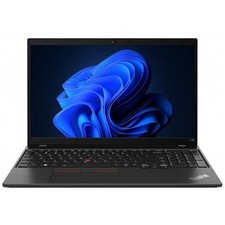
Lenovo ThinkPad L15 Gen 3 15.6" 16GB, Thunder Black
$242.00

Lenovo ThinkPad T14s Laptop 14” Laptop Core i5 8GB RAM 256GB SSD Windows 11 Pro
$249.99
