

 Reply With Quote
open up /etc/fstab in your editor of choice as root. Then, remove the # from in front of any entries you want mounted.
As root, do mount -a (or just reboot).


when i boot from CD my hard drive is usually auto-mounted. but now that i've booted from the HD, all I have on my desktop is the floppy disk. I was under the impression that I'd be able to use my hard drive to save things on, and my CD-ROM to read from. I'm booted from the HD, i just don't see it on the screen. How do I mount the CD-ROM and the HD?
open up /etc/fstab in your editor of choice as root. Then, remove the # from in front of any entries you want mounted.
As root, do mount -a (or just reboot).
alright, I definetly screwed it up by doing that. I mounted the boot drive as read-only, so now i'm farked and have to reinstall. why doesn't it auto mount like it does off the cd?
You don't have to re-install the worst you have to do is boot from the CD and make changes to the /etc/fstab on the HD post the file so we can see it and suggest changes.Originally Posted by pummer
here's the code: please help!
Code:# /etc/fstab: filesystem table. # # filesystem mountpoint type options dump pass #/dev/hda1 / ext3 defaults,errors=remount-ro 0 1 #/dev/hda2 none swap sw 0 0 proc /proc proc defaults 0 0 /dev/fd0 /floppy vfat defaults,user,noauto,showexec,umask=022 0 0 /dev/cdrom /cdrom iso9660 defaults,ro,user,noexec,noauto 0 0 # partitions found by Knoppix /dev/hda1 /mnt/hda1 ntfs noauto,users,exec,ro,uid=knoppix,gid=knoppix 0 0 /dev/hda2 /mnt/hda2 auto noauto,users,exec 0 0
If I am reading this correctly then you have installed knoppix to hda1 and the swap to hda2 if this is the case then:
1. Boot from CD open a console window (clam shell icon on the taskbar)
2. While in the console window sudo mount /dev/hda1 /mnt/hda1
3. Then still in console window sudo gvim /mnt/hda1/etc/fstab
4. Edit the file removing the # from in front of the lines:
5. Add a # to the front of these lines:Code:#/dev/hda1 / ext3 defaults,errors=remount-ro 0 1 #/dev/hda2 none swap sw 0 0
6. Save the file and reboot and everything should work.Code:/dev/hda1 /mnt/hda1 ntfs noauto,users,exec,ro,uid=knoppix,gid=knoppix 0 0 /dev/hda2 /mnt/hda2 auto noauto,users,exec 0 0
If these are not the correct partitions then post the output of sudo fdsik -l /dev/hda from a CD boot so I can see the partitions on the drive.
the file's read-only... do I have to login as root?
EDIT: OK i figured it out myself, I edited the file as per your instructions. Now it boots off the HD, but i'm back to my original problem: there's no HD or CD auto-mounted in the hd install.
Try:
/dev/cdrom /cdrom iso9660 defaults,ro,user,noexec,auto 0 0
# partitions found by Knoppix
/dev/hda1 /mnt/hda1 ntfs auto,users,exec,ro,uid=knoppix,gid=knoppix 0 0
Don't try changing the ro! And make a back up first.
Note that sometimes running automount isn't a good idea!
Reading your first post you want the icons for the HD and CD-ROM on the desktop now right? Just right click on the desktop and select create new and then choose hard drive device and select the proper device (/dev/hda1) in the device tab make sure the read only permission checkbox is unselected in the permissions tab and click on OK and you will have the icon for the HD then just do the same for the CD except the permission tab part. The CD will be auto-mounted when ever you put a CD-ROM in it and click on the icon, your HD is already mounted when you boot you will be able to access it read-write from the icon.
thanks Stephen, it worked like a charm. thanks for helping a nix newb
 Posting Permissions


Dell Precision T5820 Workstation 3.70GHz W-2135 No RAM/ GPU/ HDD/ OS
$179.98

Dell Precision Tower 7810 Xeon E5-2630 v3 @ 2.40GHz , 32GB Ram, NO HDD, NO OS
$239.99

Dell EMC PowerEdge R440 Xeon silver 4215 2.5GHz 16 GB ram 2x 550W PSU No HDD
$275.00

Dell Precision T7820 2x Xeon Silver 4114 2.20GHz 950W No RAM GPU HDD 4x SATA
$350.48

INTEL XEON E5-2680V4 SR2N7 2.40GHZ CPU
$11.00

Genuine Intel Xeon W-2145 3.70Ghz 8 Cores LGA2066 CPU SR3LQ Tested USA SELLER
$94.94

Intel Xeon E5-2699 V4 2.20GHz 55M 22-CORES LGA2011-3 Server Processor 145W SR2JS
$84.49

DELL Precision 5820 Workstation Xeon W-2123 3.6ghz/NO RAM/NO SSD/P400 Vid
$139.99
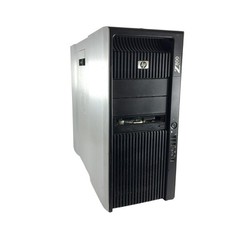
HP Z800 Workstation x2 Intel Xeon E5630 8GB DDR3 RAM NO HDD/OS
$199.99

Intel Xeon Phi 5110P 60-Core 1.053GHz Coprocessor
$50.00