

 Reply With Quote
Hi Stephen,
You wouldn't be refering to the following thread, would you???
http://www.knoppix.net/forum/viewtopic.php?t=3592
ARRGGGHHHH!!!!!
Frustrated,


I noticed a couple of threads KDE seems to be having problems with CUPS it looks like printing is broken. I think I am out of ideas at this time I recently got a new to me printer and set it up and it is happening on the HD install also, if I get it worked out I will definetly post the solution.
Hi Stephen,
You wouldn't be refering to the following thread, would you???
http://www.knoppix.net/forum/viewtopic.php?t=3592
ARRGGGHHHH!!!!!
Frustrated,
Yes I would there seems to be some strange CUPS/KDE behavior going on. I did an install of Bonzai linux the other night but have yet to setup CUPS hopefully I get to it today and see if this happens with it or if this is just specific to knoppix I'll post back and let you know.Originally Posted by A. Jorge Garcia
I got a chance to set up CUPS on the Bonzai linux and it works even was going to print in color if the cartridge wasn't nearly dead it would have given me full color so I would say there is a problem with knoppix KDE/CUPS going on somewhere in the setup. The printing works from Kate and Kword no problem except for the ugly default font since changed have not had the chance to play with it anymore than that yet so CUPS will work with KDE applications as long as it is setup properly.
Hi J:
I thought you were having at least some success setting up CUPS after seeing all the trash I went through in my thread: http://www.knoppix.net/forum/viewtopic.php?t=3592
I've been rereading this thread and am surprised by your needing a root passwd. I never needed a root passwd ever! I never set one up in KNOPPIX! I either used http://localhost:631 from KONQUEROR or <K><KNOPPIX><CONFIGURE><CONFIGURE PRINTER(S)> to set up CUPS.
I wonder: can you print, on _that_ machine, on _that_ printer from Knoppix?
- - Edwin
I tried that early on with no success. I see no reason why I would need a root password either. Please bear in mind that I am really, really new to Knoppix and Linux. So, it is entirely possible that I am missing something stupid. Basically, these are the same printers I use with WinXP, hooked onto an HP Pavilion Athlon-equipped machine via USB cables. Knoppix is the 06-06-03 release.I never needed a root passwd ever! I never set one up in KNOPPIX! I either used http://localhost:631 from KONQUEROR or <K><KNOPPIX><CONFIGURE><CONFIGURE PRINTER(S)> to set up CUPS.
Have not tried that yet but I am going to give it a try from the CD and I may throw a spare HD in and do an install to check that as well I will post back when I get the chance to give it a try.
Gotta' eat my words. It worked this time, and I got my test page on the Epson. Actually, before I was going from the shell -> peripherals -> printers -> printer setup, when I was having problems. I was still having problems last night, so I printed out both of the printer problem threads (this one and Jorge's), and noticed that this method was slightly different. Apparently, going through the K menu made all the difference. Don't know why, but it was easy.
Thanks to all for your help.
Alleluia, Alleluia, etc (to the tune of harps and Beethoven).
Thank God, I knew we had to be missing something simple!
Happy printing,
 Posting Permissions


IBM Power S822 POWER8 1x CPU 32GB DDR4 RAM 2U Rack Server No HDD.
$629.99

Lot of 2 IBM blade center Type H chassis 8852
$559.00

IBM 7915 AC1 M4 E27R704 Server Intel 2650V2 32GB RAM NO HDD w/ 2x 750w PSU
$200.00

IBM QRadar xx29 2x Xeon E5-2650v4 2x 900W PSU M5120 12x 3.5" Bay Server No RAM
$149.99

IBM 4262 SYSTEM x3200 Tower - HDD Wiped, NO OS
$80.00

IBM SYSTEM X3500 M3 SERVER 7380AC1 TOWER Server XEON E5620 8GB RAID SEE NOTES
$108.92

IBM Power 8 S822L Server 8247-22L POWER8 Enterprise 256GB RAM 2x 00KV626 CPU
$999.99
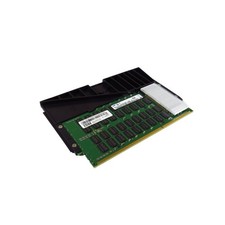
IBM 00LP755 64GB 31EA 8GX72 CDIMM 1600MHz DDR3 ECC Server Memory
$999.99

IBM ADP Server Type 7870 AC1 NO HDD | 128GB RAM PC3L | 2 x Xeon E5620
$199.99
$400.00