-
Laptop doesn't shutdown properly: CardBus + USB combo drive
I have a Compal notebook dual-booting Windows 2000 Pro and Debian (based on the usual Knoppix-to-HD conversion, using knx-hdinstall). When running Knoppix from the CD (on my laptop's internal CDROM), I don't have the following problem, so I assume it CAN be fixed. Caveat: I'm a Linux newbie; this is my very first installation.
My laptop didn't come with any USB2 ports, so when I purchased a USB Combo drive (a Philips Jackrabbit JR32RWDV), I also bought a Sitecom CardBus USB 2.0 PC Card, with two USB2 ports on it. This is what lspci -v has to say about my USB and CardBus situation (apologies; it is VERY verbose!  ) . (Oh yeah, and I have two CardBus slots, but only one card installed, and a USB mouse plugged directly into the laptop (not through the card))
00:04.0 CardBus bridge: O2 Micro, Inc. OZ6933 Cardbus Controller (rev 01)
Subsystem: COMPAL Electronics Inc: Unknown device 0012
Flags: bus master, stepping, slow devsel, latency 168, IRQ 10
Memory at 10000000 (32-bit, non-prefetchable) [size=4K]
Bus: primary=00, secondary=02, subordinate=05, sec-latency=176
Memory window 0: 10400000-107ff000 (prefetchable)
Memory window 1: 10800000-10bff000
I/O window 0: 00004000-000040ff
I/O window 1: 00004400-000044ff
16-bit legacy interface ports at 0001
00:04.1 CardBus bridge: O2 Micro, Inc. OZ6933 Cardbus Controller (rev 01)
Subsystem: COMPAL Electronics Inc: Unknown device 0012
Flags: bus master, stepping, slow devsel, latency 168, IRQ 11
Memory at 10001000 (32-bit, non-prefetchable) [size=4K]
Bus: primary=00, secondary=06, subordinate=09, sec-latency=176
Memory window 0: 10c00000-10fff000 (prefetchable)
Memory window 1: 11000000-113ff000
I/O window 0: 00004800-000048ff
I/O window 1: 00004c00-00004cff
16-bit legacy interface ports at 0001
00:07.2 USB Controller: VIA Technologies, Inc. USB (rev 1a) (prog-if 00 [UHCI])
Subsystem: VIA Technologies, Inc. (Wrong ID) USB Controller
Flags: bus master, medium devsel, latency 64, IRQ 11
I/O ports at 1020 [size=32]
Capabilities: [80] Power Management version 2
02:00.0 USB Controller: NEC Corporation USB (rev 41) (prog-if 10 [OHCI])
Subsystem: Billionton Systems Inc: Unknown device 1110
Flags: bus master, medium devsel, latency 64, IRQ 10
Memory at 10800000 (32-bit, non-prefetchable) [size=4K]
Capabilities: [40] Power Management version 2
02:00.1 USB Controller: NEC Corporation USB (rev 41) (prog-if 10 [OHCI])
Subsystem: Billionton Systems Inc: Unknown device 1110
Flags: bus master, medium devsel, latency 64, IRQ 10
Memory at 10801000 (32-bit, non-prefetchable) [size=4K]
Capabilities: [40] Power Management version 2
02:00.2 USB Controller: NEC Corporation USB 2.0 (rev 02) (prog-if 20 [EHCI])
Subsystem: Billionton Systems Inc: Unknown device 1109
Flags: bus master, medium devsel, latency 68, IRQ 10
Memory at 10802000 (32-bit, non-prefetchable) [size=256]
Capabilities: [40] Power Management version 2
Now everything works just fine (mounting and all), but when I logout/shutdown Linux, instead of powering off like it does when I run the Knoppix CD, it just hangs. I haven't copied the last message I saw, but the most prominent message is something like 'EHCI takeover failed!' (exclamation mark included, would you believe). When I remove the USB drive, everything boots down normally again (with and without the card).
Can something be done? I am a bit uneasy about powering off manually every time. So far I haven't had any damage, but who knows what's supposed to happen after this?
Kind regards
-
Ok, I've had time to boot and write down messages displayed on the screen while shutting down:
INIT: Switching to runlevel: 0
INIT: Sending processe the TERM signal
Stopping K Desktop Manager: /etc/rc0.d/k01kdm: line 95: kill: (459) - No such process
Stopping periodic command scheduler: cron
Shutting down PCMCIA services: usb.c: USB disconnect on device 02:00.0-0 address 1
usb-ohci.c: bogus NDP=255 for OHCI usb-02:00.1
usb-ohci.c: rereads as NDP=255
usb-ohci.c: bogus NDP=255 for OHCI usb-02:00.1
usb-ohci.c: rereads as NDP=255
usb-ohci.c: bogus NDP=255 for OHCI usb-02:00.1
usb-ohci.c: rereads as NDP=255
usb-ohci.c: bogus NDP=255 for OHCI usb-02:00.1
usb-ohci.c: rereads as NDP=255
usb-ohci.c: USB HC TakeOver failed!
usb.c: USB bus 1 deregistered
usb.c: USB disconnect on device 02:00.1-0 address 1
usb-ohci.c: USB HC TakeOver failed!
usb.c: USB bus 2 deregistered
hcd.c: remove: 02:00.2, state 1
usb.c: USB disconnect on device 02:00.2-0 address 1
usb.c: USB disconnect on device 02:00.2-1 address 2
Ok, this is all Greek to me...
-
same prob...
I have the same prob... i never had it under standard debian or redhat on this laptop. my only guess is that it's because the system shuts down pcmcia and THEN usb, and panics when it caan't unmount thhe already unmounted PCMCIA usb ports. This is on a toshiba 2410, by the way. I looked in the shutdown scripts but didn't see anything blindingly obvious to cchange (but that could be just me, i'm no expert, just a user with a detectproblem-respond approach to configurattion)
I'll try mucking around in the kernel config and see if i ccan get anywhere...
dana
(yes, i'm about to fix this sstupid kkeyyboardd bouncee prrobleem!! just haave to rebooot!)
-
I'm at work, so I didn't bring my pcmcia and external usb stuff... so I don't know if this'll work, but it looks promising.
I had a squiz at linux-usb.org/usb2.html, and it says that before the 2.5.something kernels, you had ("have") to manually remove certain modules in order for the shutdown to effectuate cleanly. I can't try this until this evening or maybe this weekend, but it says to do this - as root, of course -
rmmod ehci-hcd
rmmod ohci-hcd
(then shutdown)
Or you can upgrade to something past 2.5.29. Maybe you could remove other modules related to usb, like usb-uhci or even usbcore. Heck, i'd try it.
I'll look forward to trying it out myself..
dana
-
Yeah, good plan
Should have thought of that... of course. Haven't tried it out yet (I'm moving house this weekend. Great.), but it might work. Do you think it's possible to change the shutdown order (in scripts, I suppose. Where?) so that it shuts down all USB stuff BEFORE the PCMCIA?
Anyway, got myself a couple of pristine kernel sources. Might as well build my own, since I need to get my Winmodem to work too...
Similar Threads
-
By langer in forum Laptops
Replies: 0
Last Post: 01-24-2005, 08:36 AM
-
By mpunekar in forum Laptops
Replies: 0
Last Post: 01-05-2005, 05:46 AM
-
By endersshadow001 in forum Laptops
Replies: 16
Last Post: 03-03-2004, 05:29 AM
-
By gonefishing in forum Laptops
Replies: 5
Last Post: 11-12-2003, 06:18 AM
-
By gonefishing in forum Laptops
Replies: 1
Last Post: 11-08-2003, 08:40 PM
 Posting Permissions
- You may not post new threads
- You may not post replies
- You may not post attachments
- You may not edit your posts
-
Forum Rules


Dell EMC PowerEdge R740 8 Bay Server w/ 32GB RAM 2x GOLD 6132 2x 1600W PSU H730p
$499.88

DELL POWEREDGE R340 Server | Xeon E-2126G 64GB RAM PERC H330 (Onboard)
$399.95

VMware vCenter Server 8 STANDARD Perpetual License Key VC-STD-C (Legacy Pack)
$1599.95

MICROSOFT WINDOWS SERVER 2025 RDS 50 CAL NEW Factory Sealed
$136.87

Dell PowerEdge C4130 1U AI GPU Server | 2x E5-2680 v3 | 32gb Ram | 2x 1600W
$484.99

Supermicro 2U GPU Server SYS-2029GP-TR 2x Xeon 6130 32C 6x PCIe 3.0 x16 Slots
$745.00

Dell Poweredge R730xd 12LFF 2*2660v4 4*1Gbe h730 2x 750W Server CTO
$308.00

Dell PowerEdge C4130 1U AI GPU Server | 2x E6-2699 v3 | 128gb RAM | 2x 1600W
$1029.99
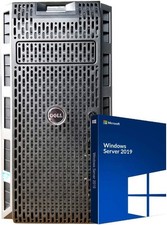
Dell PowerEdge T430 8 x 3.5 Hot Plug 2X E5-2680 V3 Twelve Core 2.5Ghz 192GB 3X 2
$949.99

Dell EMC PowerEdge R440 Xeon silver 4215 2.5GHz 16 GB ram 2x 550W PSU No HDD
$275.00



 Reply With Quote