
In my neverending quest for perfect fonts I ran across this tip on Debian User. Create a file ~/.Xresources and put this line in it:
Then logout and back in and you should now be enjoying better looking fonts.Code:Xft.autohint: 1


In my neverending quest for perfect fonts I ran across this tip on Debian User. Create a file ~/.Xresources and put this line in it:
Then logout and back in and you should now be enjoying better looking fonts.Code:Xft.autohint: 1
Interesting, but I'm afraid that it gives me a headache.
Thanks for the hint!
Actually I had to put "Xft.autohint: 1" in ~/.Xdefaults
If I put it in ~/.Xresources, nothing changed.
 Posting Permissions


(New) AMD Ryzen 7 5700X 8 Core 16 Thread AM4 Unlocked 3.4 GHz CPU OEM Tray
$169.99

Intel Core i9-9900K SRG19 3.60GHz 16MB 8-Core LGA1151 B Grade CPU Processor
$175.00
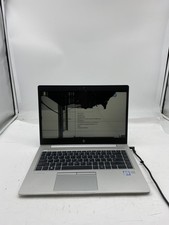
HP EliteBook 840 G5 Laptop Intel Core i5 7200U 8GB RAM – No HDD
$64.00

AMD Ryzen 7 7700X 8-Core, 16-Thread Unlocked Desktop Processor
$250.00
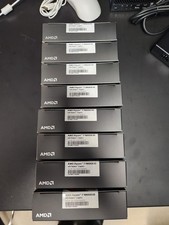
AMD RYZEN 7 9800X3D 8-Core, 16-Thread Desktop Processor
$399.00

AMD Ryzen 5 PRO 4650GE 100-000000153 6-Core 3.30GHz 8MB AM4 CPU Processor
$59.99

Intel Xeon E5 - 2667V2 / SR19W 3.30GHz 25MB 8-Core CPU Socket LGA2011
$30.00

AMD Ryzen 7 9700X 8-Core 16-Thread 40MB Cache Socket AM5 9000 Series Processor
$245.99

Dell T7810 Workstation 8-Core 2.40GHz E5-2630 v3 No RAM GPU HDD OS
$259.98

Dell OptiPlex 5070 SFF i7-9700 (8-Core) 3.0GHz 16GB 256 SSD Windows 11
$250.00

 Reply With Quote