

 Reply With Quote
Try adding this to your /etc/apt/sources.list I believe it should give you the latest packages.Originally Posted by kiilo
Code:# Knoppix deb http://developer.linuxtag.net/knoppix/ ./ deb-src http://developer.linuxtag.net/knoppix/ ./


hi
i tried to install ALSA in my knoppix HD installation ...
i removed the knx-alsa package because alsa-base didint install
but after apt-get install alsa-base ... i get a "funny" modpobe.conf
[...]
### update-modules: start processing /etc/modutils/1alsa
path[alsa]=/lib/modules/extra
depfile=/lib/modules/extra/modules.dep
generic_stringfile=/lib/modules/extra/modules.generic_string
pcimapfile=/lib/modules/extra/modules.pcimap
isapnpmapfile=/lib/modules/extra/modules.isapnpmap
usbmapfile=/lib/modules/extra/modules.usbmap
parportmapfile=/lib/modules/extra/modules.parportmap
ieee1394mapfile=/lib/modules/extra/modules.ieee1394map
pnpbiosmapfile=/lib/modules/extra/modules.pnpbiosmap
[...]
/lib/modules/extra does not exist!
of course is my instalation not working anymore ...
and i apt-get knx-alsa i get a bright:
root@gelb01:/# apt-get install knx-alsa
Reading Package Lists... Done
Building Dependency Tree... Done
Package knx-alsa has no available version, but exists in the database.
This typically means that the package was mentioned in a dependency and
never uploaded, has been obsoleted or is not available with the contents
of sources.list
E: Package knx-alsa has no installation candidate
is there a version avaible on this planet?
or better how to get this alsa stuff the usual
debian alsa-base running ...?
asks
without
beeps
kiilo
thx

Try adding this to your /etc/apt/sources.list I believe it should give you the latest packages.
Code:# Knoppix deb http://developer.linuxtag.net/knoppix/ ./ deb-src http://developer.linuxtag.net/knoppix/ ./
Hi Stephen,
thx for your link - but its late and the hell has a name called ALSA (maybe)
now this:
Do you want to continue? [Y/n] Y
(Reading database ... 112060 files and directories currently installed.)
Unpacking alsa-utils (from .../alsa-utils_0.9.4-1_i386.deb) ...
dpkg: error processing /var/cache/apt/archives/alsa-utils_0.9.4-1_i386.deb (--unpack):
trying to overwrite `/usr/bin/alsamixer', which is also in package knx-alsa
dpkg-deb: subprocess paste killed by signal (Broken pipe)
Errors were encountered while processing:
/var/cache/apt/archives/alsa-utils_0.9.4-1_i386.deb
E: Sub-process /usr/bin/dpkg returned an error code (1)
root@gelb01:/home/kiilo#
remove everything and reinstall knx-alsa seem to be impossible ...
he want to install alsa-utils twice ~ i think there is a lookup
in the dependencies ...
i copied the /lib/modules/extra stuff from the knoppix 3.2 CD ...
my cmipci was not working with alsa but the ESS-solo ...
i want to use both for pd ...
I dont want to continue for today ...
hope it
beeps
greets
kiilo
but thx
One thing you can do is apt-cache policy alsa-utils on my system it is coming from both testing and unstable go into your sources.list and comment out the entries for them and then apt-get update and then try to install the knx-alsa.
hi Stephen,
thx - but i am sitting an the problem now for 8h so its allready 5:06 in the morning and i think i destroy more then fixing it ... : o )
i get even apt-get errors like:
Use of uninitialized value in hash element at /usr/share/perl5/Debconf/DbDriver/File.pm line 51, <$__ANONIO__> chunk 21.
Use of uninitialized value in hash element at /usr/share/perl5/Debconf/DbDriver/File.pm line 51, <$__ANONIO__> chunk 21.
i dont know ~ maybe i have to start from scratch ...
i go home now ...
to tiered
thx
kiilo
I know what you mean I totally borked my install a couple a weeks ago with a badly issued sed command when I should have been sleeping but I just had to get done what I was doing, wasn't the brightest move I've made.
hi stephen,
now i get when i start pd:
couldn't open MIDI input device 1
couldn't open MIDI output device 1
opened 0 MIDI input device(s) and 0 MIDI output device(s).
Testing for Jack
cannot connect to jack server
cannot connect to default JACK server
cannot connect to jack server
cannot connect to default JACK server
cannot check Alsa version -- /proc/asound/version: No such file or directory
snd_pcm_open (input): No such device
snd_pcm_open (output): No such device
Using ALSA interface
no in/outno in/outno in/outno in/outno in/outno in/outno in/outno in/outno in/ou tno in/outno in/outno in/outno in/outno in/outno in/outno in/outno in/outno in/o utno in/outno in/outno in/outno in/outno in/outno in/outno in/outno in/outno in/ outno in/outno in/outno in/outno in/outno in/outno in/outno in/outno in/outno in /outno in/outno in/outno in/outno in/outno in/outno in/outno in/outno in/outno i n/outno in/outno in/outno in/outno in/outno in/outno in/outno in/outno in/outno in/outno in/outno in/outno in/outno in/outno in/outno in/outno in/outno in/outno in/outno in/outno in/outno in/outno in/outno in/outno in/outno in/outno in/outn o in/outno in/outno in/outno in/outno in/outno in/outno in/outno in/outno in/out no in/outno in/outno in/outno in/outno in/outno in/outno in/outno in/outno in/ou tno in/outno in/outno in/outno in/outno in/outno in/outno in/outno in/outno in/o utno in/outno in/outno in/outno in/outno in/outno in/outno in/outno in/outno in/ outno in/outno in/outno in/outno in/outno in/outno in/outno in/outno in/outno in /outno in/outno in/outno in/outno in/outno in/outno in/outno in/outno in/outno i n/outno in/outno in/outno in/outno in/outno in/outno in/outno in/outno in/outno in/outno in/outno in/outno in/outno in/outno in/outno in/outno in/outno in/outno in/outno in/outno in/outno in/outno in/outno in/outno in/outno in/outno in/outn o in/outno in/outno in/outno in/outno in/outno in/outno in/outno in/outno in/out audio I/O stuck... closing audio
i have to restart from scratch i installed knx-alsa
is there no alsaconf? for knx-alsa (packet alsaconf depends on alsa-base)
the autoconfig with the cd is working!
ask kiilo
Once you have re-installed alsa on the HD this time open a console and su then enter your root password to become root. Next /etc/init.d/alsa-autoconfig to automatically configure the devices for alsa on the HD install. While you are still root in the console open the file /etc/init.d/bootmisc.sh and add the line aumix -w 75 -v 75 to the bottom of the file to set the sound levels on boot (alsa defaults to mute). see this thread also to get the most out of the new sound system.
My sound card is onboard VIA Technologies IVT 8233. Model 867 AS. VIA KT8266 Chipset
This is writen after many searches for the ALSA cure or how to make alsa work.
It is written for anyone who like me is a Linux Newbie
and has not used Linux / Knoppix before now.
I was on the point of buying a sound card but I kept reading that it can be made to work
so don't give up keep trying.
This is a method for setting alsa to work at install time.I can't guarantee it will work for
everyone but it did work for me.
I take no credit for this it is not my work The credit goes to all of the respondants on the
Knoppix Forums with their answers to the question "how can I make alsa work"
all I have done is to collate all of the replies into a method.
This is how I installed Knoppix 3.2 and got alsa to work.
No quotes are used they are only for clarity.
First insert the Knoppix CD, then startup using the cd to boot from.
When Knoppix has loaded into memory and is is running from the CD press
" CTRL ALT F2 " at the prompt type
" knx-hdinstall alsa " and install Knoppix to your HDD.
I will not go into the install method this is only about Knoppix & alsa.
After installing Knoppix, reboot and at the bootprompt type " knoppix alsa "
and it will load the alsa kernel.
When Knoppix is started open a terminal as root or su and type " /etc/init.d/alsa-autoconfig ".
The alsa mixer appears and set the slider levels to 70db save and close and reboot.
When Knoppix has rebooted and is running alsa should be working, but if alsa
does not start open a terminal and type "aumix unmute " and the mixer GUI
opens on the desktop re-set the sound levels set to 70db and save, then close.
Logout and login as root and Find the bootmisc.sh shell found in /etc/init.d open it
using a text editor and add these 2 lines at the bottom of the page of bootmisc.sh.
# Added by Me to save aumix volume settings
aumix -w 70 -v 70 -cd 70
save, close,and remove the old bootmisc.sh if you want I do.
Reboot and at the prompt just press enter
[ do not type knoppix alsa ] and when Knoppix starts sound will be enabled.
I hope that this helps and I am sorry if it is a bit too basic for some
but is is written for the Newbies like me in the Linux community

 Posting Permissions


NEW Kingston 8GB DDR4 2666MHz Desktop RAM KCP426NS8/8 PC4-21300
$30.00
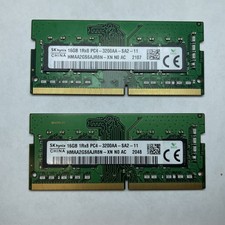
Lot of 2 SK Hynix HMAA2GS6AJR8N-XN 16GB DDR4 PC4-3200AA 1Rx8 Laptop SODIMM RAM
$354.99
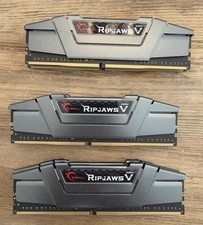
G.Skill PC RAM kit Ripjaws V F4-3200C16D-16GVGB 16 GB 2 x 8 GB DDR4 RAM 3200 MHz
$65.00
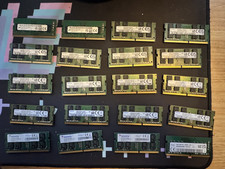
$1100.00

16GB (2x8GB) Kingston HyperX blu KHX1600C10D3B1/8G PC3-12800U DDR3 1600
$27.99
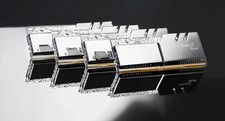
G.SKILL Trident Z Royal 128GB 8x16GB DDR4-3200 C14 RGB RAM F4-3200C14Q2-128GTRS
$1100.00

DDR4 Laptop RAM 4GB 8GB 16GB 32GB 2400 2666 3200 Samsung Hynix
$66.00

Samsung W03J0009150379F87A 64GB (2x32GB) RAM DDR4 2400MHz CRC0Y
$179.99
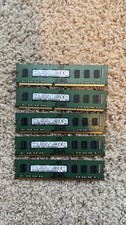
Lot 5 Samsung 8GB 2Rx8 DDR3-1600 PC3-12800U Desktop RAM M378B1G73QH0-CK0 (5x8GB)
$60.00
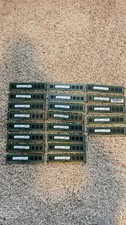
Lot Of 21 Samsung 4GB 1Rx8 PC3-12800U-11-13-A1 NON-ECC M378B5173QH0-CK0 (21x4GB)
$180.00