-
fsck'ing /
Hi There,
I have been trying to install linux onto a PC, running into problems, getting stuck, and having to power off/on a bunch of times. No I think I've bungled the sectors on it and have been trying to use fsck to fix things. I quickly discovered that I simply couldn't log into RH 7 or MDK 7 on it (which I could previously install, since it only loaded 950-1000 MB of packages, which I think came before the bad sectors), get to the command line and enter (this is in single user mode)
fsck -a /dev/hda
because /hda6 (where / is located) is of course already mounted, and is mounted as read-write.
I read that you could remount a filesystem, so I tried
mount -o ro,remount /dev/hda6 /
It asks for the filesystem type. Looking at fdisk, I'm told its simply linux, which didn't look like an option. So I tried -t ext2. Didn't work.
I tried installing knoppix, and was able to bring up KDE via the CD. I tried to install it to the hard drive, but in the past got cloop errors for various sectors, resulting in a kernel panic and complete shutdown and halt. I had heard someone else had this problem when trying to use ext3, but had no difficulty with installation via reiserfs. I tried this....nope, same problem.
Then I used a RH 7 CD and tried to run fsck in rescue mode. Still can't seem to figure out how to run fsck on /dev/hda6 (can't get the syntax right, always asking for the filesystem...I think I'm giving it using -t <various filesystem types>...no luck.
Then it occured to me! Knoppix run from the CD mounts all the hard drive partitions as read only. Maybe I could run fsck on the hard drive via knoppix! Unfortunately, the forces of the univers continue to conspire against me, and I am no longer able to bring up KDE....get an error that X11 has exited without errors, and then everything proceeds to get shut down, not even dropped to the command line. I need to read up on how to knoppix simply to the command line and see if I can run fsck on the hard drive from there....or...I still have the boot disk for the successful installation of RH 7, even though it is no longer installed to the hard drive. Can I run fsck on the hard drive from the floppy?
Suggestion?
Oh, I should add that the problem may be with the CD drive. I have burned several RH 9 iso's, using several different download sources, two different CD burners, and 2 types of CD, and yet each time the "test CD" option in the RH installation process informs me that the CD has failed the test.
Thanks for your input.
-
Senior Member
registered user
Re: fsck'ing /
--Geez, you don't start small, do ya? 
Try: ' mount / -oremount,ro '
To boot into text mode, no GUI:
' knoppix 2 '
--Two suggestions: Forget fsck on the drive, start over and reformat everything from scratch. And either try burning at a lower speed, or buy another cd-burner... I never burn at more than 32x even if the drive supports more. You might have to go all the way down to 4x or 2x to get a reliable burn.
> fsck -a /dev/hda
--BTW, you also have to designate a particular partition (/dev/hda6 instead of just hda.)

Originally Posted by
ehawk
Hi There,
I have been trying to install linux onto a PC, running into problems, getting stuck, and having to power off/on a bunch of times. No I think I've bungled the sectors on it and have been trying to use fsck to fix things. I quickly discovered that I simply couldn't log into RH 7 or MDK 7 on it (which I could previously install, since it only loaded 950-1000 MB of packages, which I think came before the bad sectors), get to the command line and enter (this is in single user mode)
fsck -a /dev/hda
because /hda6 (where / is located) is of course already mounted, and is mounted as read-write.
I read that you could remount a filesystem, so I tried
mount -o ro,remount /dev/hda6 /
It asks for the filesystem type. Looking at fdisk, I'm told its simply linux, which didn't look like an option. So I tried -t ext2. Didn't work.
I tried installing knoppix, and was able to bring up KDE via the CD. I tried to install it to the hard drive, but in the past got cloop errors for various sectors, resulting in a kernel panic and complete shutdown and halt. I had heard someone else had this problem when trying to use ext3, but had no difficulty with installation via reiserfs. I tried this....nope, same problem.
Then I used a RH 7 CD and tried to run fsck in rescue mode. Still can't seem to figure out how to run fsck on /dev/hda6 (can't get the syntax right, always asking for the filesystem...I think I'm giving it using -t <various filesystem types>...no luck.
Then it occured to me! Knoppix run from the CD mounts all the hard drive partitions as read only. Maybe I could run fsck on the hard drive via knoppix! Unfortunately, the forces of the univers continue to conspire against me, and I am no longer able to bring up KDE....get an error that X11 has exited without errors, and then everything proceeds to get shut down, not even dropped to the command line. I need to read up on how to knoppix simply to the command line and see if I can run fsck on the hard drive from there....or...I still have the boot disk for the successful installation of RH 7, even though it is no longer installed to the hard drive. Can I run fsck on the hard drive from the floppy?
Suggestion?
Oh, I should add that the problem may be with the CD drive. I have burned several RH 9 iso's, using several different download sources, two different CD burners, and 2 types of CD, and yet each time the "test CD" option in the RH installation process informs me that the CD has failed the test.
Thanks for your input.
-
got to command line, ran fdisk, fsck, here are results....
Okay,
I just tried loggin in via the hard drive, and enough of knoppix got installed to bring up the command line at /root. I ran fdisk on /dev/hda, and here are the results:
Device Boot Start End Blocks Id System
/dev/hda1 * 1 3 24066 83 Linux
/dev/hda2 4 1027 8225280 5 Extended
/dev/hda5 4 54 409626 82 Linux Swap
/dev/hda6 55 601 4393746 83 Linux
/dev/hda7 602 1027 3421813+ 83 Linux
The entire hard drive is around 8 GB, so hda2 is basically everything and overlapping with everything excepte hda1. I used fdisk to (at least I thought) remove all the partitions, but when I booted up again, they were still as shown above.
Then I tried running fsck -V -a on each partition. I got back the following:
fsck -V -a /dev/hda1
/boot: clean: 26/6024 files, 3240/24066 blocks
fsck -V -a /dev/hda2
fsck ext2: Attempt to read block from filesystem resulted in short read while trying to opend /dev/hda2 Could this be a zero-length partition?
fsck -V -a /dev/hda5
fsck: fsck.swap: not found
fsck: Error 2 while executing fsck.swap for /dev/hda5
fsck -V -a /dev/hda6
[/sbin/fsck.reiserfs (1) __ /] fsck.reiserfs -a /dev/hda6
Reiserfs super block in block 16 on 0x306 of format 3.6 with standard journal
Blocks (total/free) 1098436/955847 by 4096 bytes
Filesystem is cleanly unmounted
Filesystem seems mounted read-only. Skipping jounral replay.
Checking internal tree...finished.
fsck -V -a /dev/hda7/
/usr: clean, 63968/428544 files, 247781/855453 blocks
exit
logout
is_leaf: nr_item seems wrong: level=1, nr_items=4101
free space=648 rdkeyvs-5150: Search_by_key:
invalid formate found in block 32002. Fsck?
When I try to boot knoppix from CD, I get the above exit respone, plus the following:
FAT bous logical sector 0
is_leaf:nr_item seems wong: level=1, nr_items=4101
free space=648 rdkey vs-5150: Serch_by_key:
invalid format found in block 32002. Fsck?
[21554 23525 0x0 SD]
Executing /et/init.d/xsession start:
Starting X-Windows....
Starting X11....blash:tty:Command not found
[/]root
Error: No suitable X-server found for your card (I am using the Sis 530 chipset, and got a fully-functional knoppix working before)
./etc/init.d/xsession: line 76: /etc/sysconfig/xserver:
./etc/init.d/xsession: line 76: Read-only file system
[The above two lines are reapete four times]
Retrying with Server XFree68(vesa) rm: Cannot remove
'etc/X11/XF86Config-4': Read-only file system
[./etc/init.d/xsession: lines repeated again]
How do I make those partitions/files that I need to remove read-writable?
I just want to clear the entire hard drive, fix any errors in bad sectors (if possible), and prepare it
for a clean installation. How do I do this?
Thanks for your help.
Guess I should have tried ctrl-alt-del a lot more often when getting frozen then power off/on...
-
Senior Member
registered user
Re: got to command line, ran fdisk, fsck, here are results..
--Aargh... Ok, first off you need to know a little more about what you're doing. You CAN'T run fsck on certain partitions, notably Extended and Swap.
--Next on the list is the "Type 83" listed in fdisk. This is only 1 indicator that the partition is Linux-based - the actual filesystem (what it's FORMATTED AS) can be something like ext2, ext3, reiserfs, xfs, etc. You need to know what's on your system.
--Ok, now as for clearing the hard drive... You shouldn't need to. Just boot from the CD, do another knx-hdinstall and it will reformat everything. And remember to boot with ' knoppix 2 '.
--Sorry if I sounded a little harsh, seeing a n00b trying to run fsck on a swap partition makes an old *nix admin cringe.
Originally Posted by
ehawk
Okay,
I just tried loggin in via the hard drive, and enough of knoppix got installed to bring up the command line at /root. I ran fdisk on /dev/hda, and here are the results:
Device Boot Start End Blocks Id System
/dev/hda1 * 1 3 24066 83 Linux
/dev/hda2 4 1027 8225280 5 Extended
/dev/hda5 4 54 409626 82 Linux Swap
/dev/hda6 55 601 4393746 83 Linux
/dev/hda7 602 1027 3421813+ 83 Linux
The entire hard drive is around 8 GB, so hda2 is basically everything and overlapping with everything excepte hda1. I used fdisk to (at least I thought) remove all the partitions, but when I booted up again, they were still as shown above.
Then I tried running fsck -V -a on each partition. I got back the following:
fsck -V -a /dev/hda1
/boot: clean: 26/6024 files, 3240/24066 blocks
fsck -V -a /dev/hda2
fsck ext2: Attempt to read block from filesystem resulted in short read while trying to opend /dev/hda2 Could this be a zero-length partition?
fsck -V -a /dev/hda5
fsck: fsck.swap: not found
fsck: Error 2 while executing fsck.swap for /dev/hda5
fsck -V -a /dev/hda6
[/sbin/fsck.reiserfs (1) __ /] fsck.reiserfs -a /dev/hda6
Reiserfs super block in block 16 on 0x306 of format 3.6 with standard journal
Blocks (total/free) 1098436/955847 by 4096 bytes
Filesystem is cleanly unmounted
Filesystem seems mounted read-only. Skipping jounral replay.
Checking internal tree...finished.
fsck -V -a /dev/hda7/
/usr: clean, 63968/428544 files, 247781/855453 blocks
exit
logout
is_leaf: nr_item seems wrong: level=1, nr_items=4101
free space=648 rdkeyvs-5150: Search_by_key:
invalid formate found in block 32002. Fsck?
When I try to boot knoppix from CD, I get the above exit respone, plus the following:
FAT bous logical sector 0
is_leaf:nr_item seems wong: level=1, nr_items=4101
free space=648 rdkey vs-5150: Serch_by_key:
invalid format found in block 32002. Fsck?
[21554 23525 0x0 SD]
Executing /et/init.d/xsession start:
Starting X-Windows....
Starting X11....blash:tty:Command not found
[/]root
Error: No suitable X-server found for your card (I am using the Sis 530 chipset, and got a fully-functional knoppix working before)
./etc/init.d/xsession: line 76: /etc/sysconfig/xserver:
./etc/init.d/xsession: line 76: Read-only file system
[The above two lines are reapete four times]
Retrying with Server XFree68(vesa) rm: Cannot remove
'etc/X11/XF86Config-4': Read-only file system
[./etc/init.d/xsession: lines repeated again]
How do I make those partitions/files that I need to remove read-writable?
I just want to clear the entire hard drive, fix any errors in bad sectors (if possible), and prepare it
for a clean installation. How do I do this?
Thanks for your help.
Guess I should have tried ctrl-alt-del a lot more often when getting frozen then power off/on...
-
finally got it working....
Okay...I was finally able to install knoppix.
It seems to me that there are some bad sectors on my hd, but I was able to prevent that from screwing up the installation of essential packages by increasing the size of the swap partition (up to about 900 MB), so that most of the bad sectors occur in that partition. If I start swapping, its time to get a new computer, because I can't add any more RAM to it.
One thing I do like is that even though some packages didn't install correctly, the installation process continued. With RH, the process would simply hang without notification beyond "there was an error during installation" or something like that, and with MDK, while it would mention a particular app not installing and asking me if I would like to continue, it would nevertheless hang at the end of the package installaion phase. Knoppix informed me of the problem, but kept going if it could.
The only packages that didn't install correctly were doc pages, anyway. I fired things up and test drove all the apps I could see. The only things which don't work are spell checking within KOffice (Abiword and OO are fine) and the game Falcon's Eye, which I've never played.
I have a friend whose giving me a new hd, and I'll read up on compatibility and installation while playing around for awhile. If the current hd doesn't get any worse, fine. If it does, that's fine too....all my work is either ascii text (fortran programs, latex) or .rtf files, and easily fit on floppies.
Thanks for your help.

 Posting Permissions
- You may not post new threads
- You may not post replies
- You may not post attachments
- You may not edit your posts
-
Forum Rules


Vintage Cherry W. Germany G80-0486H/05 Mechanical 25-Pin D-Sub Keyboard M8
$170.99

Vintage Computer - PC Innovation Intel 486DX2 - Dos Ver 6.2 Windows 3.1
$250.00

Vintage Jetway J-620BF Socket 370 Celeron AT Motherboard SiS 620 Brand New
$75.00

Vintage HP Hewlett Packard 2112A 21MX 1000 M-Series 16-Bit Minicomputer
$419.99

Vintage Apple computer Cross Metal Ballpoint Pen Black Ink Gold Trim
$125.00
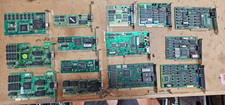
Lot 14 Vintage ISA VGA Video Cards Trident CHIPS UMC 8-Bit 16-Bit 286 386 486
$199.95

Vintage RARE 1980s Apple Computer Logo Frisbee. Great shape, w/ the usual nicks
$220.00
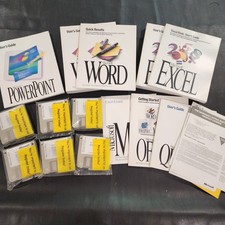
Vintage Microsoft Office 4.2 for Windows Original Floppy Disks & Manuals 1994
$119.99
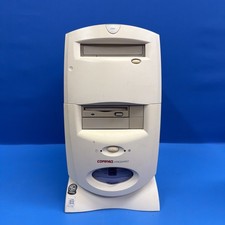
Compaq Presario 7594 Vintage Desktop PC Windows 98 SE 64MB Floppy CD-ROM
$129.00
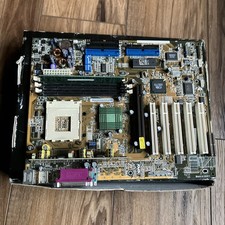
ASUS A7V333 Vintage Motherboard | Untested | For Parts
$44.89



 Reply With Quote