-
got to command line, ran fdisk, fsck, here are results....
Okay,
I just tried loggin in via the hard drive, and enough of knoppix got installed to bring up the command line at /root. I ran fdisk on /dev/hda, and here are the results:
Device Boot Start End Blocks Id System
/dev/hda1 * 1 3 24066 83 Linux
/dev/hda2 4 1027 8225280 5 Extended
/dev/hda5 4 54 409626 82 Linux Swap
/dev/hda6 55 601 4393746 83 Linux
/dev/hda7 602 1027 3421813+ 83 Linux
The entire hard drive is around 8 GB, so hda2 is basically everything and overlapping with everything excepte hda1. I used fdisk to (at least I thought) remove all the partitions, but when I booted up again, they were still as shown above.
Then I tried running fsck -V -a on each partition. I got back the following:
fsck -V -a /dev/hda1
/boot: clean: 26/6024 files, 3240/24066 blocks
fsck -V -a /dev/hda2
fsck ext2: Attempt to read block from filesystem resulted in short read while trying to opend /dev/hda2 Could this be a zero-length partition?
fsck -V -a /dev/hda5
fsck: fsck.swap: not found
fsck: Error 2 while executing fsck.swap for /dev/hda5
fsck -V -a /dev/hda6
[/sbin/fsck.reiserfs (1) __ /] fsck.reiserfs -a /dev/hda6
Reiserfs super block in block 16 on 0x306 of format 3.6 with standard journal
Blocks (total/free) 1098436/955847 by 4096 bytes
Filesystem is cleanly unmounted
Filesystem seems mounted read-only. Skipping jounral replay.
Checking internal tree...finished.
fsck -V -a /dev/hda7/
/usr: clean, 63968/428544 files, 247781/855453 blocks
exit
logout
is_leaf: nr_item seems wrong: level=1, nr_items=4101
free space=648 rdkeyvs-5150: Search_by_key:
invalid formate found in block 32002. Fsck?
When I try to boot knoppix from CD, I get the above exit respone, plus the following:
FAT bous logical sector 0
is_leaf:nr_item seems wong: level=1, nr_items=4101
free space=648 rdkey vs-5150: Serch_by_key:
invalid format found in block 32002. Fsck?
[21554 23525 0x0 SD]
Executing /et/init.d/xsession start:
Starting X-Windows....
Starting X11....blash:tty:Command not found
[/]root
Error: No suitable X-server found for your card (I am using the Sis 530 chipset, and got a fully-functional knoppix working before)
./etc/init.d/xsession: line 76: /etc/sysconfig/xserver:
./etc/init.d/xsession: line 76: Read-only file system
[The above two lines are reapete four times]
Retrying with Server XFree68(vesa) rm: Cannot remove
'etc/X11/XF86Config-4': Read-only file system
[./etc/init.d/xsession: lines repeated again]
How do I make those partitions/files that I need to remove read-writable?
I just want to clear the entire hard drive, fix any errors in bad sectors (if possible), and prepare it
for a clean installation. How do I do this?
Thanks for your help.
Guess I should have tried ctrl-alt-del a lot more often when getting frozen then power off/on...
 Posting Permissions
- You may not post new threads
- You may not post replies
- You may not post attachments
- You may not edit your posts
-
Forum Rules


Netac DDR4 32GB 16GB DDR4 3200MHz UDIMM C16 Desktop Internal Memory RAM Kit
$99.99

128GB (4x32GB) SK hynix DDR4 PC4-2666V RDIMM ECC Server Ram HMA84GR7CJR4N-VK
$799.00
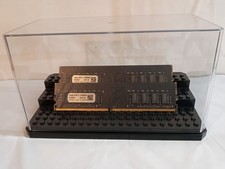
32GB KIT (2x16GB) DDR4 2666MHz PC4-21300 - 288 pin DESKTOP Non ECC - Black/Gold
$121.00

Major Brand 16GB (2x8GB) PC3-12800U DDR3-1600MHz DDR3-12800 DESKTOP RAM NON-ECC
$29.99

A-Tech 8GB DDR3 1600 PC3-12800 Laptop SODIMM 204-Pin Memory RAM PC3L DDR3L 1x 8G
$21.68
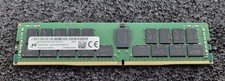
32GB Micron PC4 – 3200AA DDR4 ECC Registered Server RAM - MTA36ASF4G72PZ-3G2J3
$200.00

Samsung 16GB LPCAMM2 PC5 7500 DDR5 LPDDR5X CAMM2 M561K1LC4DM0-CCTGM RAM Memory
$189.00

RAMAXEL Lenovo 32GB LPDDR5X CAMM2 7500MHz Laptop RAM | UNTESTED
$445.00
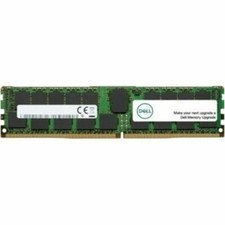
Dell 16GB PC4-21300 (DDR4-2666) Memory (SNPPWR5TC16G)
$89.99
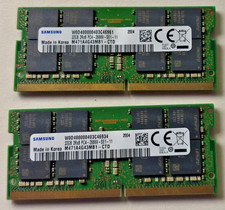
64 GB Ram (32x2) Memory for laptop: Samsung PC4 2Rx8 2666V.
$280.00



 Reply With Quote