

 Reply With Quote
Go into the Control Center -> Appearences & Themes -> Fonts and adjust the fonts and sizes to suit you needs. You may also want to trun on Anti-alaising also if it is not selected.


I have installed Knoppix to the HDD and find that the fonts are really small and i can't find a way to make them larger. The web page fonts are ok but everything else is no good. Any ideas?
Go into the Control Center -> Appearences & Themes -> Fonts and adjust the fonts and sizes to suit you needs. You may also want to trun on Anti-alaising also if it is not selected.
I know how to configure all that but the actual Mozilla Browser is the problem. Teh font size in the top menu bar and the address bar stay annoyingly small.
there is some file under the .mozilla directory which defines this, try to search chroma in this forum. I remembered I have seen it some where.
 Posting Permissions


🔀 Juniper Networks EX2300-C-12P 12× Gigabit PoE+ • 2× 10G SFP+ Compact Switch ⚡
$109.99

Juniper Networks EX2300-48P 48-Port PoE Gigabit Switch (Renewed)
$361.91

Juniper EX2300 12-Port Gigabit PoE+ Managed Network Switch P/N: EX2300-C-12P
$149.99
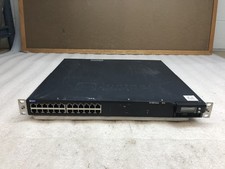
Juniper EX4300-32F 32-Port SFP Gigabit Switch EX 4300 w/ Rack Ears
$89.99

Juniper MX204 +JUNOS and Dual Power Supply
$7299.99

Juniper LTE Mini-Physical Interface Module
$1501.99

Juniper QFX5120-48Y-AFO 48 x 1/10/25GB SFP28 + 8 x 40/100GB Switch w/Dual AC
$10499.99

Juniper EX2300-C 12 Port Compact Gigabit Switch EX2300-C-12p Discounted Cosmetic
$79.86

Juniper QFX5100-48S-3AFI 48-Port SFP+ 6 QSFP+ 2x SFP/RJ-45 Management
$249.97

Juniper Networks Mist Wireless Access Points, Model AP45
$59.99