

 Reply With Quote
Go into the Control Center -> Appearences & Themes -> Fonts and adjust the fonts and sizes to suit you needs. You may also want to trun on Anti-alaising also if it is not selected.


I have installed Knoppix to the HDD and find that the fonts are really small and i can't find a way to make them larger. The web page fonts are ok but everything else is no good. Any ideas?
Go into the Control Center -> Appearences & Themes -> Fonts and adjust the fonts and sizes to suit you needs. You may also want to trun on Anti-alaising also if it is not selected.
I know how to configure all that but the actual Mozilla Browser is the problem. Teh font size in the top menu bar and the address bar stay annoyingly small.
there is some file under the .mozilla directory which defines this, try to search chroma in this forum. I remembered I have seen it some where.
 Posting Permissions


RAM-HOL-SAM52CPU RAM USB-C Powered Dock Samsung Tab Active4 Pro & Tab Active Pro
$81.99

Samsung 32GB DDR4-2666 PC4-21300 288-Pin DIMM RAM M393A4K40CB1CRC0Q
$185.00

New Samsung 512GB FIT Plus USB 3.2 Gen 1 Type-A Flash Drive MUF-512AB/AM NEW
$120.00
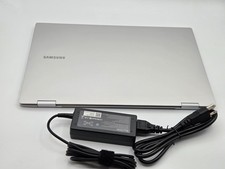
Samsung Galaxy Book2 Pro 360 15.6 i7-1260P 16GB 1TB SSD Laptop FAST SHIP
$349.99

RAM-HOL-SAM60CPU RAM USB-C Powered Dock for Samsung Tab Active5 - 3 - 2
$81.99

RAM-GDS-SKIN-SAM54-NG-1 RAM Mounts IntelliSkin® Next Gen for Samsung Tab Active4
$93.99

Samsung Galaxy Tab SCH-1800 7" 4GB Wi-Fi + Verizon Tablet Working
$30.00

RAM-GDS-DOCK-SAM88CPU RAM GDS® Tough-Dock™ for Samsung Tab A9+
$174.99
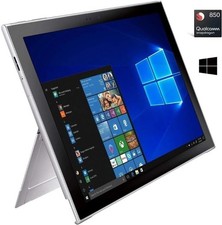
Samsung Galaxy Book2 12inch Silver FHD+ TOUCH Snapdragon 850 2.96 GHz 4GB 128GB
$160.00

Original for Samsung NP950QCG-K01US LCD Screen Touch Full Top Assembly FHD Blue
$299.00