

 Reply With Quote
Go into the Control Center -> Appearences & Themes -> Fonts and adjust the fonts and sizes to suit you needs. You may also want to trun on Anti-alaising also if it is not selected.


I have installed Knoppix to the HDD and find that the fonts are really small and i can't find a way to make them larger. The web page fonts are ok but everything else is no good. Any ideas?
Go into the Control Center -> Appearences & Themes -> Fonts and adjust the fonts and sizes to suit you needs. You may also want to trun on Anti-alaising also if it is not selected.
I know how to configure all that but the actual Mozilla Browser is the problem. Teh font size in the top menu bar and the address bar stay annoyingly small.
there is some file under the .mozilla directory which defines this, try to search chroma in this forum. I remembered I have seen it some where.
 Posting Permissions


OPNsense pfSense 8-Core Atom C3758 2.2GHz 8GB DDR4 64GB SSD 8x NIC QAT AES VPN
$145.00

OPNsense pfSense 16-Core Atom C3958 16GB ECC RAM 512GB SSD 8-Port QAT AES-NI VPN
$288.00

pfSense Firewall 16-Core Atom C3958 8GB DDR4 RAM 64GB SSD 8x 1Gbe QAT AES-NI VPN
$184.99

Fortinet FortiGate FG-40F Network Security Firewall NO RACK EARS
$49.99

Firewalla Gold Plus 2.5GbE Firewall Router – Excellent Condition
$435.00

OPNsense Firewall VPN QAT 8-Core Atom C3758 2.20GHz 16GB DDR4 128GB SSD 8xNIC
$175.00

Fortinet FortiGate 60F FG-60F UTM UTP License Until 2027 Network Security FW VPN
$229.99

Fortinet FortiGate 80E 12 Ports Firewall Appliance
$20.25

Zero Trace Pen: All-in-one Tor Network Anonymous Drive + Cryptocurrency Wallet
$147.00
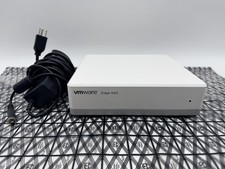
OPNsense Firewall Router VMware Edge 640 Atom C3758 32GB ECC RAM 256GB SSD 10Gbe
$284.99