

 Reply With Quote
If you haven't gotten this solved yet perhaps this will help. USB storage devices can be found at /dev/sda1 /dev/sda2 etc.
usbview in a terminal should show you your USB hub and what's connected to it.
cat /proc/bus/usb/devices


Hello,
I am not able to get the hotplug working...
I can see that I have an USB thing plugged but I cannot find a way to mount or access the data.
I am wondering if it could not be an error in my fstab
Is it good the way of mounting the USB port? Where do I need to go to access the data of my USB device?Code:# /etc/fstab: filesystem table. # # filesystem mountpoint type options dump pass /dev/hda3 / reiserfs defaults 0 1 /dev/hda6 none swap sw 0 0 proc /proc proc defaults 0 0 none /proc/bus/usb usbdevfs defaults 0 0 /dev/fd0 /floppy vfat defaults,user,noauto,showexec,umask=022 0 0 /dev/cdrom /cdrom iso9660 defaults,ro,user,noexec,noauto 0 0 # partitions found by Knoppix #/dev/hda3 /mnt/hda3 reiserfs noauto,users,exec 0 0 /dev/hda1 /mnt/hda1 ntfs defaults,users,exec 0 0 /dev/hda5 /mnt/hda5 vfat defaults,users,exec,umask=000 0 0
Regards
Ludo
If you haven't gotten this solved yet perhaps this will help. USB storage devices can be found at /dev/sda1 /dev/sda2 etc.
usbview in a terminal should show you your USB hub and what's connected to it.
cat /proc/bus/usb/devices
Maybe it's me, but usbview hasn't been working for me for a few releases now. Even when I have usb devices plugged in and working, usbview doesn't work. In fact I get the following message:
Like I said, I get this message even when usb devices are plugged in and working fine so I'm reluctant to recommend usbview as a good way to check if usb devices are detected right now...unless someone else has an explanation as to what's going on.Code:Can not open the file /proc/bus/usb/devices Verify that you have USB compiled into your kernel, have the USB core modules loaded, and have the usbdevfs filesystem mounted
Sounds like you don't have /proc in your fstab. proc is just a virtual filesystem that you can use to gain insight as to your system. It isn't actually necessary for USB to function. USBview is of course just a frontend for
cat /proc/bus/usb/devices. It certainly does a nice job of decifering.
Here's the line from my fstab:
If you have /proc mounted USBview is very cool- it will show you when something gets plugged in or removed.Code:proc /proc proc defaults 0 0
hiya,Originally Posted by rickenbacherus
it did work for a time with the /dev/sda1 but now , it always says an error during the boot with my line in the fstab...
tonight, I 'll take my fstab and tomorrow I'll put it here.. you might se the error in my line with the /dev/sda1 ...
Thxs
Ludo
Here is my fstab:
and here are the errors that I get:Code:# /etc/fstab: filesystem table. # # filesystem mountpoint type options dump pass /dev/hda3 / reiserfs defaults 0 0 /dev/hda1 /mnt/hda1 ntfs defaults,users,exec 0 0 /dev/hda5 /mnt/hda5 vfat defaults,users,exec,umask=000,gid=disk 0 0 /dev/hda6 none swap sw 0 0 proc /proc proc defaults 0 0 none /proc/bus/usb usbdevfs defaults 0 0 /dev/fd0 /floppy vfat defaults,users,noauto,showexec,umask=022 0 0 /dev/cdrom /cdrom iso9660 defaults,users,noexec,noauto 0 0 /dev/sda1 /mnt/usb vfat defaults 0 0
Have you got an idea/solution for this ones??mount: /dev/sda1 is not a valid block device
modprobe: modprobe: can't locate module block-major 8
thxs
Ludo
I did this to get usb working after 7-26-03 hdinstall.
mkdir /mnt/sda1 (only if sda1 doesn't exist)
edited the /etc/fstab file by adding:
/dev/sda1/ /mnt/sda1 vfat noauto,users,exec,unmask 0 0
Do this if don't know to edit: sudo kwrite file:/etc/fstab
Make Usb icon on desktop and click to view usb drive.
 Posting Permissions


OWC Mercury Elite Pro 2 Bay RAID Enclosure with USB 3.2 for Dual 3.5 inch HDDs
$87.99

Broadcom 9600-24i Tri-Mode RAID Controller 4.0 NVMe SAS SATA NEW 05-50111-01003
$639.69

Intel VROC Premium RAID Controller Card PCIe Add-On Module VROCPREMMOD
$265.00

Adaptec ASR-71605 16-Port 1Gbps PCIe RAID Card High Profile
$18.49

2-Bay/4-Bay Hard Drive Enclosure for 3.5"/2.5'' SATA HDD/SSD 10Gbps USB-C 3.2
$119.99

WAVLINK RAID 2 Bay Hard Drive Docking Station SATA 2.5/3.5'' SSD HDD Enclosure
$119.99

Dell PowerEdge HBA330 LP PCI-E 12GBs RAID SAS Controller Adapter J7TNV
$18.95

Acasis USB 3.2 2 Bay HDD RAID Enclosure for 2.5/3.5" SATA Drives External Array
$55.00

CalDigit VR minin 2 Portable Raid Storage On The Go
$75.00
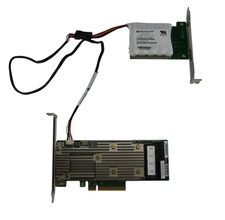
Broadcom MegaRAID 9461-16i SAS/SATA/NVME Tri-Mode PCIe RAID Controller
$295.00
