-
Sound card detection?
Knoppix seems to determine that my USB WebCam (Logitech 3000 something or other) as my sound card. I also have an SB Live, which is the proper card.
If I remove the USB WebCam, all is well. Is there any way to get Knoppix to detect the proper hardware without disconnecting the WebCam, possibly some cheat code?
Thanks!
-
Senior Member
registered user
Re: Sound card detection?
I've got the same problem. Unsure how to fix. I know it worked in 3.1, so they probably changed the order in which the devices are probed,
-
Senior Member
registered user
IRQ conflicts perhaps. Try reassigning IRQ's in BIOS.
-
Senior Member
registered user

Originally Posted by
rickenbacherus
IRQ conflicts perhaps. Try reassigning IRQ's in BIOS.
Uhm, I don't think so. USB vs. PCI shouldn't have conflicting IRQs. At least, my soundcard is detected on boot even when the webcam is plugged in. It's just not used. So both my USB OHCI and my souncard work (from the same IRQ btw). Pluging in the webcam after boot gives you a fully functional soundcard and webcam.
Knoppix 3.1 worked just fine, so there must be a problem with the 3.2 config scripts. It works under windows too. I think I'll check out the remastering howto to see where the knoppix scripts are stored and how to acces them. I might find out what's wrong.
btw, if someone would want to try the IRQ reassigning. Modern (> PII and athlons) hardware is so filled with built-in hardware that has an IRQ for it's own, that most of the time the only thing you can do to free up and IRQ is disabling APM. This isn't bad, since PCI hardware should have an identification number of it's own so the OS can distinguish between multiple cards on the same IRQ channel.
Early PCI hardware didn't send an id-nr. Since it was mostly tested on harware with *loads* of spare IRQs this didn't show up. But since USB and APM and probably some more 'new' stuff also take an IRQ by design it's getting quite sparse with this room.
-
webcam and sound
I have the same problem, but I have a Logitech 4000 Pro and a AC97 onbord sound card
Similar Threads
-
By Neo-Rio in forum General Support
Replies: 3
Last Post: 03-03-2005, 10:52 PM
-
By JohninPH in forum Hardware & Booting
Replies: 0
Last Post: 09-16-2004, 06:25 PM
-
By myrrdex in forum Hardware & Booting
Replies: 1
Last Post: 06-07-2004, 04:16 PM
-
By hnash53 in forum Hardware & Booting
Replies: 0
Last Post: 11-24-2003, 03:24 AM
-
By jonwood in forum Hardware & Booting
Replies: 4
Last Post: 03-24-2003, 04:37 PM
 Posting Permissions
- You may not post new threads
- You may not post replies
- You may not post attachments
- You may not edit your posts
-
Forum Rules


Mini Computer Vacuum USB Keyboard Cleaner PC Laptop Brush Dust Cleaning Kit NEW
$13.89

LEVOIT Cordless Vacuum Cleaner, Stick Vac with Tangle-Resistant Design, Up to...
$162.04

Cordless Air Duster & Vacuum Cleaner for Keyboard & PC Cleaning - 110000RPM Powe
$53.99

V3 Robot Vacuum and Mop Combo,Self-Charging,5000pa Strong Suction,WiFi/Alexa NIB
$82.00

US Mini Computer Vacuum USB Keyboard Cleaner PC Laptop Brush Dust Cleaning Kits
$13.89

2-in-1 Compressed Air Duster & Vacuum, Brushless Motor, 320000RPM
$37.99
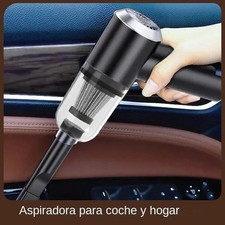
Mini Cordless Electric Keyboard Car Vacuum Cleaner Cleaning Duster Rechargeable
$9.97

2 in 1 Compressed Air Duster Air Blower & Vacuum Cleaner Cordless Duster Blower
$16.99

Mini Computer Vacuum Cleaner & Compressed Air Duster 14500Pa, 110000RPM, Cordles
$53.99
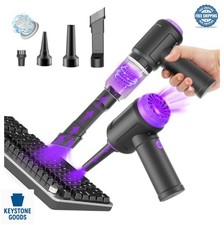
Cordless Computer Vacuum 14500Pa 110000RPM Air Duster Blower Keyboard Cleaning
$63.99



 Reply With Quote