

 Reply With Quote
Try 'fb1024x768 xserver=svga'. Also search the archives on Compaq or on ATI. I seem to recall there some messages about Compaqs and ATI cards.
- - Edwin


hello guys!
i really want knoppix to run on my laptop. but the thing is, i cant seem to make it run... i tried ...
knoppix nousb nosound => it failed
knoppix nopci => failed
knoppix xmodule=ati nousb nosound => failed too..
i kept on getting the error..no suitable Xserver card.. my video card is ATI Mobility u1
help please!
thanks!
Try 'fb1024x768 xserver=svga'. Also search the archives on Compaq or on ATI. I seem to recall there some messages about Compaqs and ATI cards.
- - Edwin
Your troubles and concerns are legitimate, but the Compaq problem is really the shared and configured VRam, and Sdram on the Laptops. The way they dissimilate and do task off loading mimics lan, or or types of cards for load balancing. Depending on your operating system their are a few fixs. 1. You can of course go in and play around with your bios settings F10 on boot up, but depending on your bios which is probably Pheonix, it needs to be greater than 1.2, also I don't recomend getting in their unless your experienced. You can adjust the L2 cache to a larger value, and also your sfm to a exceptable derivative that gives more Ram caching for Knopp. 2. If your Running xp or XP Pro: start, control panel, Perf & Main, system, Advanced, Peformance settings, Advanced, Virtual Memory, Jack that way up two 2048MB both start, and end, and apply set. This will automatically put some disk space aside and the L Kernel should take care of the rest. Of course ya have to reboot after ya do this, and of course, then restart and then put the CD in. I just today ran Knopp on two lesser systems just fine. Compaq EVO n180, Compaq Persario 500e. Knopp worked like a charm on them. It ran better on them, than my cherried out workstation. 3. Another option, is if your running windows system, before you shut down, kill as many apps as possible without crashing the system. It will give more system and memory resources, then run a burn in tool for about five minutes. When that is stopped, defrag your memory, NOT HD, memory. (I'm assuming ya have the tools if your an intermediate user or above), then either use a manual crash tool, or just do a hard crash, and get that CD in their before it reboots. Knopp will run good as new, and don't worry about your client OP, as long as ya have sufficient memory, and don't have your kernel unpaged, ( unless you have 512Mb+, or 256RDRAM) Do not EVER UNPAGE THE KERNEL, Especially in windows, and even more in XP. I dont care what anyone tells you! 512MB+, or 256MBRDRAM, and large virtual memory. You Follow these steps, you will run KNOPP no problem. It is worth it. If it had English IP, or DSL, or Broadband features, I'd install it on my brand new WD Harddrive, it is already ready! The Linux Kernel crashes a bit, but still that's nothing compared to Early XP. It already blew me away. It needs better sound drivers, and better, compilers, which need to each run in seperate memory process'. Good luck. let me know. I am the Quizatsatterak.<marquee>[url]"It is by Will alone that I set my mind in motion. It is by the Juice of Saffu that thoughts acquire speed, the Lips acquire stains, and the stains become a warning. It is by will alone that I set my mind in motion."[/url]
@edwin
i tried the option you told me but still the same errors.
@quizatsatterak
i tried the second option you gave but still the same errors.
i kept on getting "c loop" errors plus the "No Xserver was found for your card". i also observed that when i try to boot, it takes a long time for the system to read the cd, tux on the upper left appears for about 1min then after it the text for the detection of the cd blah, blah comes but it will stop after saying "USB managed by hotplug." from there the error messages comes out.
my knoppix is 3.2 beta
and the drive m using is a dvd drive
btw, thanks for the replies. still need more of your suggestions.
Hey Ronin! Sorry those solutions didn't work. If ya feel brave, go ahead and try the other solutions I suggested. If you indeed have a DVD on that thing then the spin rate would not be a problem, the error that you get is common for M version ATI cards on Laptops. Another option may be to go to ATI.com and update, the CONTROL PANEL TO THE LATEST VERSION. ATI WONT HAVE AN UPDATE DRIVER FOR THAT CARD ON THE LAPTOP, BUT AS LONG AS THE M5 OR M6 ARE 32MB YOUR O.K. I AM WORKING RIGHT NOW 1:34pm EST. SO I NEED TO RUN, BUT I WILL PUT MY THINKING CAP ON, AND GET BACK TO YA. Regarding the slow boot time, well is it really that bad? I mean commonIt is worth the wait. KNOPP alone is really superior as a rescue disk, amazing. I noticed Lindows.com is offering a similar situation with their working OP. I enjoy Lindows but KNOPP is really a superior environment for many other things. The confusion lies in the multiple command console options and boxes. I got so excited I started launching Linux, Python, and a whole string of others at once. Pretty funny behavior, but once I settled down so did my spinning Rom Drive. Later Quiz
thanks for your help quiz...
i already update my video drivers... my video driver is ATI mobility u1,
but now it is RADEON IGP 320M, its has a memory of 16Mb.
thanks again for the help!
I was able to get the latest version of Knoppix (v 3.2 2003-07-26) running on my Compaq 920CA using the following:
knoppix fb800x600 nousb noagp
I am betting I don't need the noagp, but I haven't tried it yet.
I also know that the following works as well:
knoppix fb1024x768 nobus noagp
waah...
i tried to use the options you ask me (knoppix fb800x600 nousb noagp) but i still got the same errors... no Xserver was found suitable for your card.
was that nousb or nobus?
thanks for the replies.
nousb
Make sure you are using the same version as I was. I had not tried the July 24th release, but I do know that the June 6 release did not work for me (and neither did any of the previous).
 Posting Permissions


Dell Poweredge R720 8SFF 2.5" x Xeon E5-2680 v2 2.8GHz 20-Cores 128gb 4x Trays
$349.99

Dell PowerEdge R730XD Server 2x E5-2695 V4 = 36 Cores H730p 32GB RAM 4x trays
$649.99

Dell EMC PowerEdge R440 Xeon silver 4215 2.5GHz 16 GB ram 2x 550W PSU No HDD
$275.00

Dell Poweredge R720 8SFF 2.5" 2x Xeon E5-2680 v2 2.8GHz 20-Cores 64gb 4x Trays
$259.99

Dell PowerEdge R620 2x Xeon E5-2630 v2 3.1GHz 2.5" 4-BAY 32GB RAM No OS 2x 495w
$174.95

Dell Poweredge R630 2x Xeon E5-2680 v4 2.4ghz 28-Core | 32GB | HBA330 | 2x 1100w
$359.99
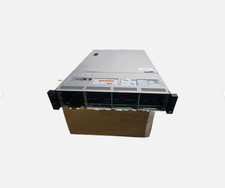
Dell Poweredge R730xd 12LFF 2*2670v3 4*1Gbe h730 2x 750W Server CTO
$488.00

Dell Poweredge T420 SFF 2x E5-2430 v2 2.5Ghz / 64gb / H710 / 8x Trays / 2x 495w
$394.99

Dell R640 Diskless Servers 2x Gold 18-Cores 6254 3.10GHz CPU, 32gb RAM, No Raid
$699.00

DELL R640 10SFF Server 2x Gold 6152 2.1GHz =44 Cores 64GB H730p 4xRJ45
$959.00