

 Reply With Quote
I finally figured it out - somewhat.
I edited the syslinux.cfg and added vga=normal to the append line. Once it enters a higher vid mode the text is unreadable.


I have found that remastering under VMware to be the fastest way for me to experiment. However I have one small problem. When I boot to Knoppix (CD or HD installed) and then switch over to vc2 (CTRL-ALT-F2) the terminal fonts are microscopic and doubled left to right with half of the X window's contents still showing underneath. Obviosly the vid mode is not right after jumping to X and back to text. What I don't know is how to fix the vid mode so the console is usable. I can usually peck keys carefully and chroot, mount proc and startx but if any errors pop up I'm lost and must start over cause the fonts are unreadable.
Anyone know how to reset the vid mode under VMWare without screwing the pooch on the 1st or 2nd X session? Something like the old DOS mode co80 command?
I notice that Windows VM's text screen also tear the screen up when switching to graphics mode so it must be a VMWare specific problem.
I finally figured it out - somewhat.
I edited the syslinux.cfg and added vga=normal to the append line. Once it enters a higher vid mode the text is unreadable.
 Posting Permissions


AMD Ryzen 5 5500 Processor ( read Description)
$59.00
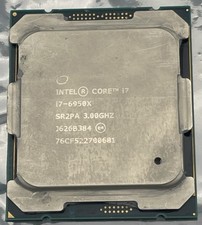
Intel Core i7-6950X Extreme Edition 3.0GHz Processor SR2PA LGA2011 10 Core CPU
$162.95

INTEL CORE I9-10940X X-SERIES PROCESSOR | 3.30GHZ | SRGSH
$179.99

Intel Core i7-4770 3.40GHz Quad Core SR149 LGA 1150 CPU Processor tested
$35.00

Intel Core i7-9700 Octa-Core 3 GHz Desktop Processor LGA 1151
$79.99

Intel Core i7-3770K 3.5 GHz Processor
$39.00

Intel Core i5-12500T SRL5W 2GHz 18MB 6 Core Socket LGA1700 Desktop CPU Processor
$114.99

Intel i7-8700 Coffee Lake 3.2GHz 6-Core Max Turbo 4.6GHz Processor
$67.99
(LOT OF 2) Intel Core i5-10500 CPU 3.10GHz Desktop Processor (SRH3A)
$170.00
Intel Core i7-8700T SR3WX 2.40GHz Processor
$65.00