

 Reply With Quote
Hi Ludo,
change the keyboard entry in your X config file /etc/X11/XF86Config-4 :
pc104 -> pc105
Ciao Martin


Hello,
I have this key on my keybard:
<>
which is located next to the "windows menu" one, but I cannot get it working, and I always have to go in the special char thing to have this < or > character.
is there a way to have the keyboard fully working??
Thxs
Ludo
Hi Ludo,
change the keyboard entry in your X config file /etc/X11/XF86Config-4 :
pc104 -> pc105
Ciao Martin
 Posting Permissions


16GB KIT (2x8GB) DDR3 Gamer Desktop RAM PC3 MIXED BRANDS VIPER VENGEANCE FURY
$10.00

Crucial 32GB(4 x 8GB) CT8G4DFS824A.C8FDD1 DDR4-2400 UDIMM Desktop RAM - CR352A
$89.95

Netac DDR4 32GB 16GB DDR4 3200MHz UDIMM C16 Desktop Internal Memory RAM Kit
$99.99

Samsung 32GB DDR4-2666 PC4-21300 288-Pin DIMM RAM M393A4K40CB1CRC0Q
$185.00

Micron 16GB (2x8GB) 2Rx8 DDR3 1600MHz PC3-12800U Desktop RAM
$19.99

Major Brand 16GB (2x8GB) PC3-12800U DDR3-1600MHz DDR3-12800 DESKTOP RAM NON-ECC
$29.99
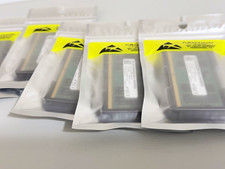
96GB DDR5 48GBx2 SO-DIMM 262-Pin Laptop RAM PC5-5600B 2Rx8
$1199.00

DDR4 Laptop RAM 4GB 8GB 16GB 32GB 2400 2666 3200 Samsung Hynix
$66.00

Dell 16GB PC4-21300 (DDR4-2666) Memory (SNPPWR5TC16G)
$89.99

RAMAXEL Lenovo 32GB LPDDR5X CAMM2 7500MHz Laptop RAM | UNTESTED
$445.00