

 Reply With Quote
try cdrecord -scanbus and that should give you the device name.. mine is dev=1,0,0 .. then i think to mount try mount dev/1,0,0 ?? i dont know, see if that works, if not.. sorry im a newb too


Hi,
I am a total newbie to knoppix which I run off my computer's CD ROM. I also have a USB CD drive/writer which I would need to mount as knoppix does not "see" it.
How do I do this?
Many thanks in advance
Andrei
PS: the USB driver/burner is a HP-8200 Plus series
try cdrecord -scanbus and that should give you the device name.. mine is dev=1,0,0 .. then i think to mount try mount dev/1,0,0 ?? i dont know, see if that works, if not.. sorry im a newb too
Hmm. If you're running from the cd, then Knoppix should have detected it and put an icon on your desktop - at least my external usb cdrom burner works that way.
To see whether or not your cdrom device was detected properly look at the contents of dmesg by issuing the following command from a shell.
dmesg |more
 Posting Permissions


Kingston 32GB 64GB 128GB 256GB USB 3.0 Flash Drive Thumb Memory Stick Pen lot
$285.90
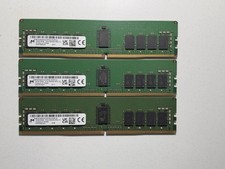
LOT OF 3 Micron 16GB 2Rx8 PC4-3200AA DDR4 ECC Server Memory
$255.00

Microsoft Office 2021 Pro Plus USB for 1PC Windows 10 & 11
$62.50

TF/SD Card Adapter Camera Reader Android Type-c For iPhone17 Pro Max Plusm lot
$573.98

USB 3.0 Flash Drive 32GB 64GB 128GB Memory Stick Thumb Stick Lot Pack
$826.09

128GB (4x32GB) SK hynix DDR4 PC4-2666V RDIMM ECC Server Ram HMA84GR7CJR4N-VK
$799.00

USB 3.0 Micro SD SDHC TF Card Reader Memory Adapter for PC Laptop Camera lot
$3.75
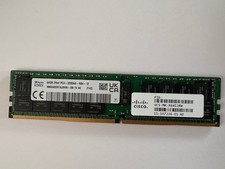
HMAA8GR7AJR4N-XN - SK Hynix 64GB PC4-25600 DDR4-3200MHz Registered ECC DIMM Dual
$493.31

5 in 1 Memory Card Reader USB 3.0 OTG Adapter SD Card Reader For iPhone/iPad LOT
$9.99
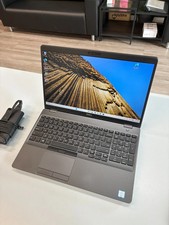
Dell Precision 3541 Laptop i5-9300H 2.4GHz 256GB SSD 16GB RAM Win 11 Pro
$189.99