

 Reply With Quote
It's in the documentation


How do make it so the start up doesn't act like the Live CD, so it acts like a regualarly installed distro like vanilla Debian?
It's in the documentation
You can remove the knoppix-specific graphics easily using synaptic. As root enter:
apt-get update
apt-get install synaptic
synaptic
When synaptic opens, you can scroll through the installed software. It is easy to find the knoppix graphics for the KDE start up and remove it (I can't remember the package name right now). You'll be left with standard KDE start up. I think you may be able to remove some other knoppix-specific things like wallpaper and sounds using synaptic as well. If not, those can be changed through the KDE control center.
 Posting Permissions


INFO/soft Character Generator Manual for Atari 3000/5000/7000 NTSC
$40.00

Atari 130 XE/Atari 1050 Bundle W/ Cords And Extras (Powered On)
$300.00

DEFECTIVE Atari 810 Vintage Computer Disk Drive powers on Unit Only Boo G3D
$49.29

Atari 800 8-bit Computer System Fully Tested Great Condition 48k READ
$350.00

Fujinet 1.7.1 Atari 400 800 800XL 130XE 65XE XEGS Assembled, Tested, Working
$99.99

Atari XE 130XE Computer NTSC with Power Supply Powers On Untested
$159.95

ATARI Mouse with Adapter for ST, STE, Mega STE, TT Optical - USA Seller
$29.99
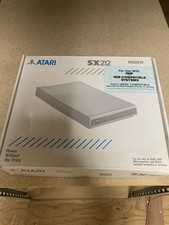
Atari SX212 Modem for IBM Systems w/ Box, Owner's Manual & Power Adapter NOS
$125.00

UNOCART-2600 SD card Multi Rom Cartridge for ATARI 2600 with CASE
$34.25

Vintage Atari SF354 Floppy Disk Drive & Power Supply FOR PARTS OR REPAIR AS IS
$120.00