-
Defragmenting drive?
I've been running Knoppix off my hard disk for nearly a month now. I'm wondering if I need to run a defragmenter on my hard disk (used to do this every month on Windows). I've found a tool that defragments ext2 drives, but my drive is formatted using ReiserFS.
I've done some web searching and come up with nothing really useful. Could anyone help?
-
Senior Member
registered user
No, essentially you only need to do it in extremely rare circumstances. As a rule, you're far better off leaving Linux filesystems to take care of themselves: if any action is needed, the system will post a warning. 
-
But when you have a warning, what command to you have to use to defragment?
Is there any software that are available in the KDE evironment? Or are they all text based?
Ludo
-
After reading more about ReiserFS from http://www.namesys.com, I think it doesn't need to be defragmented. The following quote from the article
ReiserFS is based on fast balanced trees. Balanced trees are more robust in their performance, and are a more sophisticated algorithmic foundation for a filesystem. When we started our project, there was a consensus in the industry that balanced trees were too slow for filesystem usage patterns. We proved that if you just do them right they are better. We have fewer worst case performance scenarios than other filesystems and generally better overall performance. If you put 100,000 files in one directory, we think its fine; many other filesystems try to tell you that you are wrong to want to do it.
The way I understand it, because it uses balanced trees, file fragmentation should rarely occur. Fragmentation is where parts of a file are scattered over the harddisk. IIRC, an NTFS/FAT drive needs to be defragmented because it uses a table to store the locations of file fragments. Because of the way balanced trees work (look up a good book on programming algorithms on this), it reorders (i.e. reposition) file fragments each time a new file is added, preventing/minimizing fragmentation. That's why it mentions that people thought that balanced trees in filesystems would be slow.
In short, you won't need to defragment. Cool. 
-

Originally Posted by
Viro
The way I understand it, because it uses balanced trees, file fragmentation should rarely occur. Fragmentation is where parts of a file are scattered over the harddisk. IIRC, an NTFS/FAT drive needs to be defragmented because it uses a table to store the locations of file fragments. Because of the way balanced trees work (look up a good book on programming algorithms on this), it reorders (i.e. reposition) file fragments each time a new file is added, preventing/minimizing fragmentation. That's why it mentions that people thought that balanced trees in filesystems would be slow.
In short, you won't need to defragment. Cool.
GOSH, I was not thinking such thing was possible 
I still have lots of things to discover about computers! eheh
But that's good if we do not need to defragment!
Ludo
Similar Threads
-
By blackheart in forum MS Windows & New to Linux
Replies: 4
Last Post: 04-19-2005, 08:00 PM
-
By jehan60188 in forum Hdd Install / Debian / Apt
Replies: 0
Last Post: 12-22-2004, 07:02 PM
-
By mjman in forum Hardware & Booting
Replies: 9
Last Post: 10-25-2004, 09:46 PM
-
By kidsatacrux in forum MS Windows & New to Linux
Replies: 19
Last Post: 08-03-2004, 07:41 AM
-
By ktheking in forum Customising & Remastering
Replies: 6
Last Post: 01-02-2004, 09:35 PM
 Posting Permissions
- You may not post new threads
- You may not post replies
- You may not post attachments
- You may not edit your posts
-
Forum Rules


(New) AMD Ryzen 7 5700X 8 Core 16 Thread AM4 Unlocked 3.4 GHz CPU OEM Tray
$174.99

HP Z420 Pro Workstation PC Xeon E5-2660 8-Core 64GB RAM Quadro K5000 128GB SSD
$249.00

Dell Optiplex 7050 Micro Core i5-7500 8 GB RAM 256GB SSD Microsoft Windows 11
$89.99

DELL Optiplex 780 SFF CORE2DUO 3.0GHz 8GB RAM 250GB HDDDVDRW NO OS
$99.99

Intel Xeon E5 - 2667V2 / SR19W 3.30GHz 25MB 8-Core CPU Socket LGA2011
$30.00

AMD Ryzen 7 9700X 8-Core 16-Thread 40MB Cache Socket AM5 9000 Series Processor
$245.99

Microsoft Surface Go 2 Laptop Core i5 1135G7 2.4GHz 8GB 128GB SSD
$179.99
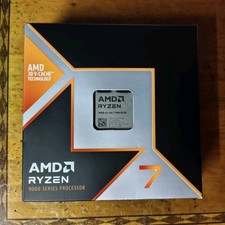
AMD Ryzen 7 9800X3D 8-Core 4.7GHz Socket AM5 Desktop CPU 96MB L3
$360.00

HP Pavilion Laptop Computer 15.6 8-Core Intel i3 8GB RAM 628GB Storage, Open Box
$299.00

Dell T7810 Workstation 8-Core 2.40GHz E5-2630 v3 No RAM GPU HDD OS
$259.98



 Reply With Quote