

 Reply With Quote
My gut feeling is "no", but maybe some other more knowledgable souls will chime in here.


I see that one major new feature in the Knoppix V2003-07-24 release is the V2.4.21 kernel. Is there a straightforward way of using this release to upgrade the kernel in my HD-installed 06-06 release? Is it worth the effort? I was hoping that it would be easier than recompiling. This is one area of Linux that I know little about, though I'm learning fast...
Thanks!
My gut feeling is "no", but maybe some other more knowledgable souls will chime in here.
Here's one *untested* suggestiion, which I believe should work.Originally Posted by Loper
I don't have a working hd-installed knoppix myself to confirm, though.
Boot from the new CD, open a shell and become root (su -).
Mount (rw) your hd partition, say to /MYHD. Then rename those two directories:
# mv /MYHD/boot /MYHD/boot.org
# mv /MYHD/lib/modules /MYHD/lib/modules.org
Now replace them with the newer versions from the live CD:
# cp -a /KNOPPIX/boot /MYHD/boot
# cp -a /KNOPPIX/lib/modules /MYHD/lib/modules
# sync
# unmount /MYHD
Now reboot from HD, and you should enjoy the updated kernel.
If it fails, don't panic, you can restart the live CD, and
restore the two original directories that we have merely renamed.
Admittedly this is a tad crude, and won't transfer the newer boot
logic that may have been build into the startup scripts, but the
kernel switch at least should be painless.
Regards, and please let us know !-)
Hi baldyeti,
I think your suggestion will not work. If it was this easy to update the kernel then everyone will do it but linux is not this easy
To use a new kernel one has to COMPILE it into the system.The kernel happens to be THE MAIN LINUX SYSTEM. So you cannot change it by just copying and pasting files.For one who is not using a hard disk installed linux this is not possible because your file system is READ-ONLY.
Well if you don't try, then we'll never know !-) I just use the so-called poor man's
installation of knoppix. I have a SuSE installation though, which happily can boot
either a 2.2 or a 2.4 kernel, and have upgraded those kernels several times and
tweaked the lilo config accordingly.
Hence my suggestions. And remember it's all reversible!
No need to shout. You did not compile the kernel which your hd-installation
currently uses, did you? You mereley copied the stock kernel provided by knoppix.
I don't see why the newer kernel that comes with the newer CD's couldn't be
copied as well. You only need to compile a kernel if you want to tune it, statically
link some drivers or somesuch adjustment.
And you said you had an hd-install, so you should be able to mount your filesystem
in read-write mode, and perform the suggested renames and copies.
But it's your call, naturally.
Cheers.
Hi!
Have you tried your method in your SuSe installation?
 Posting Permissions


Dell PowerEdge FX2s + 8x FC430 Blades 16x E5-2630v4 160 Cores Rails No PSU/RAM
$699.00

Dell PowerEdge FC430 Blade Server 2x Xeon E5-2630v4 20 Cores FX2 FX2s No RAM/HDD
$119.99

Dell PowerEdge M630 Blade Server 2x Xeon E5-2680 v4, 2F3MP , 4GDP5 ,R10KJ ,JVFVR
$140.00

Dell PowerEdge M620 Blade Server 2x Xeon E5-2680v2 2.8ghz 20-Cores | 128GB
$149.99

Dell Poweredge C6400 24x 2.5’’ 2x 2400W 4x C6420 Nodes H330 | 2x SFP | 8x Trays
$799.99

NETAPP HCI NAF-1701 SuperMicro Server 4X BLADE H410C 8X GOLD 5120 4 NODE SERVER
$1499.97
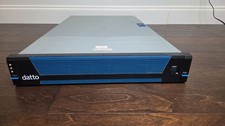
Datto S3E12000 RACK SERVER 2U 2x Xeon E5-2670 v3 2.30GHz 32GB RAM 2x PSU 14 BAY
$399.95

Dell PowerEdge VRTX 2.5"x25 Bay Blade Enclosure 4x1600W + 4X M640 (4X Blades)
$1599.99

Dell PowerEdge M640 Blade Barebone Server Dell P/N: HHB006 Tested Working
$149.99

Dell Poweredge VRTX 25Bay 2.5" 2x PERC 8, 2xCMC, I/O 1GB Pass Through, 4x PS
$578.08