-
HDD Install
I had tried Knoppix loaded from disk 3 times with out any problems on my W98 box and I liked it. I wanted to do a hard install on its own drive 2.95 and maintain W98 on another to do dual boot. I decided to erase everything on the extra drive, but could not get rid of the trash basket from W98.
I was going to follow pnti's instructions, but now I cannot load the os from disk. After the Welcome to Knoppix 3.2 screen displays, the program begins to auto load but stops after about 10 lines after the lines :
USB found, managed by hotplug
enabling hotplug manager
autoconfiguring device (followed by green bar) h
Then the cursor stops at the beginning of next line and just blinks.
I appreciate any ideas, (BTW I am really new to linux). Thanks
-
HDD Install
javascript:emoticon (' ')Sorry for my previous post, I went back to the Knoppix 3.2 screen and selected "failsafe" as a boot, this eliminated any problems with the hangup of the install; however it presents other challenges to be overcome by my lack of knowlege.
Sorry for previous post.
-
Senior Member
registered user
Re: HDD Install
As you can see I split your posts from their previous location. It is advisable to create your own topic in a forum so that it has better visibility.

Originally Posted by
sonic20
I had tried Knoppix loaded from disk 3 times with out any problems on my W98 box and I liked it. I wanted to do a hard install on its own drive 2.95 and maintain W98 on another to do dual boot. I decided to erase everything on the extra drive, but could not get rid of the trash basket from W98.
I was going to follow pnti's instructions, but now I cannot load the os from disk. After the Welcome to Knoppix 3.2 screen displays, the program begins to auto load but stops after about 10 lines after the lines :
USB found, managed by hotplug
enabling hotplug manager
autoconfiguring device (followed by green bar) h
Then the cursor stops at the beginning of next line and just blinks.
I appreciate any ideas, (BTW I am really new to linux). Thanks
I am unsure of how you are trying to boot knoppix, whether from cdrom or booting the .iso from your hard drive. Either way, try this:
boot: knoppix nousb
I don't know if you have any USB devices you wish to use but that usually will get you by the error you're getting. Post some hardware details and the output of lspci -v.
-
Junior Member
registered user
I've got the same problem!
And i tried with these;
Code:
knoppix noagp noddc noapm noapic nodma nocmcia nocsi nousb nosmp
But it just didn't work.. Now im trying failsafe..
EDIT: but this isn't a hddinstall, im just trying to run it..
Similar Threads
-
By phoenixzero in forum General Support
Replies: 1
Last Post: 09-24-2004, 06:14 AM
-
By fishjg in forum General Support
Replies: 3
Last Post: 09-04-2004, 09:10 PM
-
By Loper in forum Hdd Install / Debian / Apt
Replies: 1
Last Post: 07-11-2003, 02:38 AM
-
By toeknee in forum General Support
Replies: 9
Last Post: 04-14-2003, 04:03 PM
-
By _CaLeB_ in forum Hardware & Booting
Replies: 5
Last Post: 03-31-2003, 06:20 PM
 Posting Permissions
- You may not post new threads
- You may not post replies
- You may not post attachments
- You may not edit your posts
-
Forum Rules


Acer Predator Helios Neo 16S AI 16" i9 275HX 2S RTX 5070 Ti 32GB 1TB SSD Refurb
$1671.47

Dell Latitude 14" Laptop Computer Intel i5 Up To 32GB RAM 1TB SSD Windows 11 Pro
$316.61

Samsung 2.5" 870 EVO SSD SATA III 250GB 500GB 1TB Internet Solid State Drive Lot
$90.00

External SSD 1TB 2TB 4TB Portable Hard Drive USB 3.0 Type-C High Speed PC Mac
$19.99

SAMSUNG T7 Portable SSD 1TB Indigo Blue USB 3.2 Gen2 External MU-PC1T0H/AM
$159.99

Netac 2TB 1TB 500GB Internal SSD M.2 NVMe PCIe3.0 Solid State Drive lot
$129.99

Acer Aspire 14" AI Copilot+PC Laptop Core Ultra 5 226V Gen 4 ARC 16GB 1TB Refurb
$462.74

Lenovo Legion 5 Gaming 15.1" WQXGA OLED 165Hz Core i9-14900HX 16GB 1TB RTX 5070
$1469.00
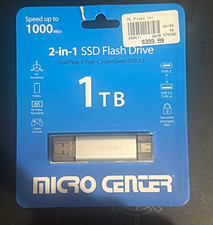
Micro Center 2-in-1 SSD Flash Drive 1TB USB-A/USB-C USB 3.2 Gen 2 10Gbps
$240.00
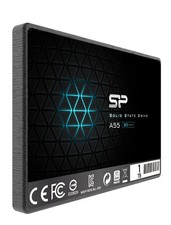
Silicon Power 1TB SSD 3D NAND A55 SLC SATA III 2.5" SSD Laptop XBOX PS3 PC
$119.99



 Reply With Quote