

 Reply With Quote
I would like to see GNOME installed, but I doubt it is possible due to space limitations. However, I would be glad if someone could point me to where I can get information on how to install Gnome with my hd install.


I can talk but my own needs, and I don't know if everyone else feels the same, but I would like to suggest this:
Since knoppix is a very - very user friendly distro ideal for getting to know Linux or demo, I would add in Gnome in addition to KDE and leave the other small window managers. (if enough place on the disk)
Why?? KDE and GNOME are the two most used environments. As a demo disc or introduction to Linux, you can hardly leave Gnome out, while the smaller GUI's are less important for new users, or for trying Linux.
Is this possible ? Would others also like Gnome back in ?
Greetings,
Erik (Belgium)
I would like to see GNOME installed, but I doubt it is possible due to space limitations. However, I would be glad if someone could point me to where I can get information on how to install Gnome with my hd install.
You would just use apt-get to install but I believe it still conflicts with KDE so you would lose that if this is still the case. You should go to Debian Packages and search to see what you will need.Originally Posted by Viro
I was able to install Gnome w/o any real hitches. I can't remember exactly how it went, but I believe it was just: apt-get install gnome or perhaps apt-get -t unstable.
I do know this. Gnome wouldn't start on my box by doing a simple "gnome-session". But if I ran xinit, then I could start gnome with gnome-session.
Of cousrse this may be different for people who use window managers. I always boot w/o starting X.
Good to know I just remember a while back you could not install both and thought I'd give him a heads up in case it was still the same idea now, I don't use it so I have not tried to install it.
I don't really use it either. I prefer KDE, but it was just a curiosity for me to see if I could get it working.
Hopefully the new KDE 3.1.3 which was released today will soon be incorporated into Knoppix.
Is it in unstable yet I've only got 3.1.2-1.1 listed, I was using the 3.2 CVS but was having some strange problems and it fried the system on the last upgrade about a week and a half ago so I downgraded.
No I'm sure it's not in unstable yet since the KDE guys just released it today, but hopefully soon.
Here's the announcement
http://www.kde.org/announcements/announce-3.1.3.php
And it is the sources.list line is deb http://download.kde.org/stable/3.1.3/Debian stable main looks like it for stable though going to have to check that out tomorrow to late to be doing complicated things tonight.
I can't upgrade my hdinstall to kde 3.1.3, as soon as I try to upgrade using synaptic 1 file, it tics whole kde for uninstall... apt-get doesnt work either... ???
na, I'll wait for the new knoppix, hd-install it, and I'll have it...

 Posting Permissions


Samsung 256GB SSD MZ-JPV256S/0A2 PCIe Solid State Drive SSD SSUBX 655-1959A
$22.02

Samsung Galaxy Tab Active 3 / 64 gig/ WIFI/ IP68 Rated
$85.00

Samsung T7 Touch 2TB Portable SSD Black USB 3.2 New Factory Sealed
$319.99

Samsung Galaxy View Tablet 18.4 SM-T670/677A Digitizer 100% Original Oem
$152.99

RAM-GDS-SKIN-SAM80-NG RAM IntelliSkin® Next Gen for Samsung Tab A7 Lite 8.7”
$82.99

RAM-GDS-DOCK-SAM80CPU RAM GDS® Tough-Dock™ for Samsung Tab A7 Lite 8.7"
$159.49

3 -M.2 2280 512GB SSD - Samsung MZNTE512HMJH, MZNLN512HMJP, Toshiba KSG60ZMV512G
$155.00

1 lot of 3 (2)Samsung PM951 SM961 & (1)Intel SSD 600P 256GB M.2 2280 SSD NVMe
$109.00

Original for Samsung NP950QCG-K01US LCD Screen Touch Full Top Assembly FHD Blue
$299.00
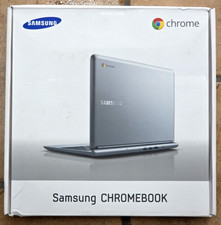
NEW Samsung XE303C12-A01US 11.6" Chromebook Exynos 5250 16GB SSD 2GB RAM 320042
$156.98