

 Reply With Quote
I would like to see GNOME installed, but I doubt it is possible due to space limitations. However, I would be glad if someone could point me to where I can get information on how to install Gnome with my hd install.


I can talk but my own needs, and I don't know if everyone else feels the same, but I would like to suggest this:
Since knoppix is a very - very user friendly distro ideal for getting to know Linux or demo, I would add in Gnome in addition to KDE and leave the other small window managers. (if enough place on the disk)
Why?? KDE and GNOME are the two most used environments. As a demo disc or introduction to Linux, you can hardly leave Gnome out, while the smaller GUI's are less important for new users, or for trying Linux.
Is this possible ? Would others also like Gnome back in ?
Greetings,
Erik (Belgium)
I would like to see GNOME installed, but I doubt it is possible due to space limitations. However, I would be glad if someone could point me to where I can get information on how to install Gnome with my hd install.
You would just use apt-get to install but I believe it still conflicts with KDE so you would lose that if this is still the case. You should go to Debian Packages and search to see what you will need.Originally Posted by Viro
I was able to install Gnome w/o any real hitches. I can't remember exactly how it went, but I believe it was just: apt-get install gnome or perhaps apt-get -t unstable.
I do know this. Gnome wouldn't start on my box by doing a simple "gnome-session". But if I ran xinit, then I could start gnome with gnome-session.
Of cousrse this may be different for people who use window managers. I always boot w/o starting X.
Good to know I just remember a while back you could not install both and thought I'd give him a heads up in case it was still the same idea now, I don't use it so I have not tried to install it.
I don't really use it either. I prefer KDE, but it was just a curiosity for me to see if I could get it working.
Hopefully the new KDE 3.1.3 which was released today will soon be incorporated into Knoppix.
Is it in unstable yet I've only got 3.1.2-1.1 listed, I was using the 3.2 CVS but was having some strange problems and it fried the system on the last upgrade about a week and a half ago so I downgraded.
No I'm sure it's not in unstable yet since the KDE guys just released it today, but hopefully soon.
Here's the announcement
http://www.kde.org/announcements/announce-3.1.3.php
And it is the sources.list line is deb http://download.kde.org/stable/3.1.3/Debian stable main looks like it for stable though going to have to check that out tomorrow to late to be doing complicated things tonight.
I can't upgrade my hdinstall to kde 3.1.3, as soon as I try to upgrade using synaptic 1 file, it tics whole kde for uninstall... apt-get doesnt work either... ???
na, I'll wait for the new knoppix, hd-install it, and I'll have it...

 Posting Permissions

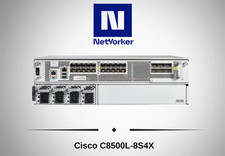
Cisco Catalyst 8500 C8500L-8S4X 4x SFP+ 8x SFP 4x10GE 8x1GE Router-Fast Ship
$6299.99

Cisco Acacia DP04QSDD-E25-840 400G QSFP-DD Coherent DCO Transceiver Module
$699.99

Cisco C9300-48UXM-A Switch 9300 Series 48-port UPoE Network
$874.99

Qty 20 New Cisco QSFP-100G-FR-W2 10-3659-01 Module Hologram Brand New 20 Pack
$260.00
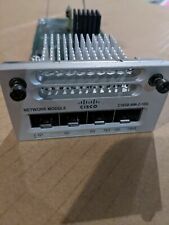
Cisco C3850-NM-2-10G 2 Port Network Exp.Module for 3850
$18.90

Cisco ISR4331 Intergrated Service Router K9 4300series
$45.99
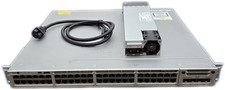
Cisco Catalyst 3850-48F-L 48-Port UPoE Gigabit Switch NM-4-1G
$59.99

Cisco C3850-NM-2-10G Catalyst 3850 2 x 10GE Network Module
$30.00

Cisco Catalyst C9130AXI-B WiFi 6 802.11ax Wireless Access Point Brand New
$101.99

Cisco Meraki MR44 Wireless Dual-Band Cloud Managed Access Point- (UNCLAIMED )
$200.00