

 Reply With Quote
Dude- boot the Knoppix cd and copy the XF86Config-4 file it creates onto your woody install. It's easier than getting hit by a bus.


Sorry this is the wrong place, but I know you all won't mind helping....
I have installed over the last 12 months redhat 7.3 & 8.0
Mandrake 8.2 & 9.1
Knoppix 3.1 & 3.2 (HDD installs) all with relativly no problems.....
But after decieding I like Knoppix the best I go and buy Debian (Woody) 3.0 and now I can't get the X server running.
Would you guys mind looking at my XF86Config-4 file and see what you can nut out?
Most things are similar between this file and my Knoppix Xf86 file I'll post the Knoppix one also...
(and how can I edit it from the konsole window?)
Thanks
Keith
THIS IS THE DEBIAN 3.0 XF86Config-4 file
### BEGIN DEBCONF SECTION
# XF86Config-4 (XFree86 server configuration file) generated by dexconf, the
# Debian X Configuration tool, using values from the debconf database.
#
# Edit this file with caution, and see the XF86Config-4 manual page.
# (Type "man XF86Config-4" at the shell prompt.)
#
# If you want your changes to this file preserved by dexconf, only make changes
# before the "### BEGIN DEBCONF SECTION" line above, and/or after the
# "### END DEBCONF SECTION" line below.
#
# To change things within the debconf section, run the command:
# dpkg-reconfigure xserver-xfree86
# as root. Also see "How do I add custom sections to a dexconf-generated
# XF86Config or XF86Config-4 file?" in /usr/share/doc/xfree86-common/FAQ.gz.
Section "Files"
FontPath "unix/:7100" # local font server
# if the local font server has problems, we can fall back on these
FontPath "/usr/lib/X11/fonts/misc"
FontPath "/usr/lib/X11/fonts/cyrillic"
FontPath "/usr/lib/X11/fonts/100dpi/:unscaled"
FontPath "/usr/lib/X11/fonts/75dpi/:unscaled"
FontPath "/usr/lib/X11/fonts/Type1"
FontPath "/usr/lib/X11/fonts/Speedo"
FontPath "/usr/lib/X11/fonts/100dpi"
FontPath "/usr/lib/X11/fonts/75dpi"
EndSection
Section "Module"
Load "GLcore"
Load "bitmap"
Load "dbe"
Load "ddc"
Load "dri"
Load "extmod"
Load "freetype"
Load "glx"
Load "int10"
Load "pex5"
Load "record"
Load "speedo"
Load "type1"
Load "vbe"
Load "xie"
EndSection
Section "InputDevice"
Identifier "Generic Keyboard"
Driver "keyboard"
Option "CoreKeyboard"
Option "XkbRules" "xfree86"
Option "XkbModel" "pc104"
Option "XkbLayout" "us"
EndSection
Section "InputDevice"
Identifier "Configured Mouse"
Driver "mouse"
Option "CorePointer"
Option "Device" "/dev/psaux"
Option "Protocol" "PS/2"
Option "Emulate3Buttons" "true"
Option "ZAxisMapping" "4 5"
EndSection
Section "InputDevice"
Identifier "Generic Mouse"
Driver "mouse"
Option "SendCoreEvents" "true"
Option "Device" "/dev/input/mice"
Option "Protocol" "ImPS/2"
Option "Emulate3Buttons" "true"
Option "ZAxisMapping" "4 5"
EndSection
Section "Device"
Identifier "Generic Video Card"
Driver "nv"
Option "UseFBDev" "true"
EndSection
Section "Monitor"
Identifier "Generic Monitor"
HorizSync 30-62
VertRefresh 55-75
Option "DPMS"
EndSection
Section "Screen"
Identifier "Default Screen"
Device "Generic Video Card"
Monitor "Generic Monitor"
DefaultDepth 24
SubSection "Display"
Depth 1
Modes "1024x768" "800x600" "640x480"
EndSubSection
SubSection "Display"
Depth 4
Modes "1024x768" "800x600" "640x480"
EndSubSection
SubSection "Display"
Depth 8
Modes "1024x768" "800x600" "640x480"
EndSubSection
SubSection "Display"
Depth 15
Modes "1024x768" "800x600" "640x480"
EndSubSection
SubSection "Display"
Depth 16
Modes "1024x768" "800x600" "640x480"
EndSubSection
SubSection "Display"
Depth 24
Modes "1024x768" "800x600" "640x480"
EndSubSection
EndSection
Section "ServerLayout"
Identifier "Default Layout"
Screen "Default Screen"
InputDevice "Generic Keyboard"
InputDevice "Configured Mouse"
InputDevice "Generic Mouse"
EndSection
Section "DRI"
Mode 0666
EndSection
### END DEBCONF SECTION
THIS IS THE Knoppix 3.2 (2003-06-06) XF86Config-4 file
Section "ServerLayout"
Identifier "XFree86 Configured"
Screen 0 "Screen0" 0 0
InputDevice "Keyboard0" "CoreKeyboard"
InputDevice "PS/2 Mouse" "CorePointer"
# Serial Mouse not detected
# USB Mouse not detected
EndSection
Section "ServerFlags"
Option "AllowMouseOpenFail" "true"
EndSection
Section "Files"
RgbPath "/usr/X11R6/lib/X11/rgb"
ModulePath "/usr/X11R6/lib/modules"
FontPath "/usr/X11R6/lib/X11/fonts/misc:unscaled"
FontPath "/usr/X11R6/lib/X11/fonts/misc"
FontPath "/usr/X11R6/lib/X11/fonts/75dpi:unscaled"
FontPath "/usr/X11R6/lib/X11/fonts/75dpi"
FontPath "/usr/X11R6/lib/X11/fonts/100dpi:unscaled"
FontPath "/usr/X11R6/lib/X11/fonts/100dpi"
FontPath "/usr/X11R6/lib/X11/fonts/Speedo"
FontPath "/usr/X11R6/lib/X11/fonts/PEX"
# Additional fonts: Locale, Gimp, TTF...
FontPath "/usr/X11R6/lib/X11/fonts/cyrillic"
# FontPath "/usr/X11R6/lib/X11/fonts/latin2/75dpi"
# FontPath "/usr/X11R6/lib/X11/fonts/latin2/100dpi"
# True type and type1 fonts are also handled via xftlib, see /etc/X11/XftConfig!
FontPath "/usr/X11R6/lib/X11/fonts/Type1"
FontPath "/usr/share/fonts/ttf/western"
FontPath "/usr/share/fonts/ttf/decoratives"
FontPath "/usr/share/fonts/truetype/openoffice"
FontPath "/usr/share/fonts/truetype/ttf-bitstream-vera"
FontPath "/usr/X11R6/lib/X11/fonts/defoma/CID"
FontPath "/usr/X11R6/lib/X11/fonts/defoma/TrueType"
EndSection
Section "Module"
Load "ddc" # ddc probing of monitor
Load "GLcore"
Load "dbe"
Load "dri"
Load "extmod"
Load "glx"
Load "bitmap" # bitmap-fonts
Load "speedo"
Load "type1"
Load "freetype"
Load "record"
EndSection
Section "InputDevice"
Identifier "Keyboard0"
Driver "keyboard"
Option "CoreKeyboard"
Option "XkbRules" "xfree86"
Option "XkbModel" "pc104"
Option "XkbLayout" "us"
EndSection
Section "InputDevice"
Identifier "Serial Mouse"
Driver "mouse"
Option "Protocol" "Microsoft"
Option "Device" "/dev/ttyS0"
Option "Emulate3Buttons" "true"
Option "Emulate3Timeout" "70"
Option "SendCoreEvents" "true"
EndSection
Section "InputDevice"
Identifier "PS/2 Mouse"
Driver "mouse"
Option "Protocol" "auto"
Option "ZAxisMapping" "4 5"
Option "Device" "/dev/psaux"
Option "Emulate3Buttons" "true"
Option "Emulate3Timeout" "70"
Option "SendCoreEvents" "true"
EndSection
Section "InputDevice"
Identifier "USB Mouse"
Driver "mouse"
Option "Device" "/dev/input/mice"
Option "SendCoreEvents" "true"
Option "Protocol" "IMPS/2"
Option "ZAxisMapping" "4 5"
Option "Buttons" "5"
EndSection
# Auto-generated by KNOPPIX mkxf86config
Section "Monitor"
Identifier "Monitor0"
Option "DPMS" "true"
VendorName "CAL"
ModelName "CAL0100"
HorizSync 30 - 62 # DDC-probed
VertRefresh 55 - 75 # DDC-probed
# These are the DDC-probed settings reported by your monitor.
# 1280x1024, 75.0Hz; hfreq=79.98, vfreq=75.03
ModeLine "1280x1024" 135.00 1280 1296 1440 1688 1024 1025 1028 1066 +hsync +vsync
# 800x600, 75.0Hz; hfreq=46.88, vfreq=75.00
ModeLine "800x600" 49.50 800 816 896 1056 600 601 604 625 +hsync +vsync
# 800x600, 60.0Hz; hfreq=37.88, vfreq=60.32
ModeLine "800x600" 40.00 800 840 968 1056 600 601 605 628 +hsync +vsync
# 640x480, 75.0Hz; hfreq=37.50, vfreq=75.00
ModeLine "640x480" 31.50 640 656 720 840 480 481 484 500 -hsync -vsync
# 640x480, 60.0Hz; hfreq=31.47, vfreq=59.94
ModeLine "640x480" 25.17 640 648 744 784 480 482 484 509 -hsync -vsync
EndSection
Section "Device"
### Available Driver options are:-
# sw_cursor is needed for some ati and radeon cards
Option "sw_cursor"
#Option "hw_cursor"
#Option "NoAccel"
#Option "ShowCache"
#Option "ShadowFB"
#Option "UseFBDev"
#Option "Rotate"
Identifier "Card0"
# The following line is auto-generated by KNOPPIX mkxf86config
Driver "nv"
VendorName "All"
BoardName "All"
# BusID "PCI:1:0:0"
EndSection
Section "Screen"
Identifier "Screen0"
Device "Card0"
Monitor "Monitor0"
DefaultColorDepth 16
SubSection "Display"
Depth 1
Modes "1024x768" "800x600" "640x480"
EndSubSection
SubSection "Display"
Depth 4
Modes "1024x768" "800x600" "640x480"
EndSubSection
SubSection "Display"
Depth 8
Modes "1024x768" "800x600" "640x480"
EndSubSection
SubSection "Display"
Depth 15
Modes "1024x768" "800x600" "640x480"
EndSubSection
SubSection "Display"
Depth 16
Modes "1024x768" "800x600" "640x480"
EndSubSection
SubSection "Display"
Depth 24
Modes "1024x768" "800x600" "640x480"
EndSubSection
SubSection "Display"
Depth 32
Modes "1024x768" "800x600" "640x480"
EndSubSection
EndSection
Section "DRI"
Mode 0666
EndSection
Dude- boot the Knoppix cd and copy the XF86Config-4 file it creates onto your woody install. It's easier than getting hit by a bus.
You have no modlines in your monitor section for example my XF86Config-4 from a install of Bonzai linux a Debian derivative.
As you can see they are similar except the monitor section and you have a couple extra modules being loaded. You should boot from the Knoppix CD and copy the modlines from the Knoppix config to your config file and you should be able to start the X server or maybe copy the whole file but comment out the fontpaths that will not be there, this of course after having backed up the original non-working file just in case you want to try with it again.Code:### BEGIN DEBCONF SECTION # XF86Config-4 (XFree86 server configuration file) generated by dexconf, the # Debian X Configuration tool, using values from the debconf database. # # Edit this file with caution, and see the XF86Config-4 manual page. # (Type "man XF86Config-4" at the shell prompt.) # # If you want your changes to this file preserved by dexconf, only make changes # before the "### BEGIN DEBCONF SECTION" line above, and/or after the # "### END DEBCONF SECTION" line below. # # To change things within the debconf section, run the command: # dpkg-reconfigure xserver-xfree86 # as root. Also see "How do I add custom sections to a dexconf-generated # XF85Config or XF86Config-4 file?" in /usr/share/doc/xfree86-common/FAQ.gz. Section "Files" # FontPath "unix/:7100" # local font server # if the local font server has problems, we can fall back on these # FontPath "/usr/lib/X11/fonts/Type1" # FontPath "/usr/share/fonts/truetype/ttf-bitstream-vera" FontPath "/usr/lib/X11/fonts/CID" FontPath "/usr/lib/X11/fonts/Speedo" FontPath "/usr/lib/X11/fonts/misc" FontPath "/usr/lib/X11/fonts/cyrillic" FontPath "/usr/lib/X11/fonts/75dpi" FontPath "/usr/lib/X11/fonts/100dpi" FontPath "/usr/share/fonts/truetype/ttf-bitstream-vera" FontPath "/var/lib/defoma/x-ttcidfont-conf.d/dirs/TrueType" FontPath "/usr/lib/X11/fonts/type1" EndSection Section "Module" Load "GLcore" Load "bitmap" Load "dbe" Load "ddc" Load "dri" Load "extmod" Load "freetype" Load "glx" Load "int10" Load "record" Load "speedo" Load "type1" Load "vbe" EndSection Section "InputDevice" Identifier "Generic Keyboard" Driver "keyboard" Option "CoreKeyboard" Option "XkbRules" "xfree86" Option "XkbModel" "pc101" Option "XkbLayout" "us" EndSection Section "InputDevice" Identifier "Configured Mouse" Driver "mouse" Option "CorePointer" Option "Device" "/dev/psaux" Option "Protocol" "ImPS/2" Option "Emulate3Buttons" "true" Option "ZAxisMapping" "4 5" EndSection Section "InputDevice" Identifier "Generic Mouse" Driver "mouse" Option "SendCoreEvents" "true" Option "Device" "/dev/input/mice" Option "Protocol" "ImPS/2" Option "Emulate3Buttons" "true" Option "ZAxisMapping" "4 5" EndSection Section "Device" Identifier "ATI Technologies, Inc. 3D Rage Pro AGP [264GT Pro GB]" Driver "ati" Option "UseFBDev" "true" EndSection Section "Monitor" Identifier "API:3645" # HorizSync 28-50 # VertRefresh 43-75 HorizSync 30-54# Warning: This may fry old Monitors VertRefresh 50-120 Option "DPMS" vendorname "Acer Peripherals" modelname "54e" ModeLine "1024x768/65Hz" 65 1024 1032 1176 1344 768 771 777 806 -HSync -VSync ModeLine "800x600/72Hz" 50 800 856 976 1040 600 637 643 666 +HSync +VSync EndSection Section "Screen" Identifier "Default Screen" Device "ATI Technologies, Inc. 3D Rage Pro AGP [264GT Pro GB]" Monitor "API:3645" DefaultDepth 24 SubSection "Display" Depth 1 Modes "1024x768" "800x600" "640x480" EndSubSection SubSection "Display" Depth 4 Modes "1024x768" "800x600" "640x480" EndSubSection SubSection "Display" Depth 8 Modes "1024x768" "800x600" "640x480" EndSubSection SubSection "Display" Depth 15 Modes "1024x768" "800x600" "640x480" EndSubSection SubSection "Display" Depth 16 Modes "1024x768" "800x600" "640x480" EndSubSection SubSection "Display" Depth 24 Modes "1024x768" "800x600" "640x480" EndSubSection EndSection Section "ServerLayout" Identifier "Default Layout" Screen "Default Screen" InputDevice "Generic Keyboard" InputDevice "Configured Mouse" InputDevice "Generic Mouse" EndSection Section "DRI" Mode 0666 EndSection ## END DEBCONF SECTION
So I can just copy my Knoppix XF86 file to Woody ....
Thanks will give it a try.....
 Posting Permissions


(New) AMD Ryzen 7 5700X 8 Core 16 Thread AM4 Unlocked 3.4 GHz CPU OEM Tray
$169.99

Dell Optiplex 7050 Micro Core i5-7500 8 GB RAM 256GB SSD Microsoft Windows 11
$89.99

HP Z420 Pro Workstation PC Xeon E5-2660 8-Core 64GB RAM Quadro K5000 128GB SSD
$249.00
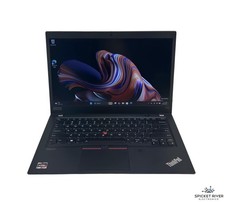
Lenovo ThinkPad T14S Gen 1 8-Core 4750U 1.70 GHz 512 GB SSD 16 GB RAM Win11Pro
$240.00

Intel Xeon E5 - 2667V2 / SR19W 3.30GHz 25MB 8-Core CPU Socket LGA2011
$30.00

AMD Ryzen 7 9700X 8-Core 16-Thread 40MB Cache Socket AM5 9000 Series Processor
$245.99
AMD Ryzen 7 5800X 8-core, 16-Thread Unlocked Desktop Processor
$189.99

Microsoft Surface Go 2 Laptop Core i5 1135G7 2.4GHz 8GB 128GB SSD
$179.99

Intel Core i9-9900K SRG19 3.60GHz 16MB 8-Core LGA1151 B Grade CPU Processor
$175.00

DELL Optiplex 780 SFF CORE2DUO 3.0GHz 8GB RAM 250GB HDDDVDRW NO OS
$99.99